

What is Auris AI?
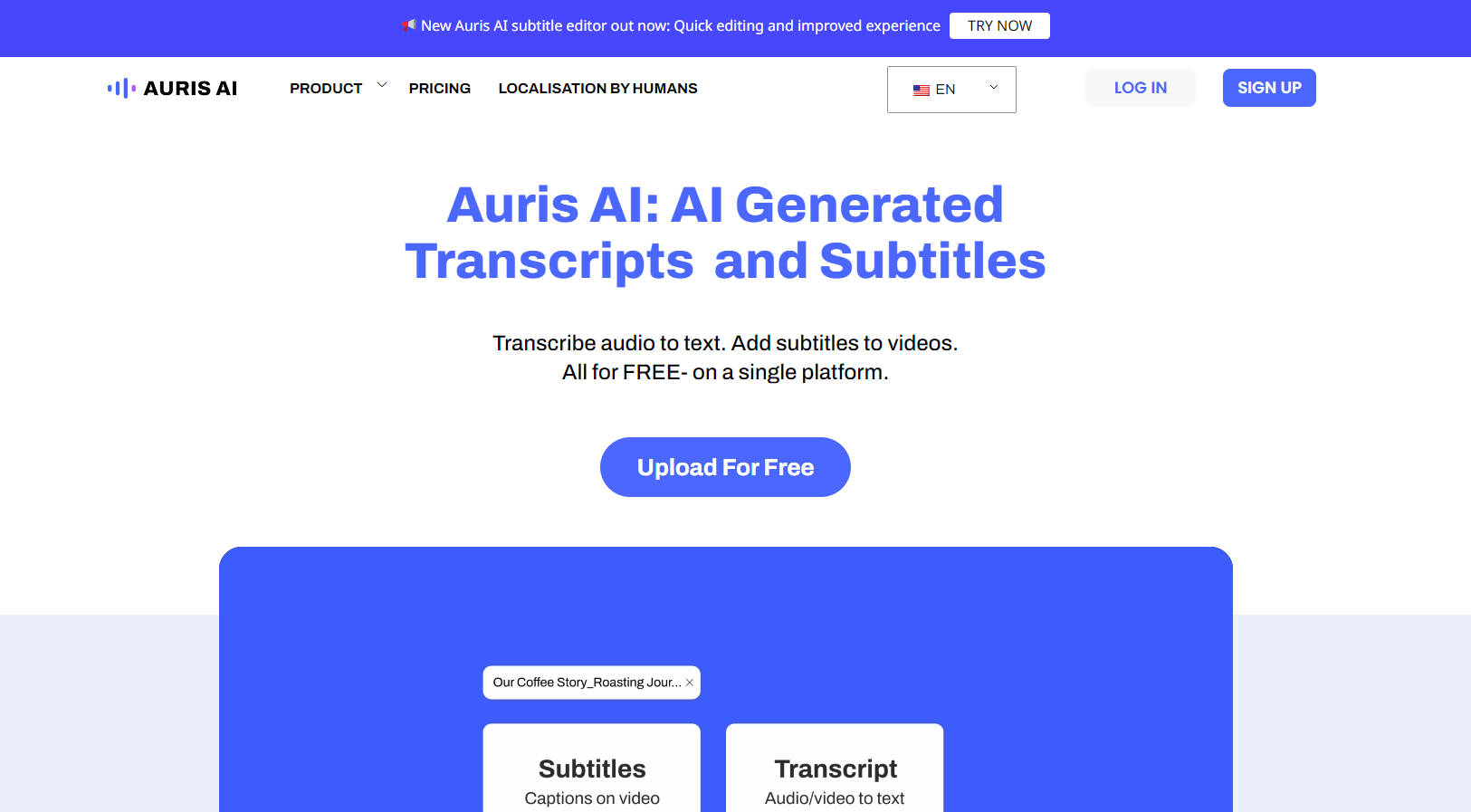
Manually transcribing audio or adding subtitles to videos can consume hours of your valuable time. Auris AI offers a straightforward, AI-powered solution to automate these tasks efficiently. You can quickly convert audio recordings into text documents and generate accurate subtitles for your videos, all within one easy-to-use online platform. It’s designed to help you work smarter, not harder.
Key Features
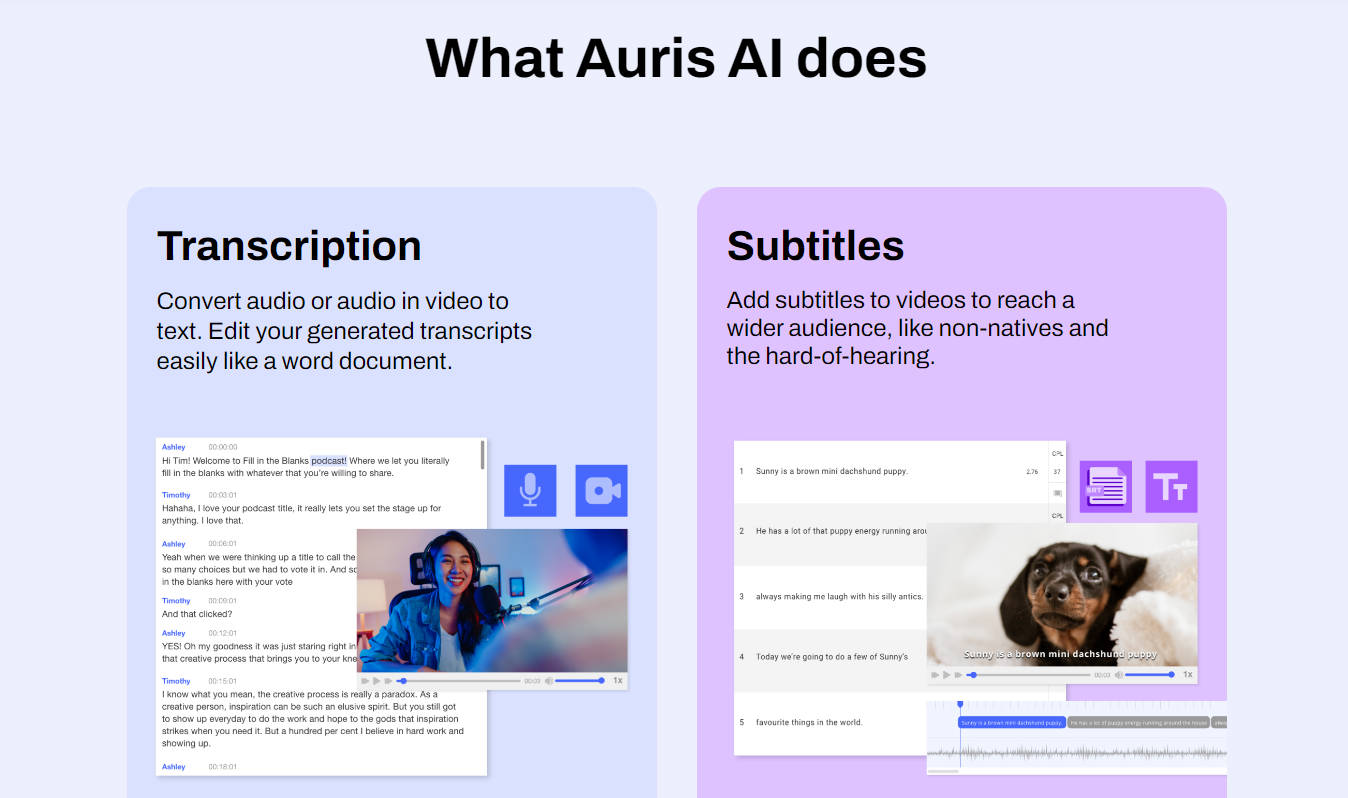
🎙️ Generate Accurate Transcripts: Upload your audio or video files (supports .mp3, .wav, .mp4, and more) and let the AI automatically convert speech into text. For clear recordings with minimal background noise, you can achieve accuracy rates between 85-95%.
✍️ Edit Transcripts with Ease: Review and refine your automatically generated transcripts using a simple, intuitive editor. Making corrections feels as familiar as editing a standard word document.
📺 Create Video Subtitles Automatically: Upload your videos (supports .mp4, .mov, .wmv, etc.) to generate subtitles swiftly. This makes your content accessible to a wider audience, including non-native speakers and those with hearing impairments.
🎨 Customize Subtitle Appearance: Enhance readability by adding simple customizations like shadows or strokes to your subtitles, ensuring they stand out clearly against your video background.
🌐 Process Content in Numerous Languages: Auris AI recognizes and transcribes audio in a diverse range of global languages, including English, Spanish, French, German, Japanese, Hindi, Bahasa, Tagalog, and many more.
💾 Flexible Export Options: Once you're satisfied, download your transcripts as plain text (.txt) or standard subtitle files (.srt). You can also export your video with the subtitles embedded, choosing from different formats and resolutions.
Use Cases: How Auris AI Can Help You
For Content Creators & Podcasters: After recording your latest video or podcast, upload the file to Auris AI. In minutes, you'll have a full transcript ready for creating blog posts, show notes, or social media snippets. Simultaneously, generate subtitles to boost your video's reach and engagement on platforms like YouTube or LinkedIn.
For Students & Researchers: Transcribing lecture recordings or research interviews is no longer a chore. Use Auris AI to get a text version quickly. This allows you to easily search for key terms, extract quotes for your papers, and review material efficiently without needing to listen back repeatedly.
For Marketers & Businesses: Make your training videos, webinars, or promotional content more inclusive and effective. Adding subtitles with Auris AI ensures your message reaches everyone, including viewers in noisy environments, those watching with sound off, or international audiences.
Conclusion
Stop letting manual transcription and subtitling slow you down. Auris AI offers a practical, user-friendly way to handle these tasks quickly and with dependable accuracy. Its support for numerous languages and straightforward editing tools empower you to make your audio and video content more versatile and accessible.
Ready to reclaim your time? Give Auris AI a try for free and experience automated transcription and subtitling yourself.
More information on Auris AI
Launched
2021-08
Pricing Model
Freemium
Starting Price
$ 6.0 /Month
Global Rank
239270
Follow
Month Visit
132.4K
Tech used
Google Analytics,Google Tag Manager,LinkedIn Insights,cdnjs,WordPress,Font Awesome,Google Fonts,jQuery,Underscore.js,Gzip,JSON Schema,OpenGraph,PHP,Webpack,Apache
Top 5 Countries
22.59%
13.62%
5.76%
5.66%
4.59%
Indonesia
Vietnam
India
United States
Taiwan
Traffic Sources
2.46%
0.69%
0.08%
6.23%
61.03%
29.52%
social
paidReferrals
mail
referrals
search
direct
Source: Similarweb (Sep 24, 2025)
Auris AI was manually vetted by our editorial team and was first featured on 2024-04-29.
Related Searches
Auris AI Alternatives
Load more Alternatives-
Convert audio to text online free with Audio Converter AI. Get accurate, AI-powered transcripts, speaker IDs & smart notes for any recording.
-

Fast and accurate translation of subtitles using AI in over 130 languages. Supports videos up to 5 hours long.
-

Struggling with manual subtitle translations? The AI Subtitle Translator offers fast, accurate translations in over 50 languages, supports multiple formats, and has batch translation.
-
Looking for a fast, secure, and accurate way to transcribe your audio and video files? Look no furth
-

AccurateScribe.ai - Effortlessly convert audio/video to text in seconds! 99.8% accuracy, 134+ langs, speaker detection. Ideal for all. Maximize productivity now!