

What is AutoEditor?
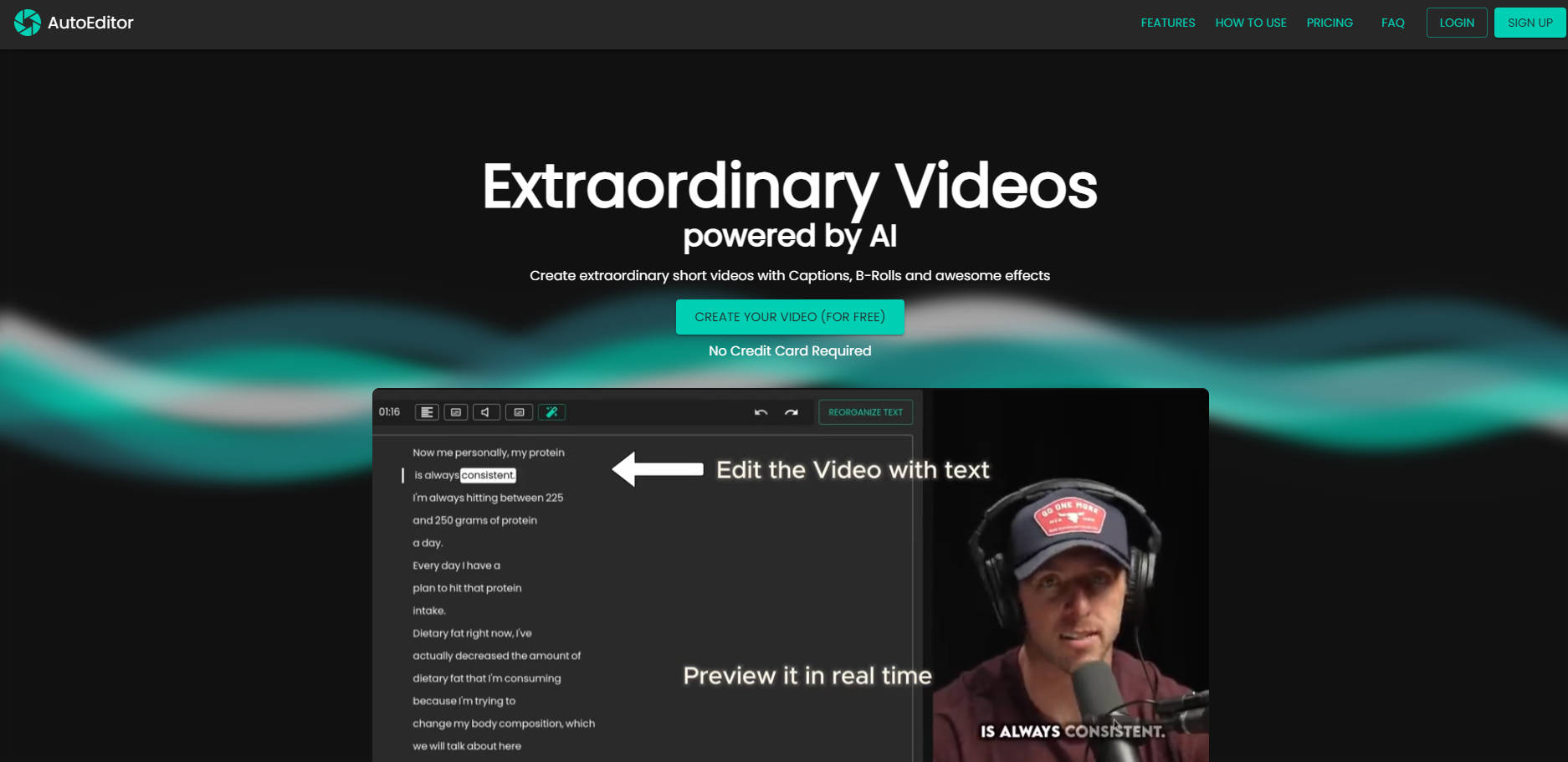
AutoEditor revolutionizes video editing by harnessing the power of AI, simplifying the creation process for an array of short videos, complete with captions, B-Rolls, and stunning effects. Gone are the days of spending hours on tutorials and painstaking edits; AutoEditor streamlines editing, enhancing engagement and optimizing content with a few clicks.
Key Features:
Automatic Subtitles:Generates over 40 language captions automatically, removing the hassle of transcription.
Silence Detection:Identifies and trims silent sections, preserving only relevant content effortlessly.
Enhance with B-Rolls & Layers:Add depth and visual interest to your videos with overlays, watermarks, and additional video layers.
Video Editing Simplified:Offers a user-friendly interface for quick and easy video modifications, regardless of prior editing experience.
Long Formats Welcome:Facilitates the segmentation of long videos into manageable, polished pieces, without pre-cutting.
Use Cases:
A podcaster quickly transforms recordings into engaging clips to boost YouTube engagement.
An educator easily adds captions and visual aids to lecture videos, enhancing accessibility and retention.
A marketer assembles snappy promo videos from a day's event footage, achieving higher viewer retention.
Conclusion:
AutoEditor's AI-driven tools make professional-grade video editing accessible and efficient for everyone. Whether you're a content creator, educator, or marketer, unlock the potential of your videos and make them extraordinary—efficiently and affordably. Try AutoEditor today and transform your video content with confidence.
FAQs:
Q:How does AutoEditor differ from traditional video editing software? A:AutoEditor automates tedious tasks like captioning and cutting silent sections, allowing you to create professional-looking videos faster with less effort compared to manual editing.
Q:Can AutoEditor handle large video files without the need for pre-cutting them? A:Yes, AutoEditor can process long videos, breaking them into manageable edits, making it an ideal choice for long-form content editing without the need for preliminary editing.
Q:What types of output formats does AutoEditor support? A:AutoEditor supports Standard Quality of 1080x1920 or 1920x1080 at 30 FPS, with higher-resolution options available with subscription, up to 4K and 60 FPS.
More information on AutoEditor
Launched
2024-06
Pricing Model
Freemium
Starting Price
$ 12/mo
Global Rank
9741186
Follow
Month Visit
<5k
Tech used
Google Tag Manager,Next.js,Vercel,Emotion,Gzip,OpenGraph,Webpack,HSTS,YouTube
Top 5 Countries
56.52%
43.48%
Brazil
India
Traffic Sources
4.73%
1.6%
0.15%
27.64%
29.36%
35.25%
social
paidReferrals
mail
referrals
search
direct
Source: Similarweb (Sep 24, 2025)
AutoEditor was manually vetted by our editorial team and was first featured on 2024-08-21.
Related Searches
AutoEditor Alternatives
Load more Alternatives-

-

Transform and enhance your videos with Video Editor AI. Utilize AI-powered editing, intuitive interface, and a wide range of effects for professional results. Try it now!
-

AI caption generator with automatic transcription and animated emojis, auto subtitle generator for your videos on Instagram, TikTok and YouTube.
-

Vmaker AI is an online AI video editor that turns your raw videos into wow videos in minutes.
-

CyberCut: AI video editor. Transform long content into viral shorts fast. Automate editing, boost engagement, and save 90% of your time.