

What is Cursor AI Code Editor?
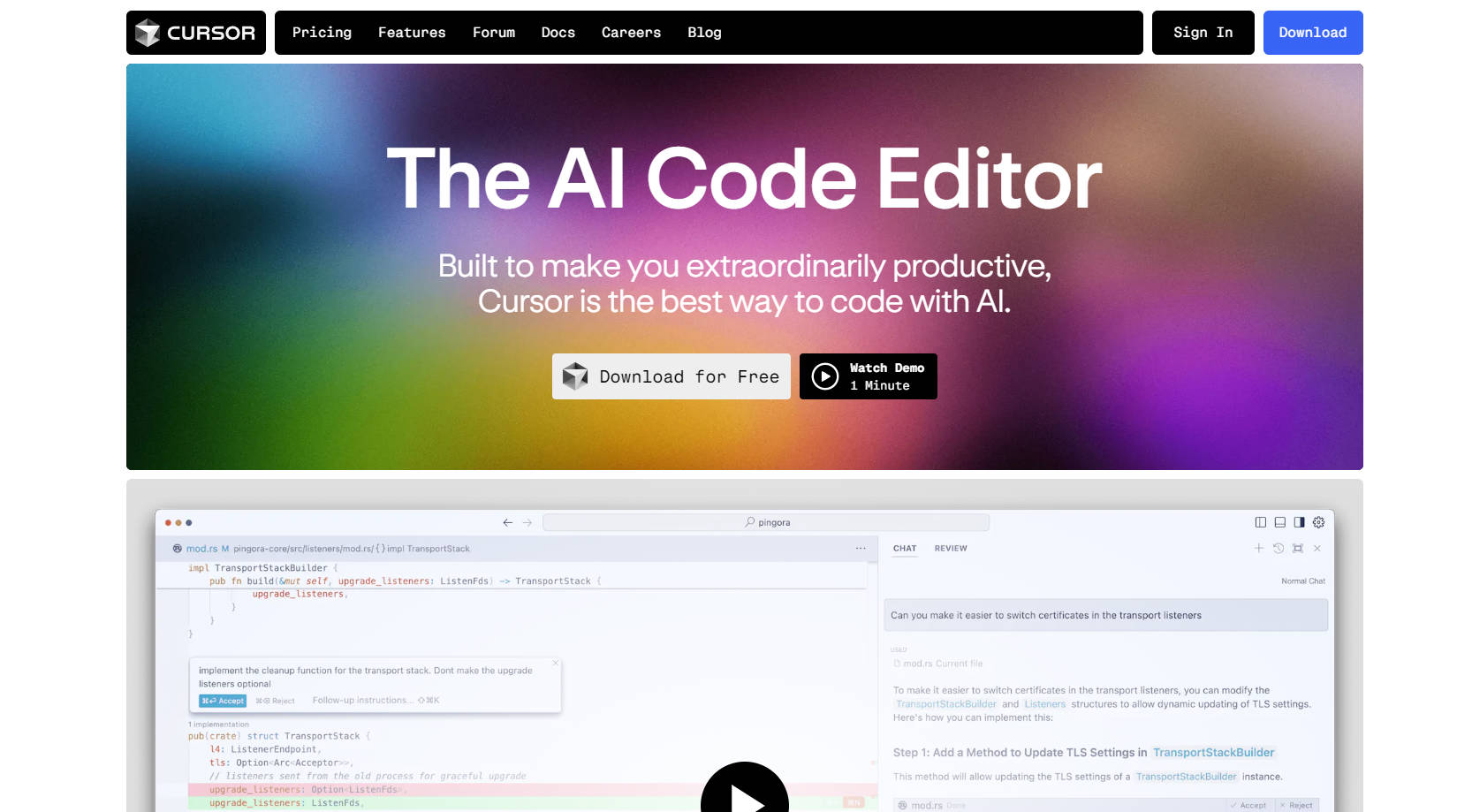
Crafting code has never been more intuitive than with Cursor, a cutting-edge AI code editor that amps up your productivity by leaps and bounds. This groundbreaking tool blends deep learning algorithms with a user-centric design philosophy, offering a seamless, smart, and secure coding environment. Whether you're navigating your codebase, predicting your next editing move, or rewriting entire classes with simple commands, Cursor breathes life into your development workflow, making it feel like you have an AI partner at your side.
Key Features:
Intelligent Codebase Knowledge: Cursor understands your codebase, providing context-specific answers and referencing specific files or documentation with a single click.
Predictive Tab Completion: Experience fluid coding with Cursor's predictive tab feature, anticipating your next move and enabling swift changes.
Natural Language Editing: With Cursor, command your code in everyday language. Update classes or functions with simple prompts, eliminating complex syntax barriers.
Familiar Work Environment: Import all your favorite extensions, themes, and keybindings with a click. Seamlessly integrate your workflow into Cursor.
Privacy and Security: Operate worry-free with a SOC 2 certified editor. Privacy mode ensures none of your code is stored, safeguarding your intellectual property.
Use Cases:
A developer asks Cursor to generate a README file for their project, which it accurately completes by analyzing the codebase.
An engineer uses Cursor to breeze through code documentation, updating comments with simple, natural language commands.
A team of programmers collaborates effectively, as Cursor predicts and completes repetitive coding tasks, ensuring every member is highly productive.
Conclusion:
Elevating your coding journey from mundane to exceptional, Cursor harnesses AI to not only assist but transform the way you write code. Experience the future of programming today – join the ranks of satisfied users and revolutionize your workflow with Cursor. Download now for a free trial, and discover the power of coding with an AI sidekick by your side.
FAQs:
What makes Cursor different from other code editors?
While most code editors offer basic functionalities, Cursor integrates AI to personalize and enhance the coding process, with features like intelligent tab completion, natural language editing, and privacy-centric operations.
Is Cursor secure to use for sensitive projects?
Yes, Cursor is SOC 2 certified and offers privacy mode, ensuring your code remains fully protected and confidential, without any storage on external servers.
Can I transfer my existing settings and plugins to Cursor?
Absolutely! Cursor is designed to be familiar and adaptive, allowing you to import all your extensions, themes, and keybindings with ease, ensuring a seamless transition.
More information on Cursor AI Code Editor
Launched
1995-12
Pricing Model
Freemium
Starting Price
$20 / Month
Global Rank
2556
Follow
Month Visit
19M
Tech used
Next.js,Vercel,Gzip,OpenGraph,RSS,Webpack,HSTS
Top 5 Countries
18.22%
11.18%
10.56%
3.41%
2.96%
United States
China
India
Korea, Republic of
Brazil
Traffic Sources
0.73%
0.19%
0.02%
3.98%
38.97%
56.11%
social
paidReferrals
mail
referrals
search
direct
Source: Similarweb (Sep 24, 2025)
Cursor AI Code Editor was manually vetted by our editorial team and was first featured on 2024-08-09.
Related Searches
Cursor AI Code Editor Alternatives
Load more Alternatives-

-

Cursor CLI brings AI coding directly to your terminal. Empower developers, DevOps, & SREs to generate, refactor, debug, and automate code anywhere.
-

An open-source dashboard for Cursor.sh IDE. Log AI code generations, track usage, and control AI models (including local ones). Run locally or use upcoming hosted version.
-
-
