

What is Dictly?
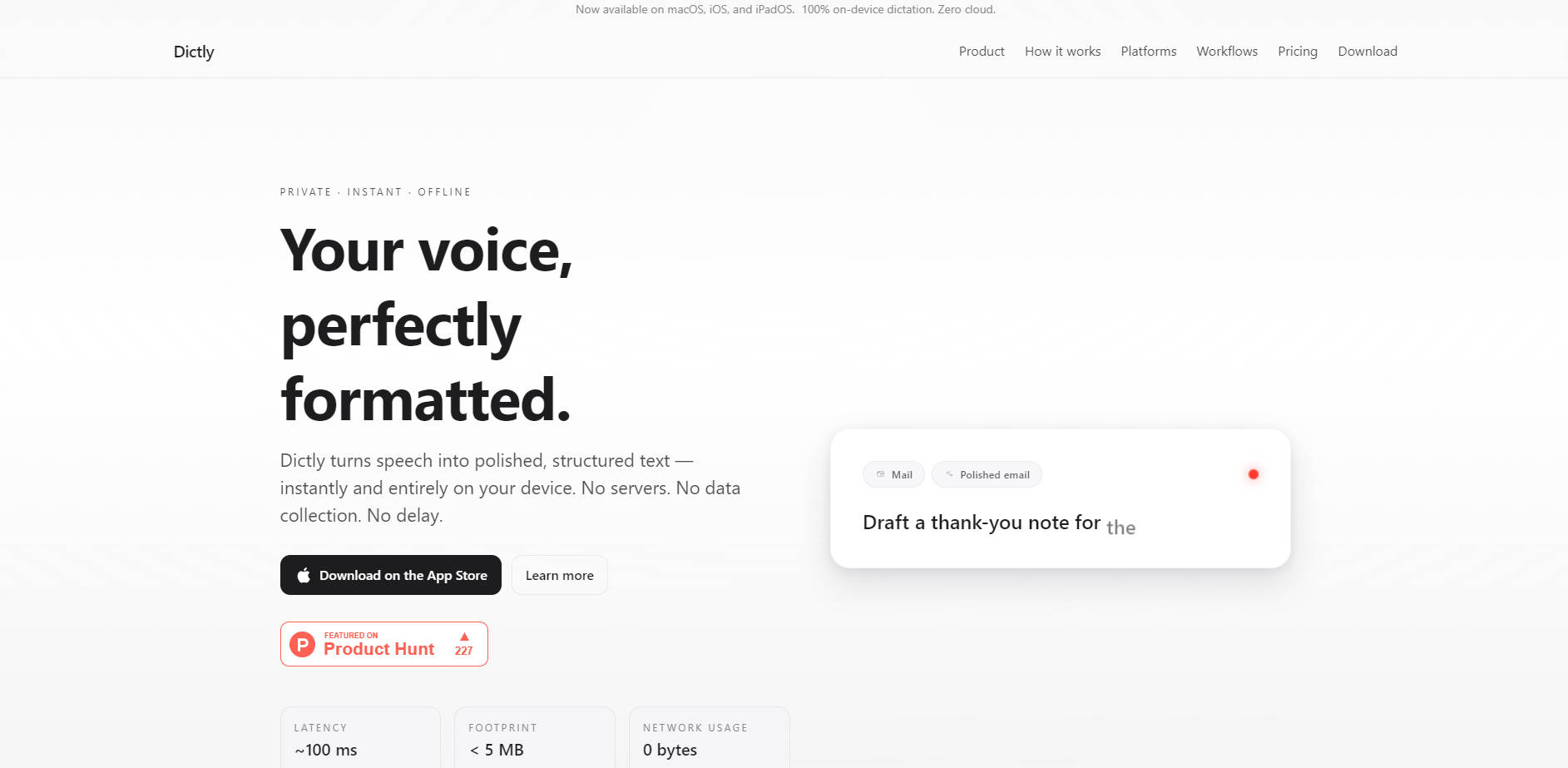
Dictly is the professional-grade dictation tool built natively for macOS and iOS. It solves the common challenges of slow, inconsistent, or insecure cloud-based transcription by delivering instant, polished text entirely on your device. For professionals who demand sub-100 ms speed, precise output control, and absolute privacy, Dictly transforms your spoken word into perfectly structured, application-specific text, instantly and 100% offline.
Key Features
Dictly’s architectural advantage lies in its local-first design, ensuring maximum speed and total user control over data. This approach allows Dictly to function with performance metrics previously unattainable in cloud-reliant solutions.
🚀 Sub-100 ms Instantaneity
Dictly achieves remarkably low first-word latency—measured at approximately 100 milliseconds on Apple Silicon—with continuous streaming and zero post-processing pauses. Because all processing occurs locally, your text appears as quickly as you speak, eliminating the frustrating delays common in server-dependent dictation.
🔒 Absolute On-Device Privacy
Security is built into the architecture. Recognition, formatting, storage, and optional analytics are computed exclusively on your Mac, iPhone, or iPad. Zero bytes of data ever leave your hardware, ensuring full fidelity and functionality even in airplane mode or secure networks. Dictly never requests an internet connection.
⚙️ Precision Workflows and Live Formatting
Dictly doesn’t just transcribe; it transforms. The customizable, live pipeline refines and formats your words as you speak. You can combine processing stages—from filler word removal to Markdown structuring—to produce consistent, polished output for any task. This allows Dictly to shape your words before they hit the page, instantly and predictably.
🎯 Per-App Profiles
Achieve pixel-perfect output consistency across your entire application suite. Dictly automatically applies the correct Workflow based on the active application. This means you can dictate bullet points in Notes, structured paragraphs in Mail, or code comments in VS Code, all without manually switching settings.
⌨️ Quick Capture and Flexible Insertion
Invoke the Quick Capture overlay from anywhere using a configurable shortcut (e.g., ⇧ ⌘ D). Once transcribed, you can insert the result exactly where your cursor is via multiple modes: direct Type-out, standard Paste, or Copy to Clipboard, with optional Auto-Submit for chat and productivity applications.
Use Cases
Dictly integrates seamlessly into various professional workflows, ensuring speed and consistency regardless of the task.
Drafting Technical Documentation: Use a specialized Workflow combined with custom dictionaries (for names, terms, or jargon) to ensure technical accuracy and consistent formatting (like Markdown or specific paragraph styles) are applied live, minimizing post-dictation cleanup time.
Accelerating Chat and Email Replies: When speed is critical, use the Quick Capture overlay and the Auto-Submit feature within your Per-App Profile for applications like Slack or Mail. This allows you to dictate a message and send it instantly, maintaining focus and minimizing context switching.
Secure Medical or Legal Note-Taking: Because Dictly operates entirely offline with zero network transmission, it is ideal for environments requiring strict data security or those with unreliable connectivity (e.g., secure facilities, hospitals, or flights). You can dictate sensitive information knowing that the data never leaves your device.
Conclusion
Dictly provides a powerful, private, and professionally engineered solution for users who rely on dictation across the Apple ecosystem. By prioritizing on-device processing and advanced customization, Dictly delivers speed and security without compromise.
Try Dictly Core for free today to experience real-time, private dictation on your Mac, iPhone, or iPad.
More information on Dictly
Launched
Pricing Model
Freemium
Starting Price
$4.99 / month
Global Rank
Follow
Month Visit
<5k
Tech used
Dictly was manually vetted by our editorial team and was first featured on 2025-10-28.
Dictly Alternatives
Load more Alternatives-
-
-
-

-
Paraspeech: Ultra-fast, 100% offline voice transcription for macOS. Double your input speed & keep data private. Optimized for Apple Silicon.