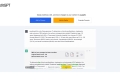

What is Hemingway Editor?
Hemingway Editor is a powerful tool that helps writers improve the clarity and impact of their writing. By highlighting lengthy sentences, common errors, and complex language, it enables users to create bold and concise content. The app also provides suggestions for replacing weak words and phrases, eliminating adverbs, and avoiding passive voice.
Key Features:
1. Sentence Highlighting: Hemingway Editor identifies lengthy sentences that may confuse readers and suggests splitting or shortening them for better readability.
2. Error Detection: The app highlights common errors in grammar, punctuation, and sentence structure to help users correct mistakes.
3. Word Choice Suggestions: Users can replace weaker words with stronger alternatives suggested by the app to enhance the impact of their writing.
4. Adverb Elimination: Hemingway Editor identifies adverbs in blue color to encourage users to remove them for more forceful language.
5. Passive Voice Identification: Phrases written in passive voice are marked in green so that users can rephrase them for greater clarity and engagement.
6. AI Assistance: With an AI-powered feature, Hemingway Editor offers a "Fix it" button that provides automated suggestions for improving paragraphs or even completes them upon request.
Use Cases:
1. Academic Writing: Students can use Hemingway Editor to refine their essays or research papers by identifying complex sentences, grammatical errors, weak word choices, and passive voice constructions.
2. Professional Writing: Professionals across various fields such as marketing, journalism, or business communication can utilize this tool to ensure clear messaging without convoluted language or excessive use of adverbs.
3. Content Creation: Bloggers or content creators can benefit from Hemingway Editor's ability to simplify complex ideas into easily digestible content while maintaining a strong writing style.
Hemingway Editor empowers writers by providing valuable insights into their writing style through its features like sentence highlighting, error detection,word choice suggestions, adverb elimination, and passive voice identification. Whether it's academic writing, professional communication, or content creation,this tool helps users create bold and clear content that captivates readers. With Hemingway Editor, writers can refine their work to achieve greater impact and engage their audience effectively.

More information on Hemingway Editor
Launched
2013-08
Pricing Model
Freemium
Starting Price
$10 /month
Global Rank
82807
Follow
Month Visit
775.3K
Tech used
Cloudflare CDN,Next.js,Render,Gzip,HTTP/3,Webpack
Top 5 Countries
31.8%
7.97%
5.47%
5.33%
4.29%
United States
India
United Kingdom
Pakistan
Canada
Traffic Sources
1.34%
0.39%
0.07%
4.73%
40.75%
52.72%
social
paidReferrals
mail
referrals
search
direct
Source: Similarweb (Sep 24, 2025)
Hemingway Editor was manually vetted by our editorial team and was first featured on 2023-10-21.
Related Searches
Hemingway Editor Alternatives
Load more Alternatives-

Hemingway Editor Plus uses AI to make your writing bold and clear. Fix grammar issues, wordy sentences, passive voice, and more.
-
You don't need another autocorrect. Stop being told what to fix and start learning how to write. Take your rough ideas and craft them into powerful words.
-
-

-