

Click outside to close
What is Inkr?
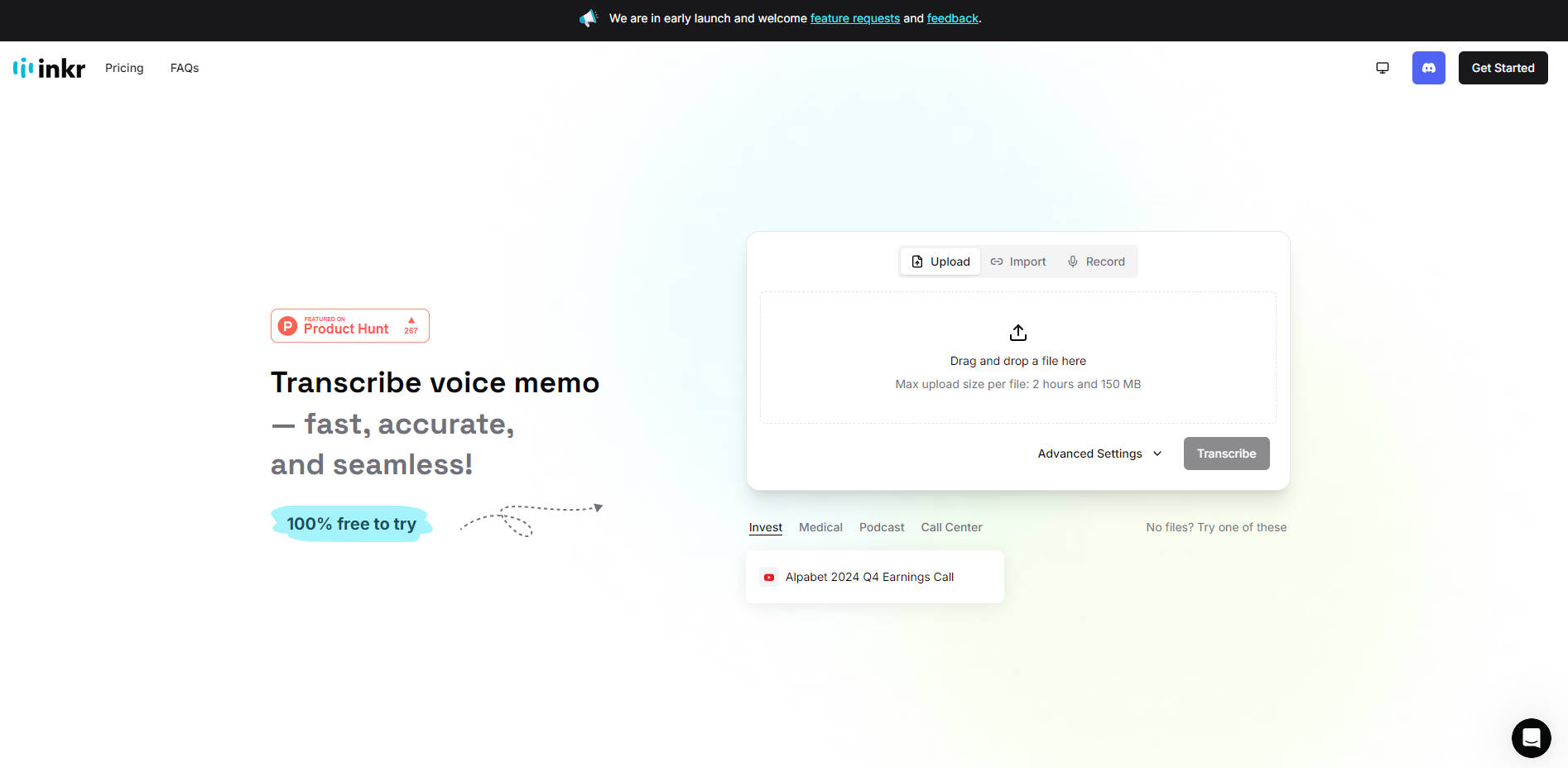
Do you find yourself spending valuable time manually transcribing lectures, meetings, or interviews? Inkr offers a streamlined solution, converting your audio and video files into accurate text quickly and efficiently. Focus on understanding and utilizing the content, not on tedious typing.
Key Features:
⚡️ Deliver Lightning-Fast Results: Transform hours of audio into readable text within minutes. Inkr significantly reduces the time you spend on transcription, freeing you up for more important tasks.
📁 Accept All Common Formats: Upload your files in various formats like MP3, MP4, and WAV, and easily export your finished transcriptions in the format you need.
🌍 Provide Multilingual Support: Overcome language barriers. Inkr can transcribe audio in over 100 languages, broadening your reach and understanding.
🗣️ Identify Speakers with Ease: Automatically distinguish between different voices in your recording. Inkr's speaker labeling technology makes it simple to follow conversations.
🔊 Provide Crystal-Clear Transcriptions: Capture voices accurately in any environment.
Use Cases:
Student Success: Imagine recording a lengthy university lecture. Instead of frantically taking notes, you can relax and fully engage with the material. Afterward, use Inkr to create a complete transcript, making studying and review significantly easier.
Meeting Minutes Made Easy: In a business setting, quickly generate accurate records of meetings. No more struggling to decipher handwritten notes or relying on memory. Inkr provides a precise transcript, ensuring all key decisions and action items are clearly documented.
Content Creator's Companion: If you're a podcaster or video creator, Inkr can help you repurpose your content. Create blog posts, articles, or social media snippets from your audio transcripts, expanding your audience and saving time.
Conclusion:
Inkr simplifies the transcription process, offering speed, accuracy, and versatility. Whether you're a student, professional, or content creator, Inkr helps you convert audio into valuable text, allowing you to focus on what matters most.
FAQ:
What file formats does Inkr support? Inkr is compatible with a wide range of popular audio and video formats, including MP3, MP4, WAV, and many others.
How much does Inkr cost? Inkr offers both Free and Pro accounts. The free account has no limit to the number of transcriptions you can do, but the number of files you can upload is limited to three per day, with a maximum file size of 2 hours or 150MB. The Pro version offers extended transcribing options, larger file size limits, and watermark-free downloads.
How accurate is Inkr's transcription? Inkr provides highly accurate transcripts, even in environments with background noise. Inkr offers word-level precision, meaning users can easily edit individual words.
How fast is Inkr? Inkr is designed for speed. It's significantly faster than many other transcription models. For example, Inkr's "FLASH" mode can transcribe audio in seconds, compared to minutes or even hours for other services.
Can Inkr identify different speakers? Yes. Inkr offers automatic speaker labeling, so that you may easily distinguish between different voices in the recording.
More information on Inkr
Launched
2024-12
Pricing Model
Freemium
Starting Price
$9.99/month
Global Rank
217533
Follow
Month Visit
143.3K
Tech used
Top 5 Countries
30.33%
14.22%
9.12%
7.55%
7.53%
Indonesia (30.33%)
Italy (14.22%)
Vietnam (9.12%)
United Kingdom (7.55%)
United States (7.53%)
Traffic Sources
4.82%
6.43%
46.39%
41.01%
social (4.82%)
paidReferrals (1.24%)
mail (0.11%)
referrals (6.43%)
search (46.39%)
direct (41.01%)
Source: Similarweb (Sep 25, 2025)
Inkr was manually vetted by our editorial team and was first featured on 2025-02-28.
Inkr Alternatives
Inkr Alternatives-

Audext leverages cutting-edge machine learning to provide fast and accurate audio-to-text conversion. This online platform combines a powerful transcription engine with an intuitive text editor, streamlining your workflow.
-
Transkriptor is your AI-powered note-taking and transcription tool — now smarter and faster with its latest version. Capture conversations, generate summaries, and extract insights effortlessly.
-
Convert MP4, WAV, MP3, and any audio format into accurate text transcripts using OpenAI's advanced speech recognition. Get 99% accuracy in minutes, not hours.
-
Power up your audio transcription with Transkribieren, an AI-powered tool that delivers fast and accurate results. Supports various file formats.
-

TranscribeToText.AI: Free-to-start, uses Whisper AI. Transcribes audio/video to text/subtitles in 100+ langs. Fast, secure, unlimited for premium. Ideal for media, research, biz. Easy, accurate, flexible.