 Intelligence image crop/resize
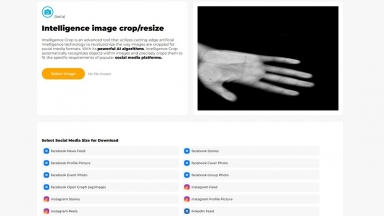
インテリジェンスクロップをご紹介します。ソーシャルメディアの画像切り抜きを革新する最先端のAIツールです。手作業での調整とはおさらばし、プラットフォームに特化した正確な画像の作成を体験してください。
 Pixelhunter
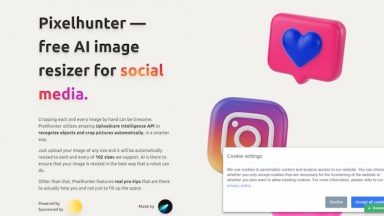
手作業で画像をトリミングするのは面倒な作業です。Pixelhunter は Uploadcare Intelligence API を使用してオブジェクトを認識し、画像をよりスマートに自動トリミングします。
Intelligence image crop/resize
| Launched | 2014-05 |
| Pricing Model | Free |
| Starting Price | |
| Tech used | cdnjs,Cloudflare CDN,Bootstrap,jQuery,HTTP/3,Amazon AWS S3 |
| Tag | Social Media Post Generators,Image Resizer,Social Media Marketing |
Pixelhunter
| Launched | 2021-06 |
| Pricing Model | Free |
| Starting Price | |
| Tech used | Netlify,HSTS |
| Tag | Social Media Marketing,Image Resizer,Content Creation |
Intelligence image crop/resize Rank/Visit
| Global Rank | 4388527 |
| Country | United States |
| Month Visit | 4587 |
Top 5 Countries
53.42%
27.94%
12.9%
4.03%
1.71%
United States
Vietnam
India
Japan
Singapore
Traffic Sources
19.02%
0.79%
0.11%
8.15%
45.18%
26.36%
social
paidReferrals
mail
referrals
search
direct
Pixelhunter Rank/Visit
| Global Rank | 1024459 |
| Country | United States |
| Month Visit | 30338 |
Top 5 Countries
18.86%
7.05%
7.04%
5.32%
4.66%
United States
Brazil
India
Thailand
Vietnam
Traffic Sources
4.74%
0.91%
0.14%
10.62%
45.42%
37.92%
social
paidReferrals
mail
referrals
search
direct
Estimated traffic data from Similarweb
What are some alternatives?
When comparing Intelligence image crop/resize and Pixelhunter, you can also consider the following products
Croppy - AI搭載の画像クロッパーがあれば、ウェブサイトのサイズが不揃いで、不適切にトリミングされた、または大きすぎる画像とはおさらばです。
Crop.photo - Crop.photo: 画像編集向けAI搭載信頼できるソフトウェア。簡単に切り抜き、サイズ変更、背景の削除が可能。Amazonで画像を比較。時間を節約し、生産性を向上。
Uncrop - Uncropは、AI搭載の画像リサイズ&拡大のための最適なツールです。写真をアップロードし、拡大またはリサイズの方向を選択するだけで、AIがシームレスにディテールを補完し、画質を維持します。手軽に画像を変換しましょう!
AI image extender - 画像の端を超えてクリック&ドラッグして、背景を拡大したり、アスペクト比を調整したりすることができます。