

What is Lutify?
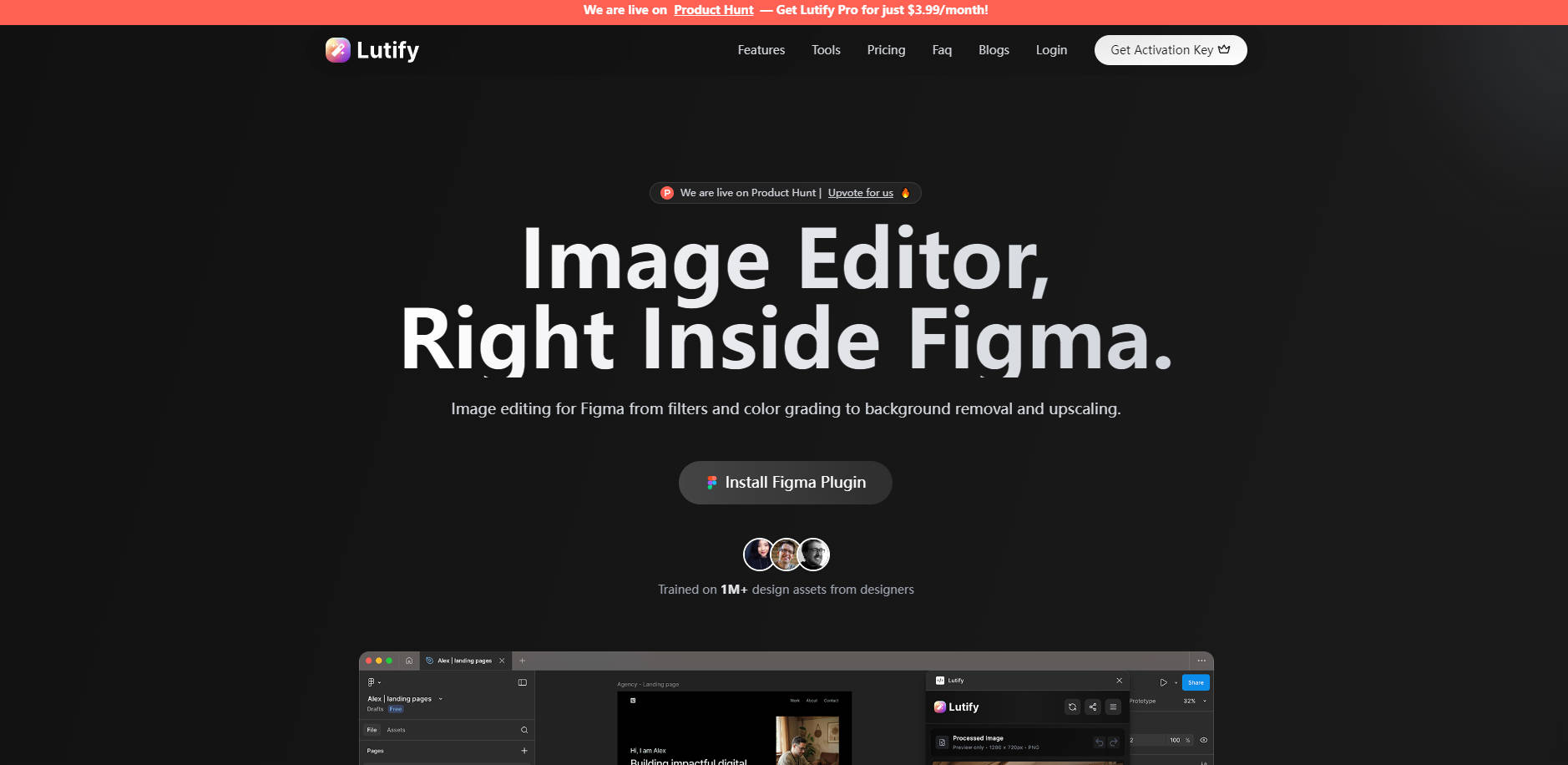
Lutify is your essential photo editor and filter plugin, bringing powerful image enhancement and transformation capabilities directly into your Figma workflow. Designed for designers who value efficiency and precision, Lutify eliminates the need for context switching, allowing you to perfect your visuals without ever leaving your design environment. It solves the common pain point of fragmented design processes, ensuring your images are always production-ready and visually striking.
Key Features
Lutify empowers you with a comprehensive suite of tools to elevate your images:
🎨 Manual Edit Controls: Achieve precise adjustments with intuitive live sliders for brightness, contrast, saturation, hue, blur, and sharpness. You'll see real-time previews, giving you complete control to fine-tune every detail of your image.
✨ AI Auto-Adjust (Pro): Leverage intelligent AI, trained on over 1 million design assets, to instantly optimize your images with a single click. This feature automatically balances color, exposure, contrast, and saturation, delivering professional results in seconds.
✂️ AI Background Remover (Pro): Instantly isolate subjects with professional-grade accuracy using advanced AI object detection. This saves you valuable time, allowing you to quickly create clean cutouts for product mockups, user interfaces, or marketing materials.
🌈 Presets Gallery (Pro): Apply over 50 professional color grading presets, from vintage to cinematic, to transform your images instantly. You can also create and save your own custom looks, ensuring consistent branding and visual style across all your projects.
Use Cases
Lutify seamlessly integrates into your design process, offering tangible benefits:
Streamlined Asset Preparation: Quickly remove backgrounds from product shots or team photos for a consistent, professional look across your website or app designs, all without exporting and re-importing.
Consistent Visual Branding: Apply custom color grading presets to all images within a Figma project, ensuring a unified aesthetic and brand identity across diverse design elements.
Rapid Image Optimization: Use AI Auto-Adjust to instantly correct photos for presentations or social media, achieving optimal brightness and color balance with minimal effort, perfect for fast-paced design iterations.
Why Choose Lutify?
Lutify stands out by deeply integrating advanced image editing directly into your Figma workflow, offering a unique blend of power and convenience:
Native Figma Integration: Unlike standalone editors, Lutify is a native plugin. This means you can select any image on your Figma canvas, right-click, and enhance it instantly, eliminating disruptive context switching and accelerating your design process.
AI-Powered Precision: Benefit from AI capabilities like intelligent color enhancement, professional background removal, and advanced image upscaling (up to 4K in Pro) that are trained on extensive design datasets, delivering reliable and high-quality results.
Comprehensive Toolset: From fine-grained manual controls to extensive preset libraries and essential transformation tools like crop, rotate, and flip, Lutify provides everything you need to perfect your images without resorting to multiple applications.
Professional Customization: Pro users gain the flexibility to import their own .LUT and .CUBE files, allowing professional designers to maintain their specific color grading styles and apply them consistently within Figma.
Conclusion
Lutify empowers you to achieve professional image editing and enhancement directly within Figma, streamlining your workflow and elevating your designs. Experience the efficiency of AI-powered adjustments and comprehensive creative controls, all designed to help you produce stunning visuals faster.
More information on Lutify
Launched
2025-06
Pricing Model
Freemium
Starting Price
$3.99 /mo
Global Rank
Follow
Month Visit
<5k
Tech used
Lutify was manually vetted by our editorial team and was first featured on 2025-09-07.
Related Searches
Lutify Alternatives
Load more Alternatives-

-

Pixelcut: Your AI creative design suite. Create stunning photos, videos & graphics instantly with AI editing, generation & collaboration.
-

DesignLumo's AI generates unique, fully editable designs for all your marketing & social content from text prompts. Fast.
-
Udesigner.ai: AI design tool. Transform inspiration into professional visuals. Analyze images, edit precisely, & generate stunning 3x3 Instagram grids instantly.
-