

What is My Email Extractor?
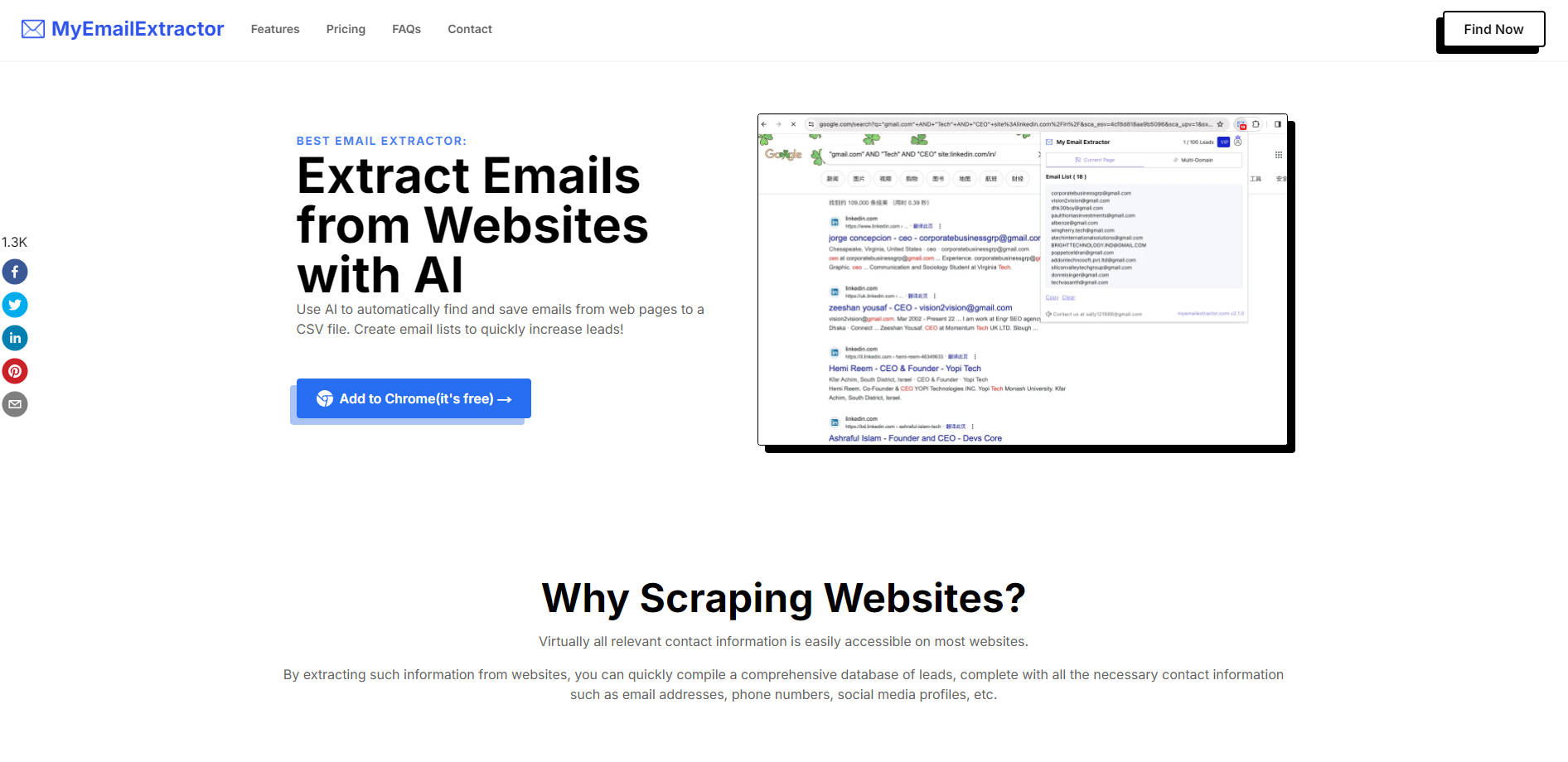
Looking to grow your business or expand your network? My Email Extractor is your go-to Chrome extension for effortlessly scraping emails, phone numbers, and social media profiles from websites. Whether you're building a lead database, conducting market research, or automating data collection, this free AI-powered tool simplifies the process. With over 1.3 billion email leads and 60 million phone numbers extracted, it’s trusted by thousands to save time and boost productivity.
Key Features
✨ AI-Powered Email Extraction
Automatically find and save emails from web pages to a CSV file. No more manual searching—let the AI do the heavy lifting.
✨ Bulk Data Collection
Extract emails, phone numbers, and social media profiles in bulk, making it ideal for lead generation or market research.
✨ Domain-to-Email Finder
Enter a domain, and the tool will crawl the website to find associated email addresses. Perfect for targeting specific businesses.
✨ Custom Export Settings
Tailor your data exports to include only the information you need, ensuring clean and organized results.
✨ Free to Start
Get started with 100 monthly leads for free. Upgrade to Pro for more advanced features and higher export limits.
Use Cases
1. Lead Generation for Sales Teams
Build a targeted email list of potential customers from industry-specific websites. My Email Extractor helps sales teams focus on outreach instead of manual data collection.
2. Market Research for Marketers
Gather competitor insights, industry trends, and customer contact details to refine your marketing strategies.
3. Networking and Outreach
Expand your professional network by extracting contact information from LinkedIn profiles, company websites, or directories.
Why Choose My Email Extractor?
Efficiency:Automate data collection and save hours of manual work.
Accuracy:Extract real-time, publicly available data from websites.
Flexibility:Choose between free and Pro plans to match your needs.
Ease of Use:Install the Chrome extension, enter a URL, and start scraping in seconds.
How It Works
Install the My Email Extractor Chrome extension.
Navigate to the website you want to scrape and enter its URL.
Click the "Scraper" button to extract emails, phone numbers, and social profiles.
Export the data to a CSV file for easy use.
More information on My Email Extractor
Launched
2024-01
Pricing Model
Freemium
Starting Price
$9.9/mo
Global Rank
2304128
Follow
Month Visit
10.4K
Tech used
Google Analytics,Next.js,Vercel,Gzip,JSON Schema,OpenGraph,Webpack,HSTS
Top 5 Countries
26.14%
12.19%
8.94%
8.28%
7.67%
Nigeria
Pakistan
India
Bangladesh
United States
Traffic Sources
5.47%
1.23%
0.25%
10.99%
50.02%
31.61%
social
paidReferrals
mail
referrals
search
direct
Source: Similarweb (Sep 25, 2025)
My Email Extractor was manually vetted by our editorial team and was first featured on 2025-01-20.
Related Searches
My Email Extractor Alternatives
Load more Alternatives-

The most popular web scraping extension. Start scraping in minutes. Automate your tasks with our Cloud Scraper. No software to download, no coding needed.
-

ProfileSpider: AI Chrome extension for recruiters, sales, & researchers. Instantly extract professional profiles from any website. No manual data entry!
-
Turn any website into a structured API or clean data source. Easily extract web data with AI & no-code tools. Powerful & simple scraping.
-
-

Maps Scraper AI is like a robot that scrapes Bing Maps, giving us real, verified leads. It's the best way to get leads automatically, straight from Maps listings.