

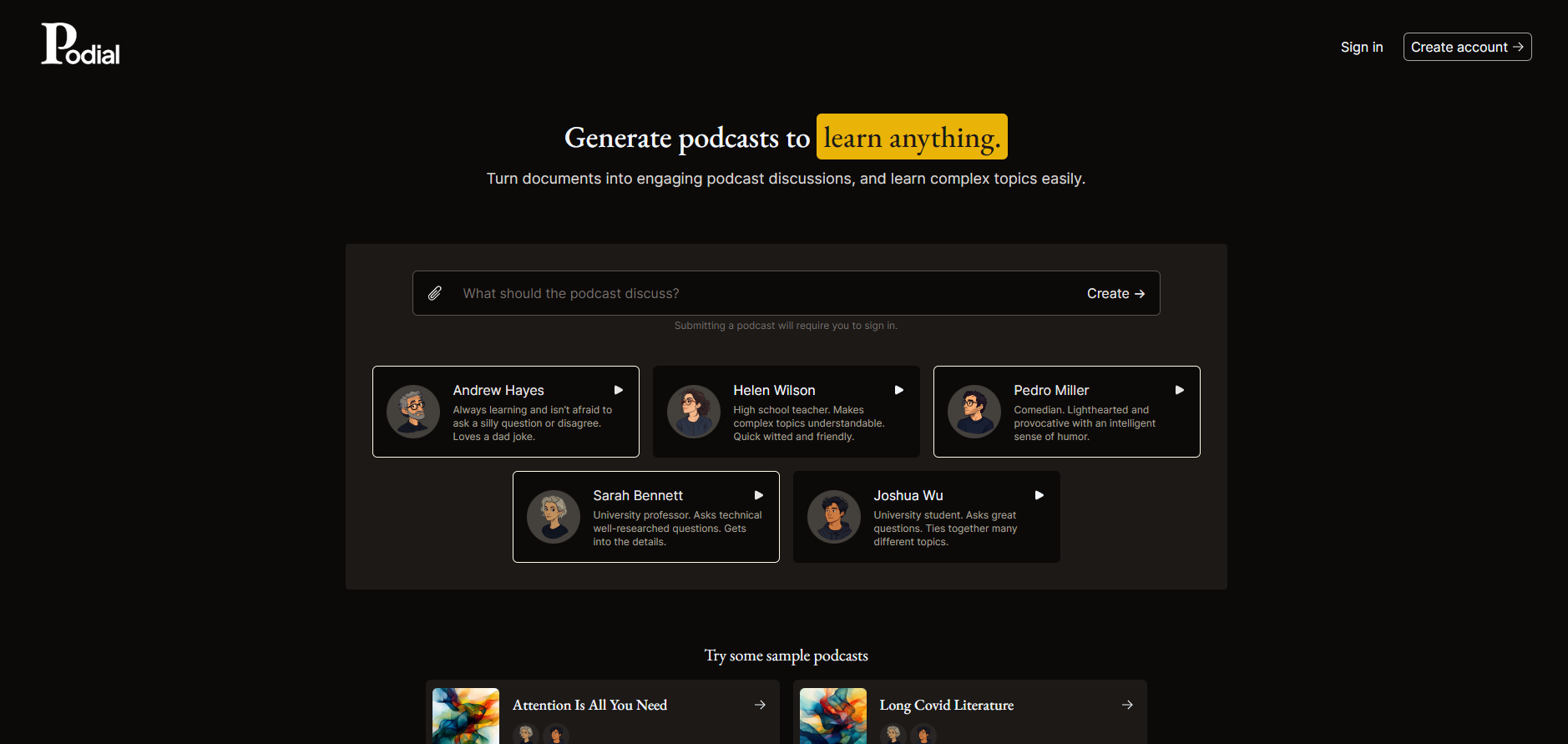
What is Podial?
Podial turns your documents into engaging, 5-minute podcast discussions, making learning accessible and enjoyable. Whether you're a busy professional or a curious student, Podial helps you absorb complex topics without spending hours reading.
Key Features:
Document Upload & Conversion📄
Upload any PDF and transform it into an engaging podcast discussion in minutes.
Customizable Host Personalities🎤
Choose from a variety of host personalities to make your podcast unique and engaging.
Time-Saving Learning⏱️
Generate 5-minute discussions to fit your busy schedule, making learning more efficient.
Save and Share📎
Save your podcasts and share them via URL for easy access and collaboration.
Upcoming Features🔜
Soon, you'll be able to control the length and complexity of the discussion and create custom hosts.
Use Cases:
Busy Professionals- Stay updated on industry news and trends without reading lengthy reports.
Students- Learn complex subjects more easily through engaging discussions instead of dry textbooks.
Educators- Create custom educational content for your students, making learning more interactive and enjoyable.
Conclusion:
Podial is your go-to solution for transforming documents into engaging podcasts. By turning dry, text-heavy content into interactive discussions, Podial makes learning more accessible, enjoyable, and efficient. Try it today and discover a new way to learn!
FAQs:
How do I upload a document to Podial?
Simply click on the "Upload" button, select your PDF, and Podial will generate a podcast discussion in minutes.
Can I control the length of the podcast?
Currently, podcasts are generated to be about 5 minutes long. However, we are working on adding more customization options, including the ability to control the length.
What types of documents can I use?
Podial supports PDF files. You can upload academic papers, reports, articles, and more to generate engaging discussions.
More information on Podial
Launched
2024-10
Pricing Model
Free Trial
Starting Price
Global Rank
7732899
Follow
Month Visit
<5k
Tech used
Cloudflare CDN,Google Fonts,Tailwind CSS,Render,Gzip,Progressive Web App,HSTS
Top 5 Countries
63.64%
36.36%
United Kingdom
Türkiye
Traffic Sources
41.21%
36.17%
19.71%
2.34%
0.52%
0.05%
Referrals
Search
Direct
Social
Paid Referrals
Mail
Source: Similarweb (Jan 22, 2025)
Podial was manually vetted by our editorial team and was first featured on 2024-10-05.
Related Searches
Podial Alternatives
Load more Alternatives-

Interactive AI podcasts from docs! Learn faster, chat with AI hosts & explore content. Free! SuperPodcast.ai.
-
-
Paper-to-Podcast: AI transforms papers into audio talks! Host, Learner, Expert format. Understand research papers through engaging conversations.
-

Notebooklm Podcast uses AI to turn text into dynamic podcasts. Features include smart adaptation, voice selection, flexible lengths, learning aids, and multilingual support. Ideal for academics, business, and creators. Elevate your content creation!
-
