

What is Tutorial AI?
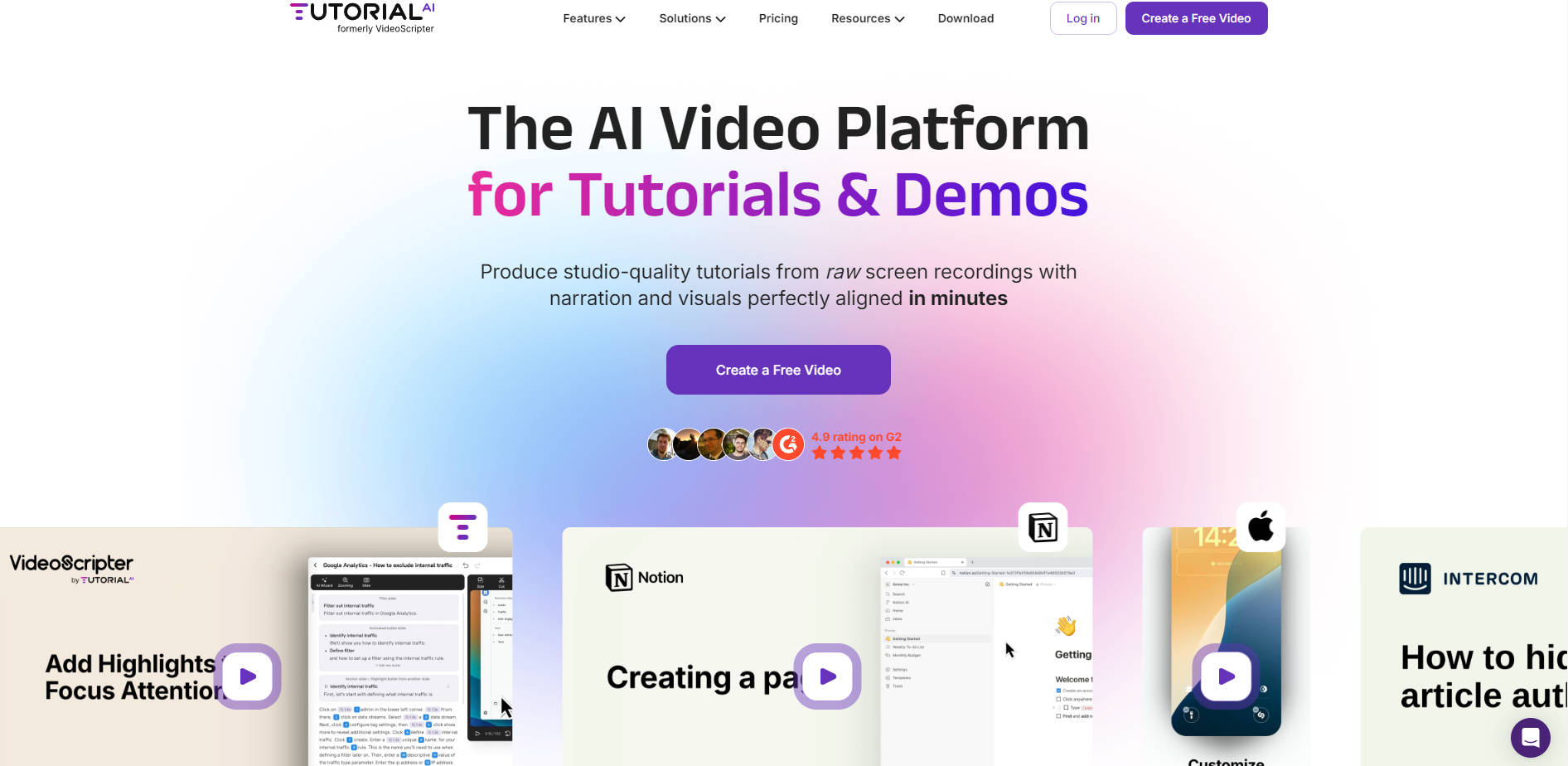
Tutorial AI is a unified AI video platform designed specifically for creating professional-grade software tutorials, product demos, and technical explainers on Mac and Windows. It fundamentally addresses the time-consuming challenges of video production—endless retakes, complex timeline editing, and tedious synchronization—by leveraging intelligent AI to generate, refine, and perfectly align narration and visuals. This tool empowers product managers, technical writers, and content creators to produce polished, on-brand video content in minutes, not hours.
Key Features
Tutorial AI integrates screen recording, AI scripting, and automated editing into a seamless workflow, ensuring your final product is always studio-quality.
📝 Edit Like a Document
Unlike traditional video editors that require precise timeline surgery, Tutorial AI allows you to modify your narration simply by editing the text script. Update your script in the text editor and watch the corresponding visual and audio changes appear instantly, dramatically accelerating revision cycles and content updates.
🎤 Intelligent AI Narration & Scripting
Achieve professional voiceovers without needing a perfect recording studio or multiple takes. You have two powerful options: record silently and let the AI analyze your video to generate a tailored script, or speak freely while recording, and the AI will transcribe, refine, and regenerate your words into a polished, natural AI voiceover in one of 30+ languages.
✨ Dynamic Visual Refinements
Enhance viewer engagement and clarity automatically. Tutorial AI tracks mouse movement data separately from the video, allowing you to apply post-recording effects such as cursor smoothing, custom cursor styling, and dynamic automatic zooming to focus attention on key interface elements. You can also effortlessly apply blur or highlights to protect sensitive information or emphasize important details.
🌐 Seamless Global Translation (AutoRetime™)
Quickly localize your content for international audiences. The proprietary AutoRetime™ feature translates your script into over 30 languages and automatically aligns the new voiceover with the existing scene timing, cuts, and visual callouts. This eliminates the need for manual timeline adjustments, ensuring perfect sync across all languages.
Use Cases
Tutorial AI is built to streamline key workflows where speed, accuracy, and brand consistency are critical.
1. Rapid Software Onboarding and Training
When a new software feature launches or a process changes, time-to-content is critical. Use Tutorial AI to record the new workflow, refine the script in seconds, and automatically generate a polished, narrated video. This capability ensures your internal teams or external customers receive up-to-date training materials almost instantly.
2. Maintaining Large Content Libraries
For teams managing hundreds of help articles or training videos, keeping content fresh is a major challenge. Instead of re-recording an entire video for a small interface change, you can simply open the project, edit the relevant text in the script, and generate a new version in minutes. This drastically reduces the overhead associated with content maintenance and versioning.
3. Scaling Global Product Demonstrations
If your product serves international markets, use the 1-Click AutoRetime™ translation feature to simultaneously generate high-quality, perfectly synchronized videos in multiple languages. Embed these localized versions into your global LMS or documentation portals, ensuring consistent messaging regardless of language.
Why Choose Tutorial AI?
Tutorial AI differentiates itself by fundamentally changing how screen recording data is captured and processed, leading to higher quality, faster editing, and unparalleled flexibility.
The Cursor Advantage: Traditional screen recorders capture the mouse cursor as part of the visual recording, locking you into that exact movement and style. Tutorial AI captures the screen and tracks precise mouse movement data separately. This innovative approach allows you to apply studio-quality effects after recording, such as smoothing erratic movements, changing cursor size for visibility, and applying professional visual effects, ensuring a polished viewing experience every time.
Eliminate the Need for Perfect Takes: The platform decouples the visual recording from the voice performance. Whether you record silently or speak freely, the final product uses a professionally refined AI voiceover based on an editable script. This means mistakes, interruptions, and imperfect delivery are removed from the workflow, saving immense time usually spent on retakes and audio cleanup.
Enterprise-Ready Consistency: Ensure every piece of content reflects your organization’s identity. Utilize the Brand Kit feature to lock in your logo, specific brand colors, and custom fonts across all videos. This consistency is essential for building trust and maintaining a professional image across all customer touchpoints.
Conclusion
Tutorial AI moves beyond traditional screen recording, offering a comprehensive platform that delivers speed, quality, and consistency previously unattainable in tutorial creation. If you need to scale your educational or demo content while maintaining a studio-quality finish and eliminating burdensome editing, Tutorial AI is built for your workflow.
More information on Tutorial AI
Launched
2017-12
Pricing Model
Freemium
Starting Price
$29 /seat
Global Rank
5915251
Follow
Month Visit
<5k
Tech used
Top 5 Countries
61.48%
38.52%
United States
India
Traffic Sources
2.62%
1.04%
0.1%
6.6%
73.29%
16.09%
social
paidReferrals
mail
referrals
search
direct
Source: Similarweb (Oct 16, 2025)
Tutorial AI was manually vetted by our editorial team and was first featured on 2025-10-16.
Tutorial AI Alternatives
Load more Alternatives-

OneTake AI: Your autonomous AI agent for video editing. Get polished, multilingual videos with voice-cloned dubbing & lip-sync. Create content faster!
-
Create stunning product demos & tutorials in minutes with Tight Studio. AI-powered screen recording, smart zoom, & pro captions make video editing easy.
-

-

-
