
Click outside to close
What is yolog?
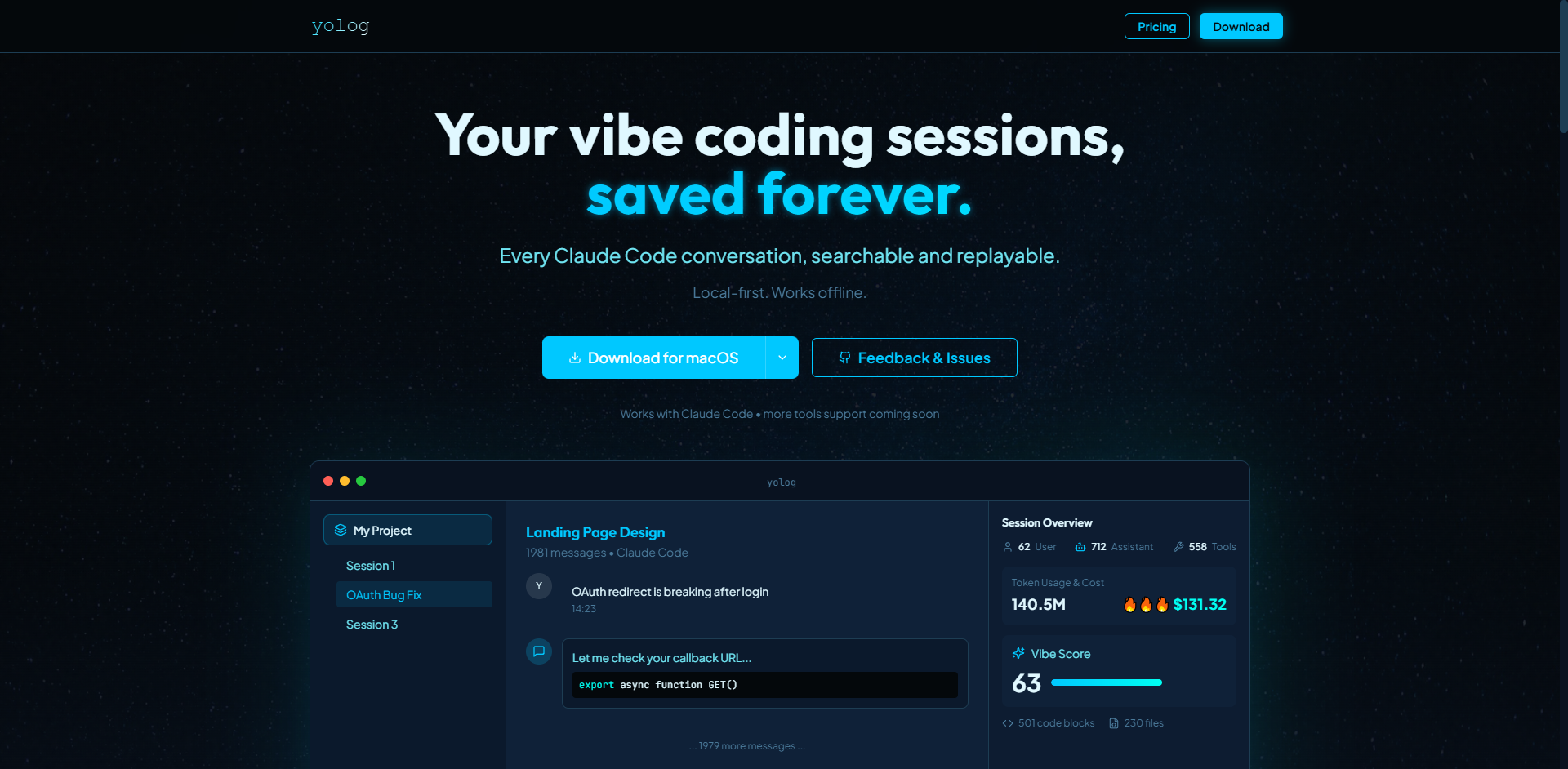
If you use Claude Code, you know how quickly "vibe coding" sessions can move. Without a dedicated way to track them, valuable prompts, logic shifts, and code blocks often disappear into terminal history. yolog Desktop solves this by acting as a permanent, searchable archive for your AI coding sessions.
Designed specifically for developers who want to retain their AI-driven breakthroughs, yolog provides a local-first environment to review and analyze every interaction. It transforms ephemeral terminal outputs into a structured knowledge base, ensuring you never have to solve the same problem twice.
Key Features
🎬 Cinematic Session Replay
Watch your coding sessions unfold frame-by-frame with full playback controls. By using keyboard shortcuts to navigate, you can review complex debugging sequences at your own pace, helping you understand exactly how the AI arrived at a specific solution.🔍 Instant Full-Text Search
Locate any specific prompt, code snippet, or tool output across your entire session history. Instead of scrolling through endless terminal logs, you can instantly find that one "OAuth fix" or "CSS centering trick" from weeks ago using simple keywords.📊 Productivity & Cost Analytics
Gain deep insights into your AI usage with metrics on token consumption, estimated costs, and "Vibe Scores." This data helps you track your efficiency over time and manage your API spend by identifying which sessions were most resource-intensive.🔄 Automated "YOLO Mode" Syncing
Point yolog at your Claude Code sessions folder, and it will automatically index new conversations as they happen. This hands-off approach ensures your archive is always up to date without requiring manual imports or context switching.🛡️ Local-First Privacy
Your code and conversations never leave your machine. yolog stores everything in a local SQLite database, providing total privacy and the ability to search or replay your sessions even when you are working offline.
Use Cases
Reviewing Complex Refactors
When an AI agent performs a massive multi-file refactor, it can be difficult to track every change in real-time. You can use yolog to replay the session, reviewing each code block and tool execution to ensure the logic aligns with your project requirements before moving forward.
Knowledge Retrieval for Recurring Issues
Developers often encounter similar bugs across different projects. With yolog, you can search your past sessions to find how you and Claude resolved a specific dependency conflict or configuration error in the past, allowing you to implement the fix in seconds.
Why Choose yolog Desktop?
yolog is built for the specific workflow of terminal-based AI coding. Unlike general-purpose note-taking apps, it understands the structure of Claude Code JSONL files, allowing for unique advantages:
- Zero-Effort Maintenance: With folder watching enabled, your documentation creates itself while you code.
- Visual Context: The "Cinematic Mode" provides an immersive view that mimics the original coding environment, making it easier to remember the context of a conversation.
- Data Sovereignty: Because it is a local desktop application, you don't have to worry about third-party servers storing your proprietary code or sensitive project details.
Conclusion
yolog Desktop turns the chaotic flow of AI coding into an organized, high-value asset. By bridging the gap between fast-paced terminal sessions and long-term knowledge retention, it allows you to focus on building while knowing your logic and history are securely archived. As you integrate AI more deeply into your workflow, having a reliable way to search and replay those sessions becomes an essential part of your development toolkit.
More information on yolog
Launched
Pricing Model
Freemium
Starting Price
$2.99/month
Global Rank
Follow
Month Visit
<5k
yolog was manually vetted by our editorial team and was first featured on 2026-01-12.