
Best SnapExplain Alternatives in 2026
-
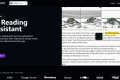
Boost your reading with real-time explanations! Select any text you don't understand, and get instant explanations without leaving the page. Perfect for academic papers, coding & documentation, and finance & legal documents. Supercharge your reading!
-

Stuck on homework? Transcript offers instant AI help for any subject. Get accurate, step-by-step solutions & explanations tailored to your course. Learn confidently.
-
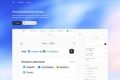
Dex turns the browser into your single AI workspace — one brain that knows your tasks, your context, and how to move your work forward.
-

Create an AI-Powered chat for your documentation in seconds! Provide the link to your documentation and we do the rest. Customize appearance and install in your site very easily
-
Boost your productivity with Text Blaze, the versatile Chrome extension that saves time. Streamline work processes and achieve messaging consistency.
-
Scripsy: AI YouTube transcriber & summarizer. Get accurate text & ChatGPT-powered summaries from any video in 50+ languages. Save time, learn smarter.
-
Automate repetitive typing & ensure team consistency. TextExpander creates custom keyboard shortcuts for all your text, code, and emails. Save hours!
-

Get homework help instantly with SynthAnswer AI! Screenshot questions, get AI-powered answers & explanations for math, code, & more.
-
SciSpace is a comprehensive platform that uses AI to help you discover, understand, analyze, and write scientific literature. It offers a range of tools, including an AI Copilot for explaining complex text, a Literature Review tool for finding relevant papers, a Paraphraser for improving writing, and a Citation Generator for creating accurate citations.
-
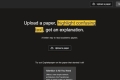
Get an explanation of confusing text on research papers by highlighting them. You can upload a paper and save papers as well.
-

Struggling with long texts? Recap, an AI - powered platform, turns complex info into concise summaries & engaging visuals. With features like multi - perspective questions and seamless accessibility, it's a must - have for students, researchers, and professionals.
-
Selectext: Copy text from videos on any site. OCR, 50+ languages, keyboard shortcuts. Save time & effort!
-

Study Space: AI learning explaining any content like a personal teacher. Get personalized paths, smart study aids, and track progress. Learn smarter, retain more.
-

Solvr, a revolutionary Chrome extension, uses AI to provide instant answers within the browser. Features like Solve with Solvr, Capture & Solvr, and Text & Solvr. Ideal for students, researchers, and curious minds. Fast, free, and enhances productivity.
-
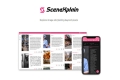
Unlock the narratives hidden within your images with SceneXplain. Our AI generates sophisticated, vivid descriptions that bring visuals to life.
-

Simplify website content & eliminate jargon with AI-powered tool, SiteExplainerStar. Save time and understand main ideas effortlessly.
-
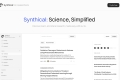
Unlock the power of complex scientific concepts with Synthical. Understand any subject and ignite your love for learning. Written description.
-

Access latest AI models in your sidebar, translate, search definitions, create flashcareds and learn - all in one place
-

Streamline your browsing with SiteScripter, an AI-powered Chrome tool. Easy setup, smart automation, and seamless integration save you time.
-

Snapdemo creates interactive product demos letting prospects explore your software firsthand. Engage leads, boost understanding, & close deals faster.
-

Navigating the world of new products and websites can be Lengthy and overwhelming, "What the Product" is a Chrome extension Simplify your product research with key insights directly in the browser. With one click, quickly understand any product or website.
-

Text Ape, a Chrome extension, offers instant video summaries, timestamp navigation & community insights. Save time & boost productivity for research, exams & content creation.
-

Spext is an AI-powered platform for audio & video. Auto-edit, summarize, create searchable transcripts & automated chapters. Ideal for podcasters, pros & educators. Streamline your workflow!
-
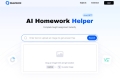
QuestionAI: Solve problems & understand anything instantly. Your AI browser copilot for screenshots, writing, summaries & academic help.
-

Go beyond answers! Coursology is your AI study partner for step-by-step solutions, deep understanding, & custom quizzes from your notes.
-

Ask Steve: Your AI assistant on any web page. Automate tasks, extract data, & generate content without leaving your workflow.
-
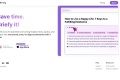
Briefy AI turns articles, videos & PDFs into structured summaries. Build a searchable knowledge base & chat with your content. Understand more, faster.
-

StudyPal, an AI-powered Chrome extension, simplifies studying with features like intelligent homework help, real-time test support, personalized exam prep, multi-language support, and secure data. Your ultimate academic ally!
-
Boost your productivity with SummerEyes—an AI-powered browser extension that provides instant content summaries. Save time and stay focused!
-

A powerful Chrome extension that allows you to get instant answers with AI and optimize your prompts directly within your tab. It uses your highlighted text on the webpage as context for better, clearer results. No more copy-pasting or switching tabs.