

What is Ask Steve?
Ask Steve is a powerful AI browser extension designed to eliminate the constant switching between your work and separate AI chatbots. It acts as your intelligent, context-aware assistant directly within any website or web application, allowing you to automate tasks, extract data, and generate content without ever breaking your workflow.
Key Features
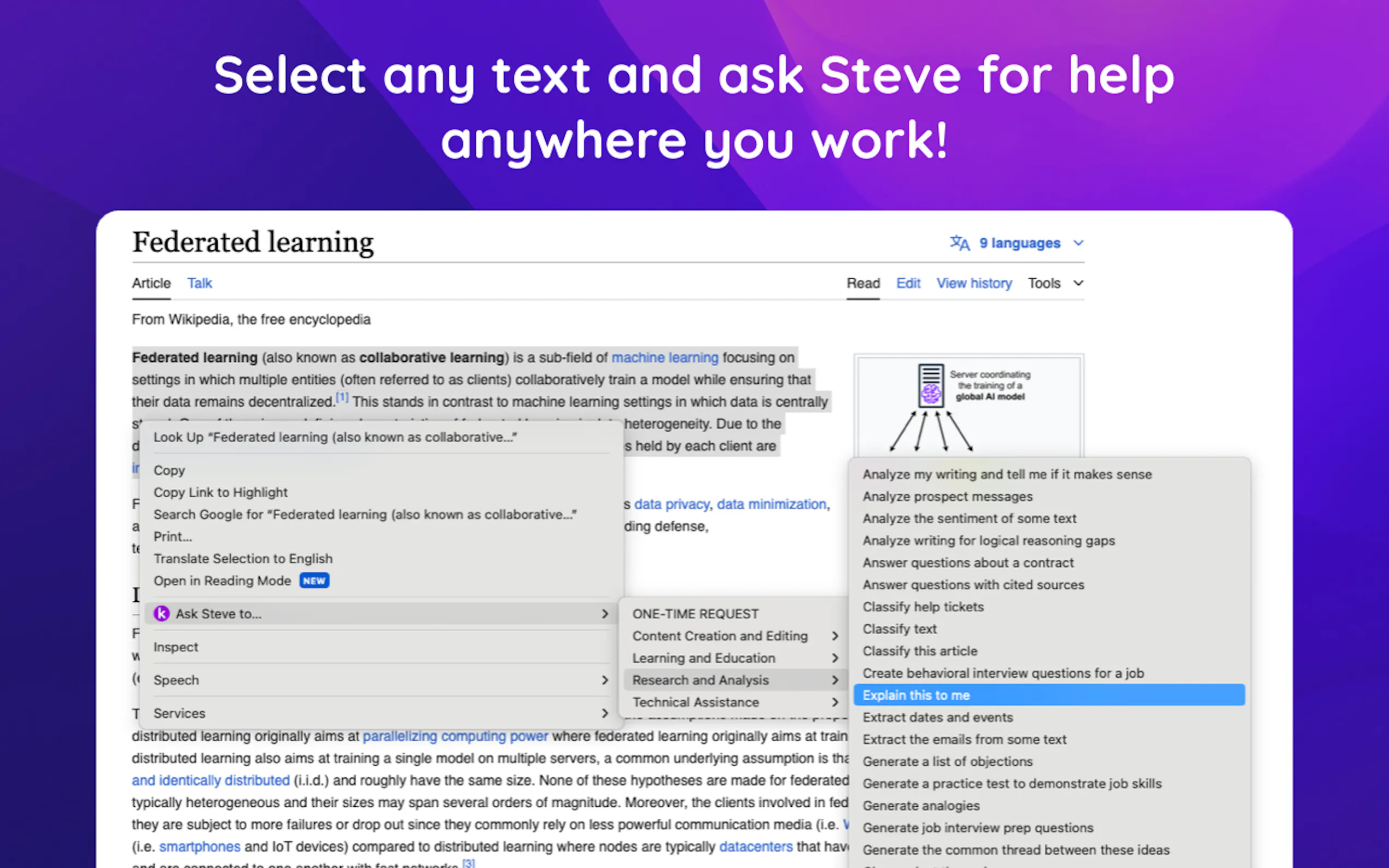
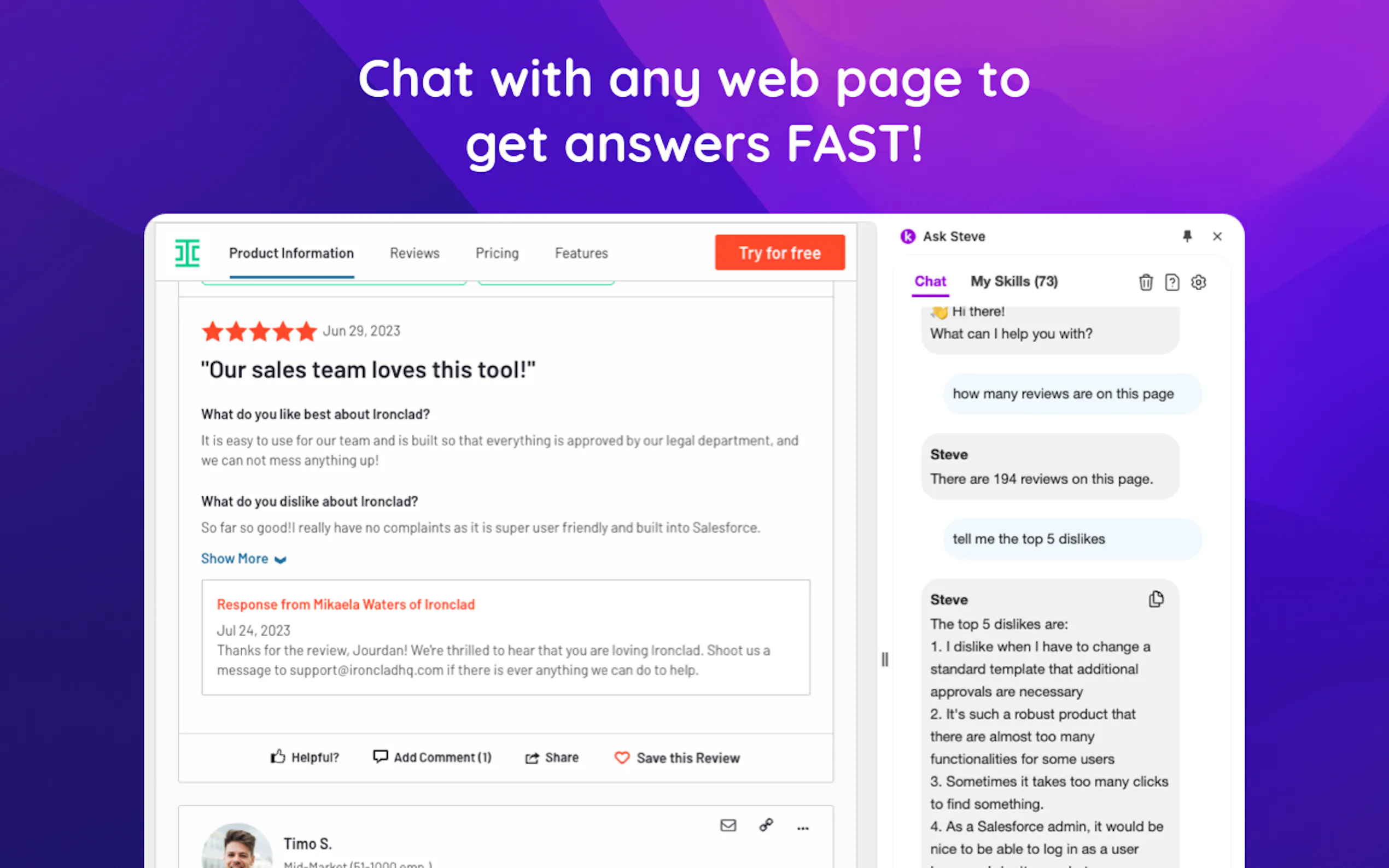
💡 Context-Aware AI on Any Page Ask Steve can read and understand the content of your current web page or even just the text you've selected. This eliminates endless copying and pasting, allowing you to summarize articles, ask questions about reports, or rephrase content instantly, all while staying on the same page.
🔗 No-Code Data Extraction & Integration Transform any web page into a structured data source. You can create 1-click tools to extract specific information—like names, companies, or key figures from a report—and send it directly to applications you already use, including Google Sheets, Salesforce, Notion, Airtable, and more.
🛠️ Personalized No-Code Tool Builder Move beyond pre-built prompts. With Ask Steve, you can create your own custom 1-click AI tools and buttons tailored to your specific, repetitive tasks. Build a button to generate social media hashtags from an article or a tool to draft a follow-up email in your unique style, all without writing a single line of code.
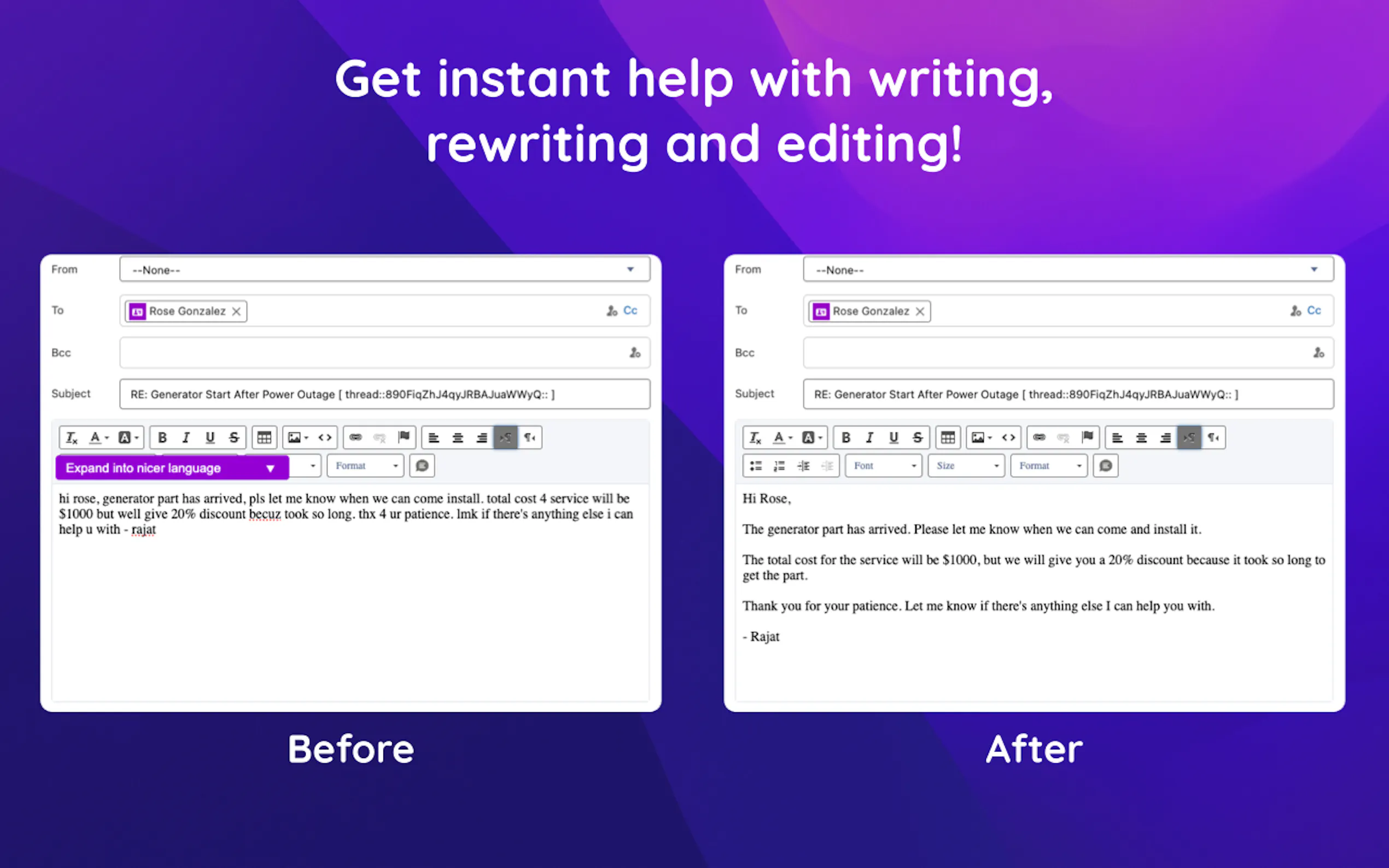
✉️ Seamless Email Productivity Supercharge your inbox within Gmail and Microsoft Outlook. Ask Steve helps you draft replies in your own tone, generate concise summaries of long email threads, and even create calendar events from email content with a single click, directly from your mail interface.
How Ask Steve Solves Your Problems:
For Sales Professionals: Imagine you're on a prospect's LinkedIn profile. With a custom button, you can instantly extract their key information, check for their existence in your Salesforce CRM, and use AI to draft a personalized, context-rich outreach message—all in under a minute.
For Researchers and Analysts: When reviewing a dense financial report or a long academic paper online, you can stop manually copying data points. Use Ask Steve to instantly summarize the entire document's key takeaways or create a tool to extract every statistic and send it to a Google Sheet for immediate analysis.
For Business Operations: Equip your team with custom tools for routine tasks. An operations manager can build a 1-click button that allows any team member to pull invoice details from a supplier's web portal and log them directly into an Airtable base, standardizing data entry and saving hours of manual work each week.
Unique Advantages
Enterprise-Grade Security and Privacy: Ask Steve is designed for security. The extension runs on your local computer and communicates directly with the LLM or API you specify. None of your sensitive work data is ever sent to or processed through Ask Steve's servers, ensuring your information remains private.
Unmatched Flexibility and Connectivity: Unlike copilots confined to a single application, Ask Steve works across your entire browser. It allows you to bring your own AI model (including free keys from Google Gemini or private on-premise models) and connect to any system with an API or webhook, including Zapier, n8n, and Make. This makes it a truly universal and powerful front-end for your workflows.
Conclusion:
Ask Steve isn't just another AI tool; it's a productivity platform that integrates intelligent automation directly into your existing workflow. By providing contextual help, powerful data extraction, and deep customization, it empowers you to work faster, smarter, and with greater focus.
Install the extension to experience a more integrated and efficient approach to your daily tasks!

More information on Ask Steve
Launched
Pricing Model
Freemium
Starting Price
$19.99 /monthly
Global Rank
1685141
Follow
Month Visit
10.9K
Tech used
Google Fonts,Next.js,Vercel,Gzip,JSON Schema,OpenGraph,Progressive Web App,Webpack,HSTS
Top 5 Countries
33.56%
14.54%
10.66%
7.04%
5.88%
United States
Brazil
India
Indonesia
Turkey
Traffic Sources
8.09%
1.15%
0.11%
8.03%
33.35%
49.09%
social
paidReferrals
mail
referrals
search
direct
Source: Similarweb (Sep 24, 2025)
Ask Steve was manually vetted by our editorial team and was first featured on 2024-05-05.
Related Searches
Ask Steve Alternatives
Load more Alternatives-

-

Tired of copy-pasting? BringYourAI links VSCode to any AI chat. Attach code, debug faster, and generate smarter code. Elevate your dev workflow.
-

-
QuestionAI: Solve problems & understand anything instantly. Your AI browser copilot for screenshots, writing, summaries & academic help.
-

Jetwriter AI: Your personalized, context-aware AI writing assistant. Boost productivity across platforms with multi-model intelligence & your unique voice.