Step-by-Step Guide to Stunning 3D Drone Videos with Luma Labs AI
In the realm of videography, the evolution of technology has paved the way for groundbreaking advancements, one of which is the ability to produce 3D drone videos. Luma Labs AI emerges as a pivotal tool in this transformative era, offering both professionals and hobbyists the capacity to craft visually stunning 3D drone videos. This guide delves into the intricate process of utilizing Luma Labs AI, detailing a comprehensive, step-by-step approach to transform ordinary videos into mesmerizing 3D creations. Whether for entertainment, commercial use, or artistic expression, Luma Labs AI stands as a beacon of innovation, unlocking new horizons in drone videography.
1. Understanding the Basics of 3D Drone Video Creation with Luma Labs AI
Embarking on the journey of 3D drone video creation begins with a foundational understanding of Luma Labs AI's capabilities. This innovative application harnesses Neural Radiance Fields (NeRF) technology to transform standard images into dynamic 3D models. The essence of this process lies in its ability to construct detailed three-dimensional scenes from simple two-dimensional photographs. This revolutionary approach eliminates the need for actual drone usage, opening the door to high-quality 3D drone video production using just a smartphone or camera.
2. Preparing for Your 3D Video Project
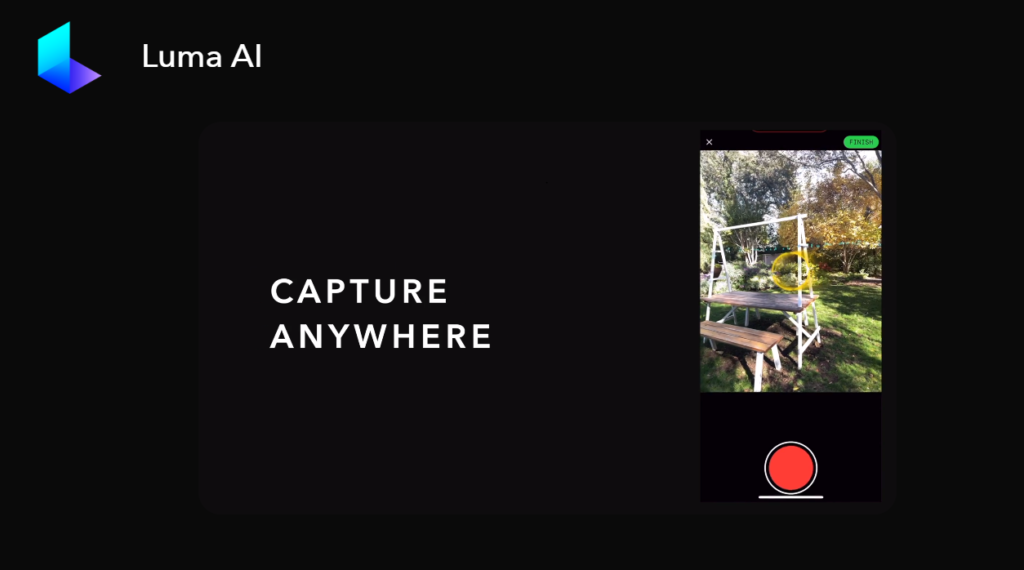
Initiating a 3D video project with Luma Labs AI requires minimal equipment but strategic planning. Essential to this process is capturing your subject from diverse perspectives. Photographing the subject from three key angles – eye-level, top-down, and bottom-up – provides the comprehensive view needed for accurate 3D modeling. It's crucial to move around the subject slowly and steadily, avoiding zoom to maintain consistency. These carefully captured images lay the groundwork for Luma Labs AI to weave its magic, transforming them into a three-dimensional video spectacle.
3. The Process of Capturing 3D Models
The versatility of Luma Labs AI is evident in its dual capture modes: Guided Capture and Freeform Capture. For novices, Guided Capture is a boon, offering an easy-to-follow method to ensure perfect 3D captures. Conversely, Freeform Capture caters to the more experienced user, providing freedom to customize framing and focal lengths. This adaptability makes Luma Labs AI a fitting choice for various skill levels, ensuring that every user can achieve their desired 3D outcomes.
4. Transforming Images into 3D Models
Once you've captured your images, Luma Labs AI employs advanced AI algorithms to meticulously process and convert them into high-quality 3D representations. This transformation is a spectacle of technology, where you can observe the progress within the app itself. The duration of this processing phase is typically brief, depending largely on the model's complexity and size. This phase marks a critical step in the journey from simple photographs to captivating 3D drone videos.
5. Finalizing and Utilizing Your 3D Model
After the processing phase, the 3D model crafted by Luma Labs AI is ready for download. You can either save it to your device or upload it to cloud storage. The app also includes a camera editor, allowing you to fine-tune camera settings and create cinematic effects. Furthermore, the 3D model can be exported in various formats, such as video or 3D file formats like OBJ and USDZ, enhancing its versatility. This feature opens up avenues for sharing your 3D drone videos with others, showcasing your creative prowess.
6. Advantages and Considerations of Using Luma Labs AI
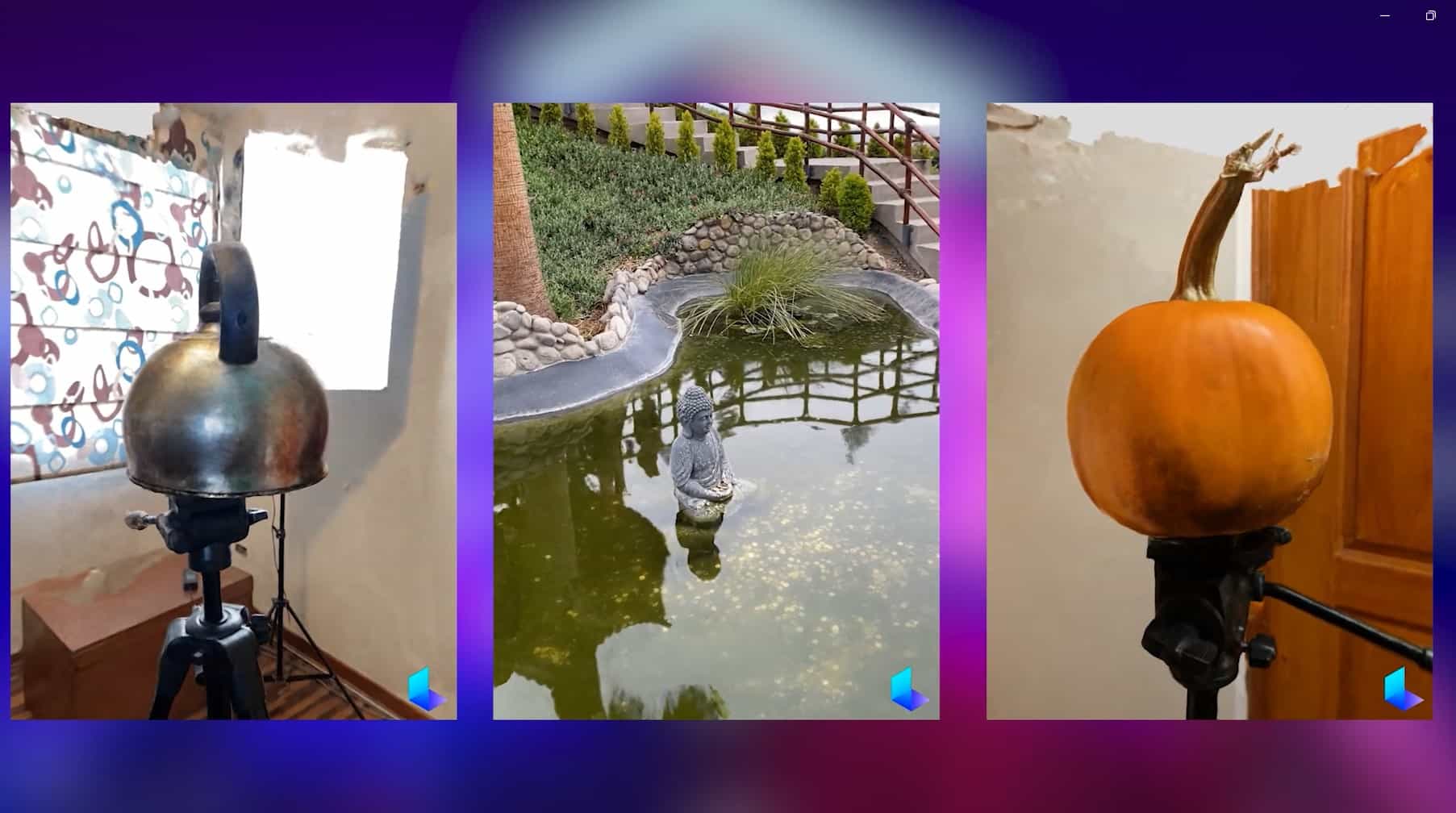
Luma Labs AI offers a drone-free alternative for creating 3D videos, eliminating the cost and learning curve associated with drone operation. Its user-friendly interface simplifies the process of transforming photos into 3D models, making it accessible to a broad audience. However, it's important to note some limitations. The resolution of your 3D drone videos is contingent on the quality of the input photos. Additionally, using a stationary tripod is essential for optimal results, which may limit mobility and the range of shots compared to a traditional drone.
7. Pricing and Accessibility of Luma Labs AI
Luma Labs AI offers a cost-effective solution for 3D modeling, with the basic functionality available for free and each API capture costing $1. This pricing model is tailored to suit a wide range of users, from hobbyists to professionals, making 3D drone video creation more accessible. The app's user-friendly interface, combined with a guided capture mode, ensures that even beginners can produce flawless 3D models without prior experience in 3D videography.
8. Ethical and Legal Considerations
While Luma Labs AI presents a groundbreaking tool for 3D content creation, users should be aware of potential ethical and legal issues. These concerns primarily revolve around the ownership and usage rights of the captured and rendered 3D content. It's crucial for users to understand and comply with the relevant laws and regulations in their jurisdiction to ensure responsible and lawful use of this technology.
Conclusion
The advent of Luma Labs AI has revolutionized the realm of 3D drone video creation, offering an innovative and accessible platform for transforming simple photographs into stunning 3D models. This guide has walked you through each step of the process, from capturing images to finalizing your 3D drone videos, highlighting the app's user-friendly nature and its capability to cater to both beginners and experienced users. As we embrace this technology, it's also important to consider the ethical and legal aspects of using such advanced tools. Luma Labs AI stands not just as a technological advancement, but as a gateway to new creative possibilities in the world of videography.
FAQs
- Q: Is Luma Labs AI suitable for beginners?A: Yes, Luma Labs AI is ideal for beginners, offering a user-friendly interface and a guided capture mode for effortless 3D model creation.
- Q: Can you use Luma Labs AI without owning a drone?A: Absolutely. Luma Labs AI enables you to create 3D drone videos without the need for an actual drone, using just photos taken with a smartphone or camera.
- Q: Are there any costs associated with using Luma Labs AI?A: Basic use of Luma Labs AI is free, but API captures are charged at $1 each, offering a cost-effective solution for 3D video creation.
- Q: What are the limitations of using Luma Labs AI?A: The resolution of 3D videos depends on the quality of input photos, and the use of a stationary tripod is recommended for best results.