Unlocking the Power of VoxScript ChatGPT Plugin: A Comprehensive Guide
In this comprehensive guide, we will explore the VoxScript ChatGPT plugin and its various use cases. Whether you're a technical expert or a general reader, this tutorial will provide you with step-by-step instructions on how to use this powerful plugin to enhance your web browsing experience, retrieve real-time data, access financial information, and more. So let's dive in!
Understanding the Use Cases:
The VoxScript ChatGPT plugin offers a wide range of applications. Here are some of its key use cases:
1. Real-Time Web Search:
With the VoxScript plugin, you can perform real-time web searches using popular search engines like Google or DuckDuckGo. Unlike the default web browsing plugin, which uses Bing, VoxScript allows you to leverage the power of your preferred search engine.
2. News and Financial Data:
Stay up-to-date with the latest news and financial data using the VoxScript plugin. You can receive news updates on specific ticker symbols and access financial data for US equities. Additionally, the plugin provides historical pricing data for both US equities and cryptocurrencies.
3. Website Content Retrieval:
Retrieve real-time website content directly within the chat interface using the VoxScript plugin. This feature allows you to read articles, blog posts, and other web content without leaving the conversation.
4. YouTube Video Analysis:
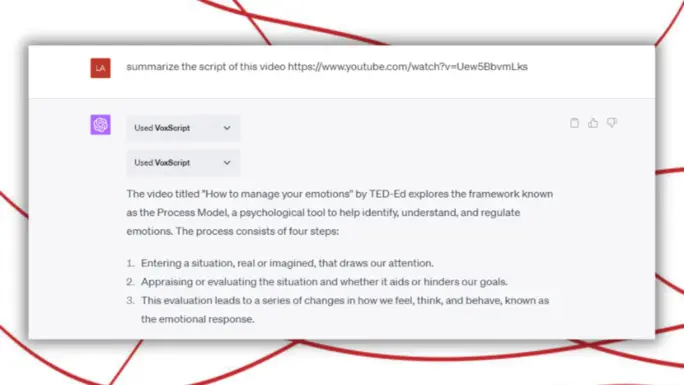
The VoxScript plugin enables you to extract valuable insights from YouTube videos. You can use it to retrieve video transcripts, summarize video content, and gain a deeper understanding of the information presented.
5. Facebook Content Retrieval:
If you need to retrieve tracks from Facebook, GitHub, or reentry.co, the VoxScript plugin has got you covered. It allows you to easily access and retrieve content from these platforms, expanding your research capabilities.
Getting Started with VoxScript ChatGPT Plugin:
Now that you understand the potential of the VoxScript plugin, let's dive into the step-by-step process of using it:
1. Subscription and Plugin Enablement:
To access the VoxScript ChatGPT plugin, you must be a GPT+ subscriber. Ensure that your account settings are configured to enable third-party plugins. You can do this by clicking on your account name, selecting "Settings," then navigating to the "Beta Features" section and turning on the plugins toggle.
2. Plugin Installation:
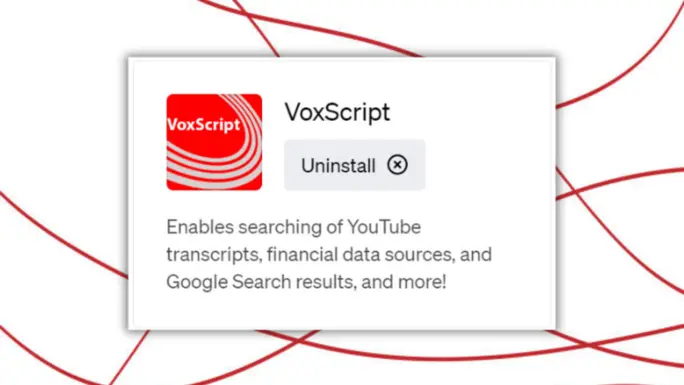
Check if the VoxScript plugin is already installed in your account. Open a new chat, select the GPT4 model, click on the plugins option, and check for the VoxScript plugin icon. If it's not installed, scroll down and select the plugin store. Locate the VoxScript ChatGPT plugin and install it.

3. Plugin Activation:
Once the plugin is installed, you need to enable it. Keep in mind that only three plugins can be enabled simultaneously. If the VoxScript ChatGPT plugin is not already enabled, check the checkbox next to it to activate it.
Conclusion:
In this comprehensive guide, we have explored the VoxScript ChatGPT plugin and its various use cases. From real-time web search to retrieving financial data and analyzing YouTube videos, the VoxScript plugin offers a wide range of capabilities. By following the step-by-step instructions provided, you can unlock the full potential of this powerful plugin.
Q&A
- What is the VoxScript ChatGPT Plugin?
—The VoxScript ChatGPT Plugin is a tool that allows GPT Plus subscribers to access real-time web searches, news and financial data, and retrieve historical pricing data for cryptocurrencies and US equities.
- Who can use the VoxScript ChatGPT Plugin?
—The VoxScript ChatGPT Plugin is available for GPT Plus subscribers.
- What features does the VoxScript ChatGPT Plugin offer?
—The VoxScript ChatGPT Plugin offers real-time web searches, news and financial data access, and the ability to retrieve historical pricing data for cryptocurrencies and US equities.
- Can I access real-time web searches with the VoxScript ChatGPT Plugin?
—Yes, the VoxScript ChatGPT Plugin allows users to access real-time web searches.
- Can I retrieve historical pricing data for cryptocurrencies and US equities with the VoxScript ChatGPT Plugin?
—Yes, the VoxScript ChatGPT Plugin allows users to retrieve historical pricing data for cryptocurrencies and US equities.