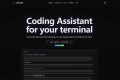

What is CodeNext.ai?
Are you looking to boost your coding efficiency and accuracy in Xcode? CodeNext.ai is here to help. This premier AI assistant offers context-aware code autocompletion and agentic chat, all integrated seamlessly into Xcode. Whether you're a seasoned developer or just starting out, CodeNext.ai can significantly enhance your coding experience.
Key Features
Tab to Autocomplete 🚀
Autocompletes single lines or entire sections of code as you type, saving you time and reducing errors.
Code in Natural Language 💬
Ask the Chat agent any coding questions, and get answers in code. From writing new functions to explaining bugs, CodeNext.ai has you covered.
Custom Chat Plugins 🛠️
Run Terminal commands and shortcuts directly from the Chat widget, extending the functionality of your development environment.
Supports Most LLMs 🤖
Compatible with leading LLMs like OpenAI, Azure OpenAI, Google AI, Mistral, Anthropic, and more, giving you the flexibility to choose the best model for your needs.
Scopes for Better Accuracy 🔍
Add scopes in Chat to receive more accurate answers and use your API tokens more efficiently.
Dark Theme 🌙
Easily switch between Dark, Light, and System themes to match your system's appearance and reduce eye strain.
Use Cases
Rapid Prototyping 🏃♂️
Imagine you’re working on a new feature and need to quickly prototype a function. With CodeNext.ai, you can ask the Chat agent to write the function in natural language, and it will generate the code for you. This allows you to focus on the logic and design, rather than the nitty-gritty details of the code.
Debugging and Refactoring 🐞
When you encounter a bug, you can simply describe the issue to the Chat agent. It will not only help you identify the problem but also suggest ways to fix it. Additionally, if you need to refactor a piece of code, CodeNext.ai can provide suggestions and even rewrite the code for you, making your code cleaner and more efficient.
Terminal Integration 🧑💻
Need to run a command or script? No need to switch to the Terminal. Use the Chat plugins to execute commands and get the results directly in the Chat widget. This keeps you in the flow of your coding session and saves you time.
Conclusion
CodeNext.ai is designed to make your coding experience in Xcode more efficient, accurate, and enjoyable. With its powerful features like context-aware autocompletion, natural language coding, and support for multiple LLMs, it’s the perfect tool for developers of all levels. Try it out today and see how it can transform your workflow.
FAQ
Why CodeNext?
CodeNext is the only solution that supports a wide range of LLMs in Xcode, including Codestral from Mistral and Claude Sonnet from Anthropic. This flexibility ensures you can use the best models for your specific needs.
Is CodeNext free?
Yes, it is free with your own API keys. We may introduce a paid version in the future, but the free version will always be available and meet most of your needs.
Do I need API keys or any subscriptions to use CodeNext?
For the Indie plan, you need to bring your own API keys. The Enterprise plan offers additional features and dedicated support.
Does CodeNext require any special permissions from macOS?
Yes, CodeNext requires accessibility and folder access permissions. These are used solely to extract and insert content from/to Xcode.
How about privacy and security?
The Indie plan communicates directly with third-party APIs and does not store any user code or sensitive information. You can scan CodeNext with tools like Charles proxy or mitmproxy for added transparency.

More information on CodeNext.ai
Launched
2024-11
Pricing Model
Freemium
Starting Price
$60 /mo
Global Rank
9420091
Follow
Month Visit
<5k
Tech used
Astro,Vercel,Gzip,JSON Schema,OpenGraph,Progressive Web App,HSTS
Top 5 Countries
75.94%
24.06%
United States
India
Traffic Sources
29.95%
1.6%
0.12%
8.46%
20.68%
38.91%
social
paidReferrals
mail
referrals
search
direct
Source: Similarweb (Sep 25, 2025)
CodeNext.ai was manually vetted by our editorial team and was first featured on 2025-03-17.
Related Searches
CodeNext.ai Alternatives
Load more Alternatives-

-

-

Meet CodeCompanion.AI – your personal coding assistant, available anytime, right on your desktop.
-

-