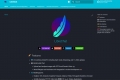

What is DevChat?
DevChat is an open-source IDE plugin designed to bridge the gap between powerful Large Language Models and the practical, day-to-day realities of your development process. While standard AI assistants are excellent for code snippets, they often fall short when faced with your project's unique context and team-specific procedures. DevChat empowers you to build, customize, and share intelligent workflows using natural language, transforming your IDE into a truly personalized AI-powered environment.
Key Features
💬 Create Workflows with Natural Language
Forget rigid drag-and-drop interfaces. With DevChat, you can define sophisticated, multi-step workflows by simply describing what you need in plain English. For example, you can instruct it to "generate a GitLab MR with a conventional commit message" or "create executable API test cases from this specification," and DevChat will generate and execute the intelligent workflow for you.🧠 Deep Project Understanding with Knowledge Engineering
DevChat goes beyond surface-level code analysis. By integrating knowledge graph capabilities, it actively learns the specific context of your private codebase. It analyzes relationships between API endpoints, functions, and parameters to build a rich understanding of your project. This allows the AI to generate far more accurate and relevant outputs, such as crafting complex API tests that chain multiple endpoints together logically.📂 Flexible, Git-Friendly Prompt Management
DevChat gives you full control over your prompts through a simple, powerful directory structure (~/.chat/workflows). You can set system-wide prompts (sys), share team-specific conventions via a shared Git repository (org), and create your own personal overrides (usr). This file-based system is transparent, version-controllable, and requires no complex management tools—it’s built for developers.🎯 Precise, Manual Context Control
Great AI output requires great input. DevChat is designed to eliminate the guesswork common in other tools. You have precise, manual control to add specific context to your prompts—such as the output ofgit diff --cachedto generate a commit message, or the definitions of dependent functions to help explain a complex piece of code. This ensures the AI has exactly what it needs to deliver the best possible result.🔌 Support for All Major LLMs
Stay on the forefront of AI without being locked into a single provider. DevChat supports the latest models from OpenAI, Anthropic, Google, DeepSeek, and more. You can bring your own API keys and switch between models like GPT-4o, Claude 3.5 Sonnet, and Llama 3 to find the best tool for any given task.
How DevChat Solves Your Problems:
Standardize Your Team's Code Quality: Use the shared
orgprompt directory to enforce consistent standards across your team. You can define a single, authoritative prompt for generating commit messages, writing documentation, or creating boilerplate code that adheres to your engineering guidelines.Automate Complex API Testing: Stop writing test scripts from scratch. Simply provide DevChat with your API documentation (like an OpenAPI/Swagger file), and it will autonomously analyze the endpoints, understand their dependencies, and generate a suite of executable test cases and scripts. It intelligently handles data validation and multi-endpoint scenarios with minimal manual intervention.
Build a Truly Personal Coding Assistant: Every developer has unique habits and needs. With DevChat, you can easily create highly personalized commands for your niche tasks. Whether it's a workflow for refactoring legacy code into a specific modern pattern or a simple command to have the AI verbally announce its progress, you can tailor DevChat to work exactly the way you do.
Conclusion:
DevChat is more than just another AI coding assistant; it's a practical framework for embedding deep, contextual intelligence directly into your development environment. By combining natural language workflow creation with powerful knowledge engineering, it provides a solution that respects the unique complexity of your projects and the established practices of your team.

More information on DevChat
Launched
2023-2
Pricing Model
Free
Starting Price
Global Rank
18335234
Follow
Month Visit
<5k
Tech used
Webflow,Amazon AWS CloudFront,jQuery,Gzip,OpenGraph,YouTube
Top 5 Countries
100%
India
Traffic Sources
3.77%
1.75%
0.18%
13.91%
40.78%
38.96%
social
paidReferrals
mail
referrals
search
direct
Source: Similarweb (Sep 24, 2025)
DevChat was manually vetted by our editorial team and was first featured on 2024-01-16.
Related Searches
DevChat Alternatives
Load more Alternatives-
-

Revolutionize your digital world with ChatDev! Our virtual software company offers customizable frameworks based on large language models. Join us now!
-

Tired of copy-pasting? BringYourAI links VSCode to any AI chat. Attach code, debug faster, and generate smarter code. Elevate your dev workflow.
-

-