
What is Explain An Error?
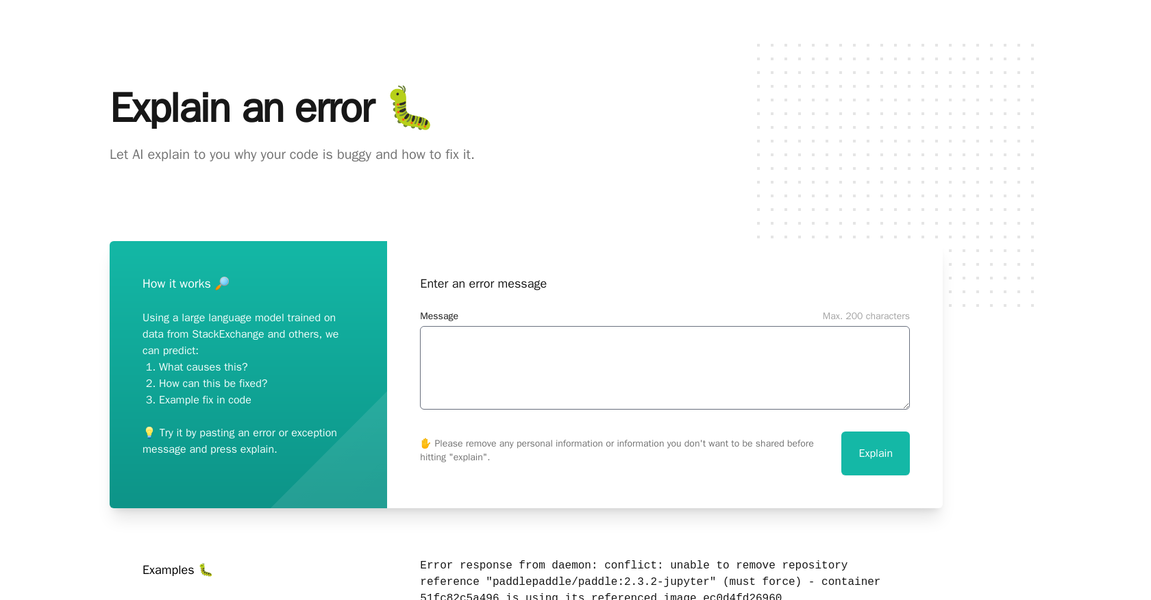
Whybug Explain is an AI-driven debugging tool that helps developers quickly identify the root cause of errors in their code. It leverages a large language model trained on data from StackExchange and other sources to predict the cause of a given error, as well as how to fix it and example fix code.
To use Whybug Explain, users simply paste an error or exception message into the app and press 'explain'. They can also try example error messages to get a better understanding of how the tool works.
Whybug Explain is a valuable asset for developers, as it helps them quickly identify the source of a bug, saving time and effort.
Key Features
Identifying the Issue🕵️♂️: The error clearly indicates that the query returned more than one result, which was not expected. This can be due to incorrect query conditions or a misunderstanding of the data being queried.
Debugging and Fixing🛠️: To fix this issue, you need to review the query conditions and ensure that they are correctly filtering the results to return only one or no results.
Example Fix in Code📝: Adjusting the query conditions to correctly filter the results, or using a different method like
getSingleResult()if you are sure that only one result should be returned.
More information on Explain An Error
Launched
2014-07
Pricing Model
Free
Starting Price
Global Rank
Follow
Month Visit
<5k
Tech used
Cloudflare CDN,HTTP/3
Top 5 Countries
72.84%
13.93%
7.2%
6.03%
Belarus
United States
Tunisia
Switzerland
Traffic Sources
72.84%
27.16%
0%
Direct
Referrals
Search
Source: Similarweb (Jun 24, 2024)
Explain An Error was manually vetted by our editorial team and was first featured on 2023-03-07.
Related Searches
Explain An Error Alternatives
Load more Alternatives-

-

Get an explanation of confusing text on research papers by highlighting them. You can upload a paper and save papers as well.
-

QueryGenie is an AI based tool that can translate your data questions into valid and efficient database queries.
-

BetterBugs.io is a Chrome extension for dev teams who hate guesswork. Capture network, console, and browser details. Get root cause analysis, actionable steps, and AI-driven fixes. Built for QA-Dev teams who value speed, precision, and collaboration.
-