How to Google Gemini AI Login: A Comprehensive Guide
Google's Gemini AI, a groundbreaking artificial intelligence model, has been making waves in the tech world. As an AI enthusiast, I've been eagerly exploring Gemini's capabilities and how to access it. Here's a beginner-friendly guide on how to login and start using Google Gemini AI.
Understanding Google Gemini AI
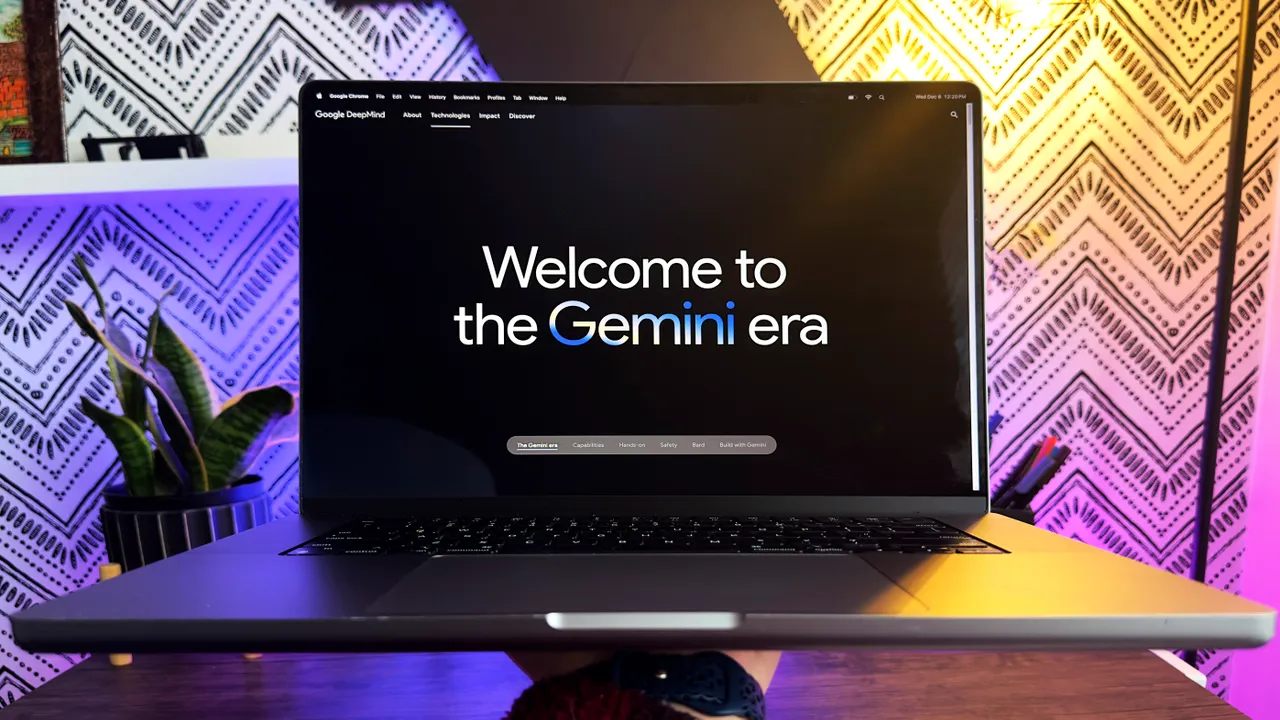
Before diving into the login process, let's understand what Google Gemini AI is. It's Google's most advanced AI model, known for its multimodal capacity, meaning it can process a variety of data types including text, code, audio, images, and video. There are three versions of Gemini AI:
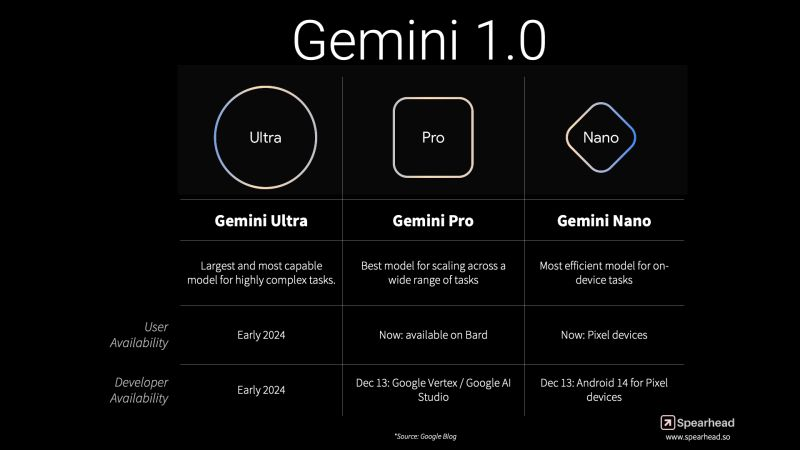
- Gemini Ultra: The largest and most capable model, designed for highly complex tasks.
- Gemini Pro: Ideal for scaling across a wide range of tasks.
- Gemini Nano: Most efficient for on-device tasks.
Accessing Gemini AI Through Bard
One of the primary ways to access Gemini AI is through Google Bard, a chat-based AI tool. Bard has been upgraded to use Gemini Pro, allowing for advanced reasoning, planning, and understanding.
A. Using Bard with Gemini AI
- Visit the Google Bard website at bard.google.com.
- Start typing prompts or questions. Bard will respond using the Gemini Pro AI model.
B. Advanced Version: Bard with Gemini Ultra (Coming in 2024)
Google plans to release an advanced version, Bard Advanced, which will package Gemini Ultra, offering enhanced capabilities like image, audio, video, and coding functionalities.
Gemini AI for Developers
From December 13th, developers can access Gemini Pro through the Google Cloud API. This includes Google AI Studio, a free web-based tool for prototyping and launching apps, and Google Cloud Vertex AI for more advanced management and customization.
On-Device Gemini AI: Pixel 8 Pro
Google has also integrated Gemini Nano into its Pixel 8 Pro smartphone, powering features like Summarize in the Recorder app and Smart Reply in Gboard, with plans to expand to more apps.
Future Integrations and Rollout
Gemini AI will soon be integrated into various Google products and services like Search, Ads, Chrome, and Duet AI, enhancing their capabilities.
Conclusion
Google Gemini AI represents a significant leap in AI technology, offering multimodal capabilities and a range of applications. Whether you're a casual user trying out Bard or a developer looking to integrate AI into your projects, Gemini AI is accessible and ready to explore.
FAQs
- What is Google Gemini AI?
Gemini AI is Google's advanced AI model capable of handling text, code, audio, images, and video.
- How do I access Gemini AI?
You can access it through Google Bard or, for developers, via the Google Cloud API.
- What are the versions of Gemini AI?
There are three versions: Gemini Ultra, Gemini Pro, and Gemini Nano.
- Can I use Gemini AI on my smartphone?
Yes, Gemini Nano is integrated into the Pixel 8 Pro.
- What are the future plans for Gemini AI?
It will be integrated into more Google products like Search, Ads, Chrome, and Duet AI.