Unleash Your Creativity: Mastering TikTok's AI Avatar Feature for a Unique Digital Identity
Introduction: The Rise of Personalized Avatars in Social Media
Hey there, TikTok enthusiasts and digital trendsetters! Have you ever dreamed of having a digital twin that showcases your style and personality in the virtual world? Well, TikTok's AI Avatar feature is here to turn that dream into reality! In this comprehensive guide, I'll walk you through the exciting journey of creating your very own AI avatar on TikTok, a feature that's taking the world of social media by storm.
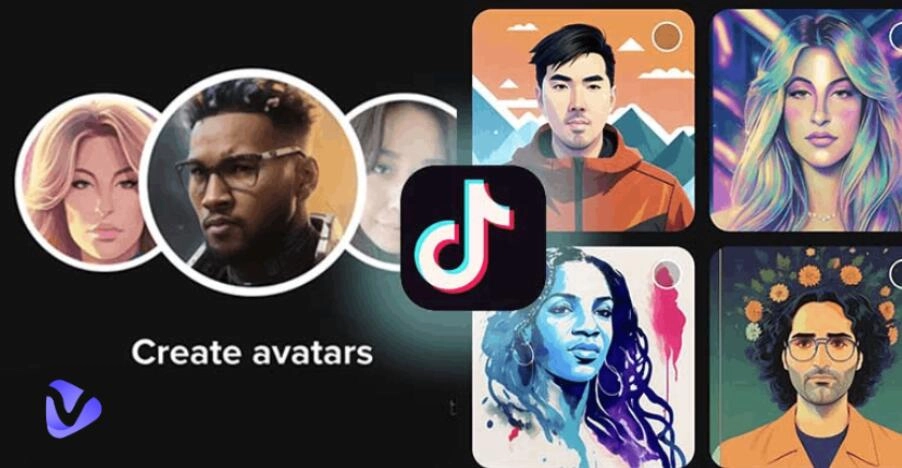
What is an AI Avatar, and Why is it a Game-Changer?
An AI Avatar is essentially a digital version of you, crafted using advanced AI technology. It's not just a static image; it's a dynamic representation that can interact, express, and engage in ways that extend your digital presence on platforms like TikTok. Imagine having a digital twin that's not only a spitting image of you but also resonates with your personality and style!
Step-by-Step Guide to Creating Your TikTok AI Avatar
Getting Started: Download and Navigate TikTok
Download TikTok: First things first, ensure you have the latest version of the TikTok app installed on your mobile device.
Navigate to Your Profile: Open the app and head over to your profile. This is where the magic begins!
Dive into the Creation Process
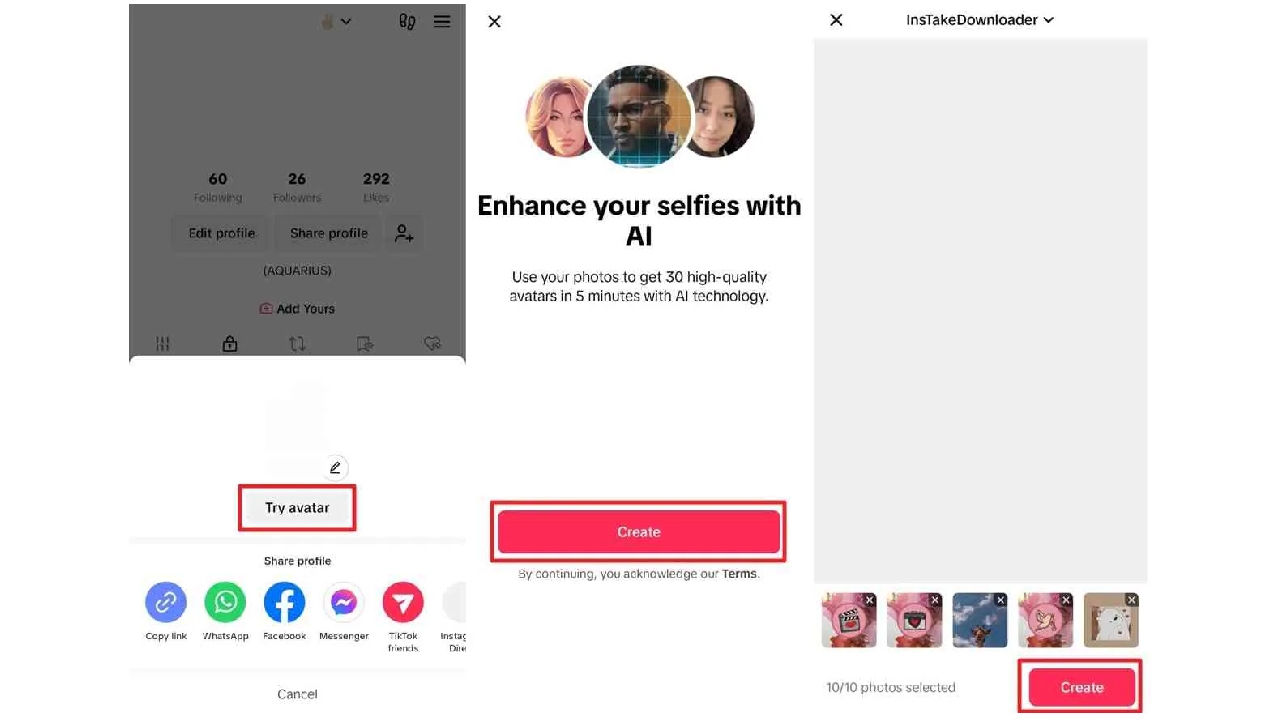
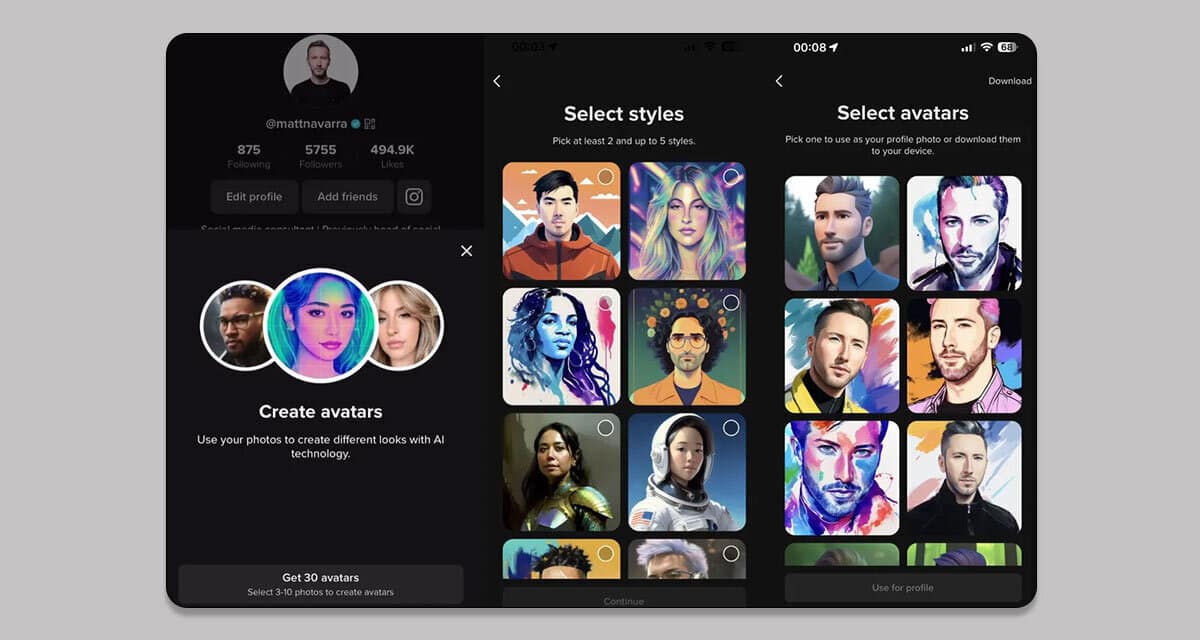
Tap Your Profile Picture: On your profile page, tap your current profile picture.
Select "Try Avatar": A new window pops up, inviting you to start the avatar creation process.
Create Your Avatar: Click on "Create" and get ready to unleash your creativity.
Personalizing Your Avatar
Choose Your Photos: Select 3-10 photos where your face is clearly visible. Remember, no sunglasses or hats - let your true self shine!
Pick Your Style: From futuristic to cartoonish, choose between 2-5 avatar styles that speak to you.
Let AI Do Its Magic: After selecting your styles, hit "Continue" and watch as the AI crafts a range of avatars for you.
Finalizing Your Avatar
Select Your Favorite: Out of the 30 avatars created, pick the one that captures your essence the best.
Set as Profile Picture: You can either set this avatar as your TikTok profile picture or download it for other uses.
Maximizing Your AI Avatar Experience
Creative Uses on TikTok
Engage in Trends: Use your AI avatar to participate in the latest TikTok challenges and trends.
Storytelling: Create unique storytelling experiences with your avatar, exploring genres you've never tried before.
Interactive Content: Make videos where your avatar interacts with your audience, offering a fresh and engaging experience.
Exploring Alternatives
If you're looking for more customization options, there are third-party apps like Wondershare DemoCreator, Fotor, and Media.io that specialize in AI avatar creation.
The Benefits: Why Jump on the AI Avatar Bandwagon?
Personal Branding: Your AI Avatar can become a recognizable symbol of your digital identity.
Creative Freedom: The sky's the limit in terms of how you can express yourself with your avatar.
Accessibility: Avatars can make digital interaction more inclusive, especially for individuals with certain disabilities.
Conclusion: Your Digital Twin Awaits
Creating an AI Avatar on TikTok is more than just a fun activity; it's a doorway to a new realm of digital expression. Whether you're an influencer, a creative soul, or someone who loves to explore the latest trends, the TikTok AI Avatar feature is your canvas to paint a digital portrait of yourself. So, what are you waiting for? Dive in and let your digital journey begin!