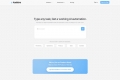

What is Kidi RPA?
Spending too much time on repetitive computer chores? Kidi RPA acts like your personal digital assistant, taking over those monotonous mouse clicks and keyboard tasks. It allows you to automate workflows simply by describing what you need done, using everyday language – no coding required. Imagine setting up a task once and having Kidi handle it perfectly every time, freeing you up for more important work.
Key Features
🗣️ Control with Natural Language: Tell Kidi what to do using simple instructions. Its AI understands your commands, eliminating the need for complex scripting or programming knowledge.
🖱️ Simulate Human Actions: Kidi accurately mimics mouse movements, clicks, and keyboard inputs to interact with websites and applications just like you would.
📅 Schedule Automation: Set up tasks to run at specific times or triggered by certain events, even overnight. Kidi works 24/7, so you don’t have to.
🕸️ Extract Web Data: Automatically gather information from specified web pages on a regular basis, saving you manual copy-pasting time.
✍️ Generate Text Content: Extract information according to your rules and automatically format it into text, useful for tasks like drafting product descriptions or reports.
🔄 Handle Repetitive Actions: Automate bulk operations like processing refunds, applying coupons across multiple items, or replying to standard messages based on your predefined knowledge base.
🔍 Monitor Web Pages: Keep an eye on specific web pages and get notified or trigger actions when data changes, ensuring you stay updated without constant checking.
🛡️ Ensure Reliable Operation: Kidi identifies potential exceptions or errors during a task and takes appropriate steps, helping to ensure your automated processes run smoothly.
How Kidi RPA Works for You: Real-World Examples
Let's look at how people are using Kidi RPA to simplify their work:
Streamlining E-commerce Tasks: An online store owner uses Kidi to automate the process of applying discounts to hundreds of products during a flash sale. Later, they set up Kidi to run overnight, scraping competitor pricing data from various websites and compiling it into a simple report ready for review in the morning. This saves hours previously spent on manual data entry and allows them to focus on sales strategy.
Managing Cross-Application Data: An administrative assistant needs to transfer customer details from a CRM system into an invoicing spreadsheet daily. Instead of manually copying and pasting each field, they instruct Kidi: "Copy the name, email, and order total from the CRM's new entries page and paste them into the next empty row in the 'Invoices Due' spreadsheet." Kidi handles this transfer accurately every day.
Automating Content Moderation & Replies: A community manager uses Kidi to help manage online forums. They set up a task: "Scan new posts for keywords on the banned list. If found, flag the post for review. Also, check the support forum for posts containing 'password reset' and automatically reply with the link to the password reset guide." This helps maintain community standards and provides quick answers to common questions.
Conclusion
Kidi RPA offers a straightforward path to automating the computer tasks that consume your valuable time. By understanding simple, natural language instructions, it removes the technical barriers often associated with automation. If you find yourself bogged down by repetitive clicks, data entry, or monitoring tasks, Kidi provides an accessible way to delegate that work and reclaim your focus for more meaningful activities.
Frequently Asked Questions (FAQ)
Do I need any programming or coding skills to use Kidi RPA? No, absolutely not. Kidi is designed to understand natural language instructions. You just describe the task you want to automate in plain terms.
What kinds of tasks can Kidi RPA actually automate? Kidi can handle virtually any task you perform on your computer that is repetitive and follows a set pattern. This includes clicking buttons, filling forms, copying and pasting data between applications, scraping information from websites, scheduling tasks, and more.
How does Kidi understand my instructions? Kidi utilizes advanced AI and its own self-developed large language models. These technologies allow it to interpret your natural language commands and translate them into specific mouse and keyboard actions to operate your computer.
Can Kidi run tasks automatically without me starting them each time? Yes. You can schedule tasks to run at specific times (e.g., every day at 2 AM) or based on specific triggers. Once set up, Kidi can operate autonomously.
Is it difficult to set up an automation task? The process is designed to be simple. You essentially guide Kidi by telling it what steps to take, similar to how you would explain the task to a person.


More information on Kidi RPA
Launched
Pricing Model
Free
Starting Price
Global Rank
Follow
Month Visit
<5k
Tech used
Nuxt.js,OpenResty
Kidi RPA was manually vetted by our editorial team and was first featured on 2025-03-29.
Related Searches