How to Fix Common Moderation Errors in ChatGPT
In the ever-evolving landscape of AI-powered chatbots, ChatGPT stands as a formidable model, known for its ability to generate realistic and engaging responses. However, like any technology, it is not immune to errors. In this comprehensive guide, we will delve into some of the most common ChatGPT errors and provide pragmatic solutions to address them effectively. We'll also explore alternative chatbot solutions for those seeking more specialized functionalities.
Repetitive or Irrelevant Responses Error
One of the most prevalent issues users encounter with ChatGPT is repetitive or irrelevant responses. This error can result in conversations that lack engagement and effectiveness.
How to fix this:
- Reframe or rephrase your prompts to provide clearer instructions or guidance.
- Experiment with different prompt engineering techniques, such as changing the wording, adding constraints, or using system messages.
- Adjust the temperature and max tokens settings to influence the randomness and length of generated responses.
- Provide more context or information in the input to guide the model's understanding.
- Iterate and fine-tune your prompts based on trial and error to improve the quality and relevance of the generated responses.
Developers' Error
Developers' errors in ChatGPT are related to mistakes made during model building, such as biased training data or poorly adjusted parameters, leading to suboptimal performance.
How to fix this:
- Fine-tune the ChatGPT model on a specific topic or dataset relevant to the chatbot's goal for more precise and consistent replies.
Network Error
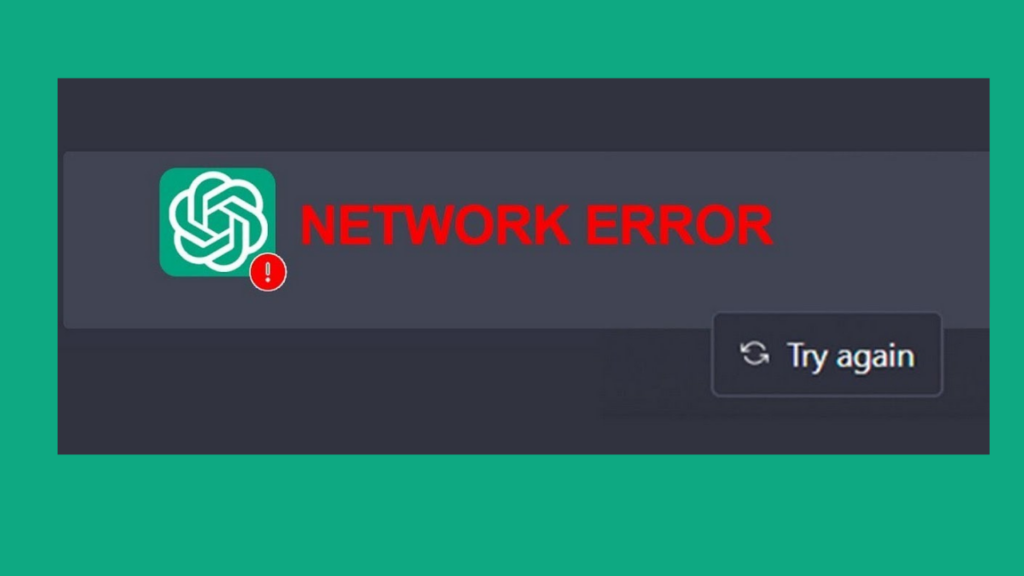
Network errors can disrupt the seamless functioning of ChatGPT and can be caused by server outages, poor internet access, or API communication difficulties.
How to fix this:
- Verify your internet connectivity.
- Double-check your API endpoint URL and credentials.
- Retry after a few minutes, as network errors can be temporary.
- Check the OpenAI status page for any known server issues.
- Review the documentation and example codes for potential misconfigurations.
- Contact OpenAI support for assistance if the issue persists.
Lack of Context or Memory
ChatGPT may sometimes exhibit a lack of context or memory due to insufficient input or exceeding the model's maximum token limit, resulting in incomplete or truncated responses.
How to fix this:
- Provide more context in your prompts to help the model better understand the desired input and generate relevant responses.
- Use longer or more detailed prompts that clearly specify the context and expectations.
- Avoid abrupt changes in prompts or inputs that may cause the model to lose context.
- Utilize system messages to provide additional instructions or guidance to the model.
- Experiment with different prompt engineering techniques, such as priming or continuation prompts, to guide the model's memory and understanding.
- Reframe or rephrase your prompts to make them more explicit and contextually relevant.
Offensive or Inappropriate Language
ChatGPT may produce offensive or inappropriate language, as it lacks filters to prevent such content generation.
How to fix this:
- Review and revise your prompts to ensure compliance with OpenAI's usage policies and guidelines.
- Avoid using offensive, discriminatory, harmful, or community standards-violating language.
- Implement a profanity filter or content moderation mechanism.
- Train the model with additional data to improve its understanding of appropriate language.
- Review and refine the generated responses to ensure they are free from offensive or inappropriate content before sharing or using them.
ChatGPT 1020 Error
When the input text exceeds the maximum token limit of 1020 tokens, users may encounter a ChatGPT 1020 error. This issue can be resolved by reducing the input text.
How to fix this:
- Reduce the length of your input text by truncating or omitting unnecessary content.
- Shorten or simplify your prompts to fit within the token limit.
- Split long input texts into smaller chunks and process them separately.
- Use token counting libraries or functions to keep track of token usage.
- Optimize your code to generate shorter responses.
- Consider using GPT-3's prompt engineering techniques to get desired results within the token limit.
ChatGPT Plus DALL-E 3 Error
ChatGPT Plus, a premium subscription service, has introduced DALL-E 3, which integrates image generation capabilities. Some users have reported issues with using DALL-E 3.

How to fix this:
- Although OpenAI has not officially acknowledged these issues, some users have speculated that deployment of updates may have introduced bugs. Possible solutions include clearing the browser cache, restarting the device, or contacting OpenAI support.
ChatGPT Error in Moderation
ChatGPT features a moderation function to classify text into categories, but errors can occur for various reasons.
How to fix this:
- To address errors in moderation, consider regenerating the response or starting a new chat.
- Adjust the length of your input text to avoid issues.
- Ensure a strong and stable internet connection.
- Disable real-time web protection features that may interfere with ChatGPT's functionality.
Alternatives to ChatGPT
For those seeking alternative chatbot solutions, Microsoft Bing's search chat mode offers:
- Specialized search features.
- Structured data and knowledge graph integration.
- Local search and maps emphasis.
- Integration with the Microsoft ecosystem.
- Privacy and security features.
- Business advertising opportunities.
Dear esteemed audience, we are delighted to present to you the culmination of our efforts! Despite the potential setback of encountering moderation errors during your interactions with ChatGPT, we assure you that there are effective solutions readily available. With our amicable and invaluable tips, you can continue engaging in joyful and uninterrupted conversations with ChatGPT. Always bear in mind that the key lies in fostering clear and concise communication, infusing your exchanges with a positive and uplifting atmosphere, and conscientiously avoiding any discussion of sensitive topics. Now that you have been empowered with this indispensable knowledge, it is time to confidently embark upon your chat journeys, engaging in remarkable and flawlessly smooth conversations that are truly exceptional in every aspect!