

What is LLMStack?
LLMStack is an open-source platform designed to help you create tailored generative AI agents, workflows, and applications by leveraging your own data. Whether you’re building chatbots, automating tasks, or generating multimedia content, LLMStack’s no-code interface makes it accessible for teams of all technical backgrounds.
Why Choose LLMStack?
Building powerful AI tools shouldn’t require a team of developers or months of effort. LLMStack simplifies the process by combining flexibility, scalability, and ease of use into one platform. Here’s how it addresses common challenges:
Customization Limitations: Pre-built AI tools often lack the ability to adapt to unique business needs. LLMStack lets you design solutions that fit your exact requirements.
Data Integration Gaps: Many platforms struggle to incorporate proprietary or diverse datasets. LLMStack seamlessly connects to your internal tools, databases, and external sources.
Collaboration Barriers: Building AI applications is often a siloed process. LLMStack supports collaborative workflows with role-based access controls.
Key Features
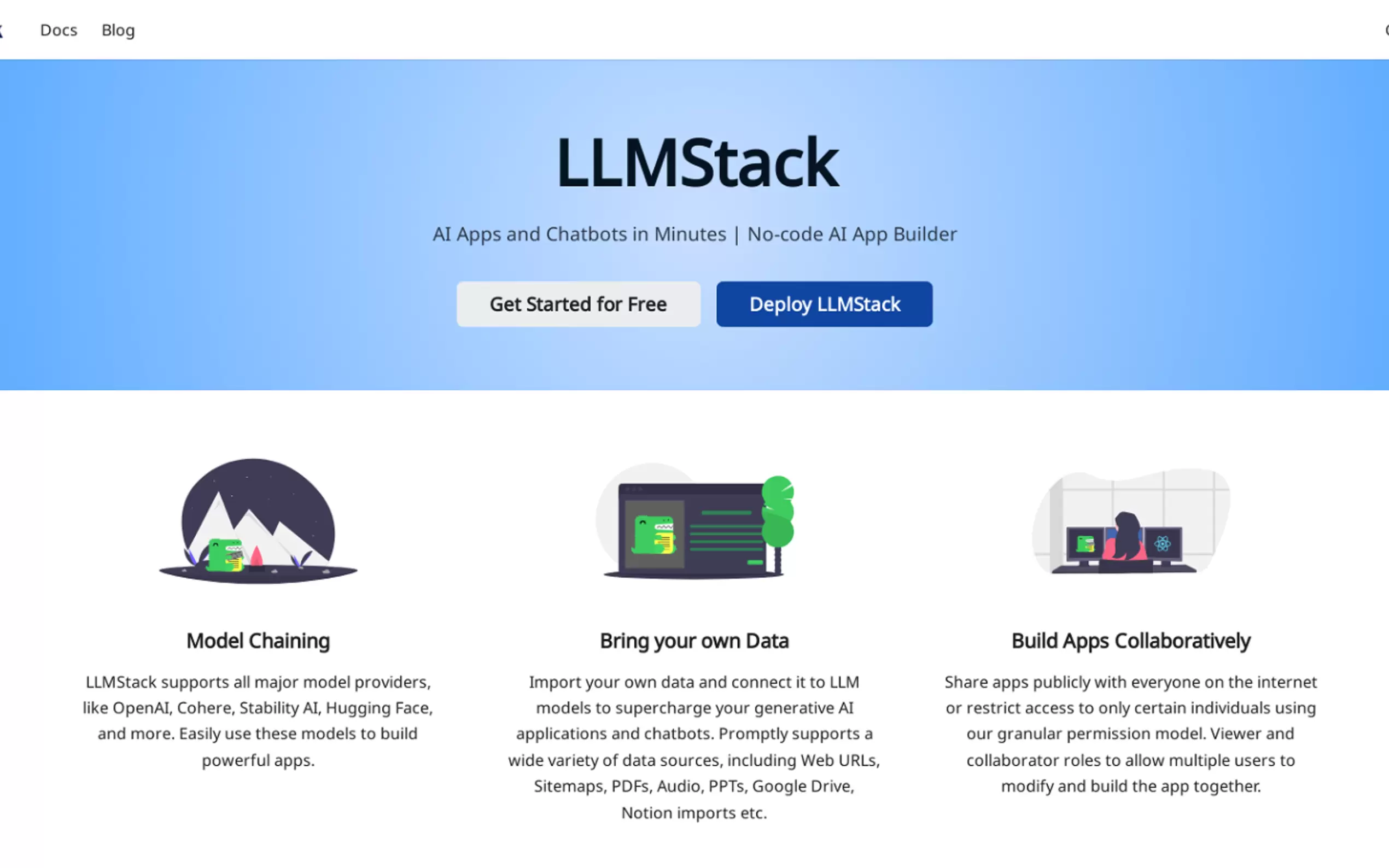
✨ Model Chaining: Combine multiple large language models (LLMs) like OpenAI, Cohere, Hugging Face, and Stability AI to create advanced AI workflows.
📂 Bring Your Own Data: Import data from web URLs, PDFs, Google Drive, Notion, audio files, and more. LLMStack preprocesses and vectorizes your data automatically, making it ready for AI-driven insights.
👥 Collaborative App Building: Share apps publicly or restrict access using granular permissions. Assign roles like viewer or collaborator to enable teamwork without compromising security.
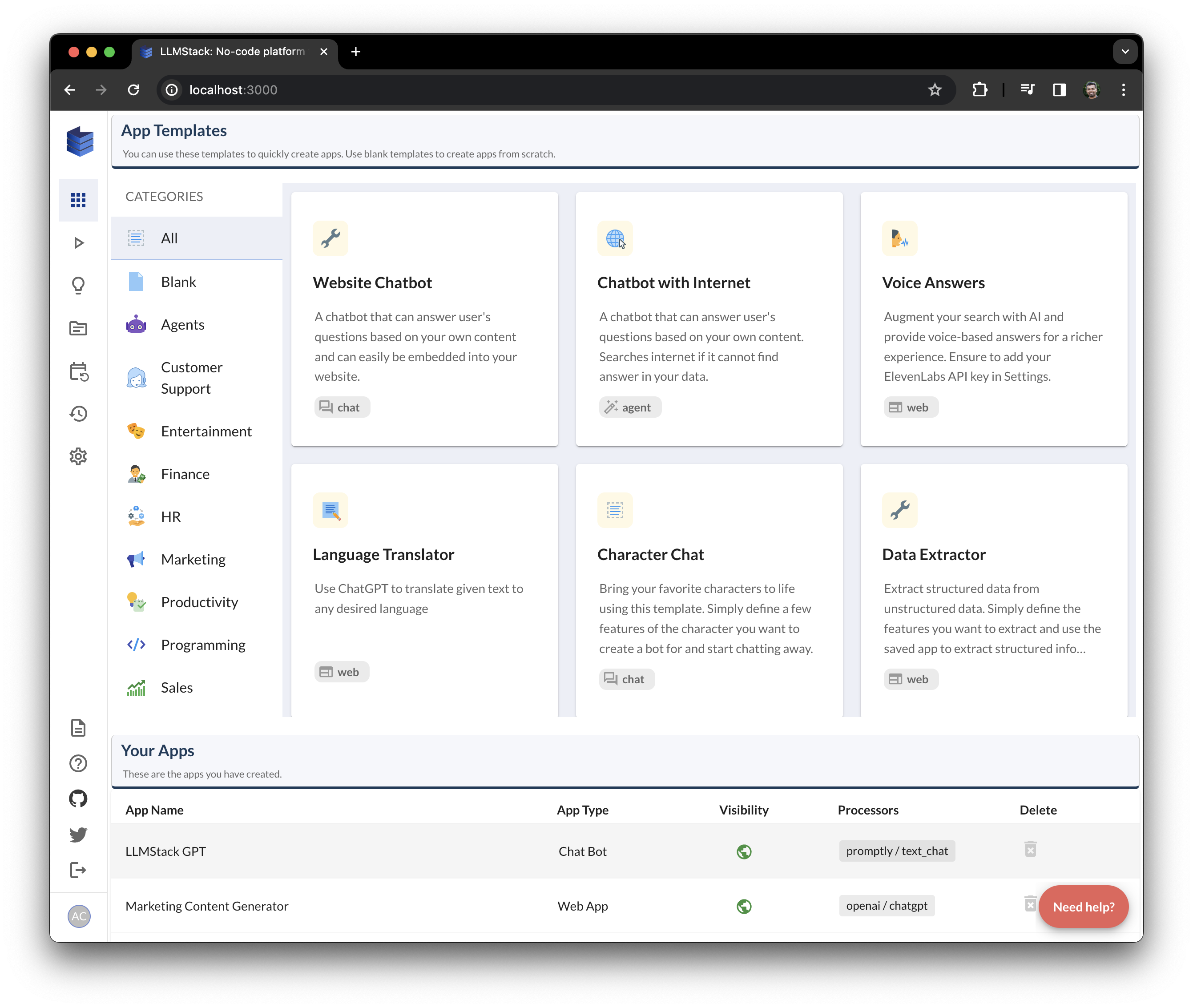
🌐 No-Code Builder: Create complex AI chains and workflows without writing a single line of code. The intuitive interface empowers non-developers to build sophisticated solutions.
☁️ Flexible Deployment Options: Deploy your applications on-premise or in the cloud, depending on your organization’s infrastructure preferences.
🤖 API Access & Integrations: Trigger AI workflows directly from Slack or Discord, or integrate them into existing systems via HTTP APIs.
Use Cases
Sales Automation:
Build AI-powered Sales Development Representatives (SDRs) that generate personalized emails, LinkedIn messages, and cold call scripts for your sales team. By integrating CRM data, these agents can tailor outreach efforts at scale.Research Assistance:
Create AI research analysts capable of generating detailed reports, investment theses, or market analyses. Connect them to internal databases or public sources to ensure accuracy and relevance.Conversational Chatbots:
Develop custom chatbots trained on your company’s documentation, FAQs, or product manuals. For example, embed a support bot on your website to provide instant answers to customer queries.Content Generation:
Automate the creation of marketing materials such as blog posts, social media updates, and product descriptions. Use your own data to maintain brand consistency while saving time.Search Augmentation:
Enhance search functionality by adding AI-generated summaries or contextual answers to query results. This approach improves user experience and reduces manual effort.
Conclusion
LLMStack empowers businesses to unlock the full potential of generative AI without requiring extensive coding expertise. Its robust features, flexible deployment options, and seamless data integration make it ideal for organizations looking to innovate quickly and efficiently.
Whether you’re streamlining operations, enhancing customer experiences, or exploring new opportunities, LLMStack provides the tools you need to succeed.
Frequently Asked Questions (FAQ)
Q: Do I need coding skills to use LLMStack?
A: No, LLMStack is a no-code platform, meaning anyone can build AI applications without prior programming knowledge.
Q: What types of data can I import?
A: LLMStack supports various formats, including CSV, TXT, PDF, DOCX, PPTX, audio files, and more. It also integrates with sources like Google Drive, Notion, and web URLs.
Q: Can I deploy LLMStack on my own servers?
A: Yes, LLMStack offers both cloud-based and on-premise deployment options.
Q: How do I get started?
A: Install LLMStack via pip, set up Docker (if needed), and start building your first AI application through the intuitive no-code interface. A quickstart guide and demo video are available for reference.
More information on LLMStack
Top 5 Countries
53.65%
46.35%
India
United States
Traffic Sources
6.19%
1.13%
0.06%
7.36%
45.51%
39.76%
social
paidReferrals
mail
referrals
search
direct
Source: Similarweb (Sep 24, 2025)
LLMStack was manually vetted by our editorial team and was first featured on 2023-08-27.
Related Searches
LLMStack Alternatives
Load more Alternatives-

-
-

LM Studio is an easy to use desktop app for experimenting with local and open-source Large Language Models (LLMs). The LM Studio cross platform desktop app allows you to download and run any ggml-compatible model from Hugging Face, and provides a simple yet powerful model configuration and inferencing UI. The app leverages your GPU when possible.
-

-
