

What is Mattebox?
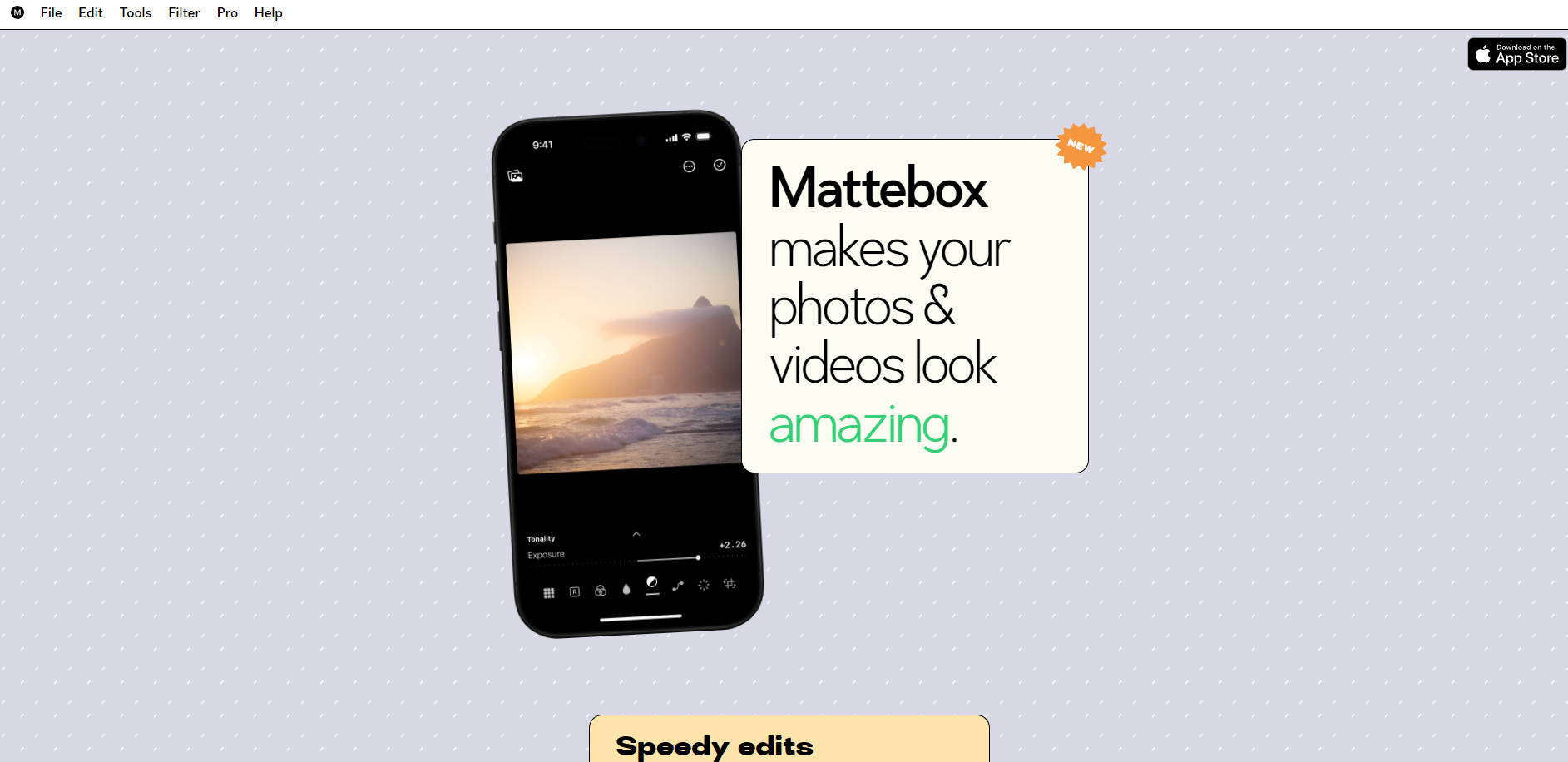
Mattebox is a free photo and video editing application, designed for iPhone and iPad users. This application emphasizes high-quality image processing, mirroring the responsiveness of analog film. Mattebox enables users to enhance photos and videos with ease, offering both one-tap filter applications and detailed manual adjustments. Key technical features include RAW and ProRAW photo support, a custom imaging core for natural light responsiveness, and advanced color correction tools. Mattebox Pro, a subscription-based upgrade, provides enhanced functionalities like tonal controls and the ability to export custom filters as LUTs or Lightroom Profiles.
Key Features:
🎞️ Film-Inspired Processing:Mattebox utilizes a custom imaging core that mimics the behavior of traditional analog film, producing images with superior highlight roll-off and a natural aesthetic. This results in a more authentic photographic quality.
🛠️ Streamlined Editing Workflow:Mattebox offers an intuitive interface that surfaces frequently used adjustments like exposure, saturation, and color balance. Users can quickly access more in-depth controls with a simple swipe, facilitating rapid and effective editing.
🎨 Customizable Filters and App Clip Sharing:Mattebox provides a collection of editable filters, allowing users to adjust and save their preferred settings. Filters can be shared as App Clips, enabling others to view and use them without installing the app.
🖼️ RAW and ProRAW Photo Support:Mattebox supports RAW and ProRAW formats from over 820 cameras, stripping away automatic AI-powered tone mapping. It offers photographers a less processed, more genuine starting point for editing.
🎬 Video Editing Capabilities:Users can apply Mattebox's filters and editing tools to 4K HDR video and Apple ProRes Log footage. Mattebox Pro subscribers can export looks as LUTs for use in professional video editing software or compatible cameras.
Use Cases:
Professional Photography Enhancement:A professional photographer utilizes the RAW processing capabilities of Mattebox to edit a series of portraits taken on their iPhone. They leverage the analog film-inspired core to achieve a natural, flattering look, adjusting exposure and color balance meticulously. Finally, they export the custom settings as a Lightroom Profile for use in their desktop workflow, ensuring consistency across all their devices.
Social Media Content Creation:An influencer captures 4K video footage for their social media channels and uses Mattebox to apply a signature filter that enhances the video's aesthetic. They adjust contrast and saturation to match their brand, then quickly share the enhanced content, maintaining a consistent and professional look across their posts.
Independent Filmmaking:An independent filmmaker shoots a short film using an iPhone and Apple ProRes Log format. In post-production, they use Mattebox to color-grade the footage, utilizing the Pro Diffusion feature to achieve a cinematic look. They then export a LUT based on their color adjustments for use in their preferred video editing software, ensuring the film's unique visual style is maintained throughout the editing process.
Conclusion:
Mattebox stands out as a powerful tool for users seeking high-quality photo and video editing capabilities on their mobile devices. Mattebox, with its intuitive design and professional-grade features, empowers users to achieve stunning results with minimal effort. Whether you're a professional photographer or a casual user, Mattebox offers a streamlined and effective way to elevate your visual content, making it a compelling choice for anyone looking to enhance their images and videos.
More information on Mattebox
Launched
2009-08
Pricing Model
Free Trial
Starting Price
Global Rank
7310906
Follow
Month Visit
<5k
Tech used
Gzip,JSON Schema,OpenGraph,RSS,HSTS,Nginx,Apple App Banner
Top 5 Countries
61.22%
38.78%
Indonesia
Norway
Traffic Sources
4.9%
1.39%
0.31%
13.79%
44.04%
34.57%
social
paidReferrals
mail
referrals
search
direct
Source: Similarweb (Sep 25, 2025)
Mattebox was manually vetted by our editorial team and was first featured on 2024-12-15.
Related Searches
Mattebox Alternatives
Load more Alternatives-

-

Capture One - professional photo editing software. AI-powered masking, intelligent adjustments, advanced color editing. Streamline workflow & unlock creative potential. For pros & enthusiasts.
-

-

Edit like a pro with Lightworks. Trusted by Hollywood, our powerful video editing suite scales from beginners to 8K filmmakers.
-

Create professional product images effortlessly with PhotoRoom: Studio Photo Editor. Background removal, batch editing, and more. Download for free now!