

Click outside to close
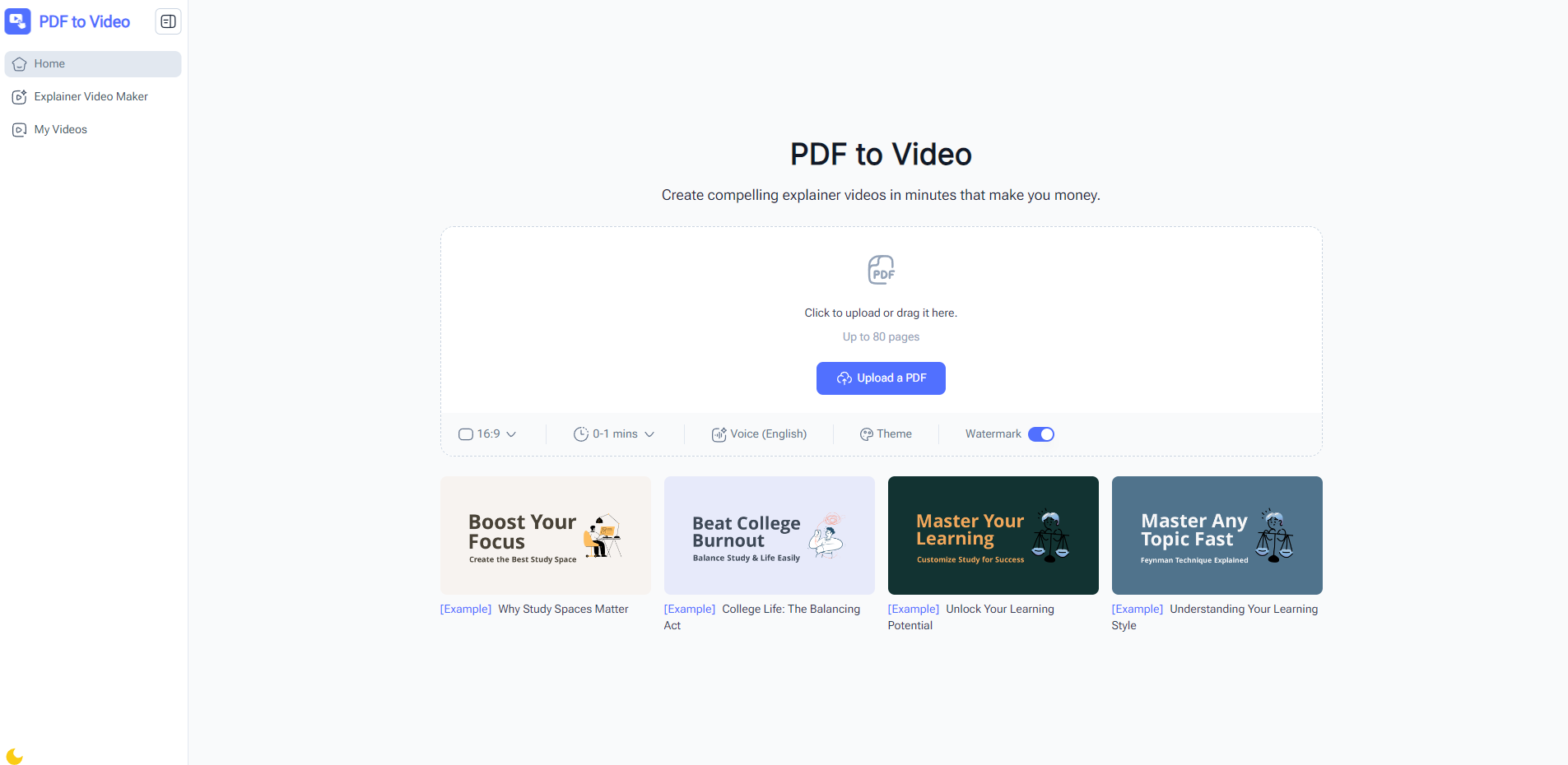
What is PDF to Video?
PDF to Video leverages advanced AI technology to analyze PDF content and generate a fully-produced video, saving time and effort compared to manual video creation.
🎯 Who Can Benefit
Educators & Trainers: Turn course materials into interactive video lessons to boost student engagement.
Business Professionals: Present reports, proposals, or manuals in a visually compelling format.
Marketing Teams: Quickly create video ads or promo clips from PDF brochures.
Students: Convert notes into easy-to-review video content.
Content Creators: Transform documents into shareable video content.
Nonprofits: Enhance storytelling and promotional impact through visual videos.
⚙️ Key Features
AI-Powered Automation: Automatically generate videos from PDF content.
No Registration Required: Start using the tool instantly.
Free to Use: Fully online and free of charge.
Customizable Output: Adjust voiceovers, duration, and visual style to fit your brand or preference.
Fast & Efficient: Generate videos in minutes, ideal for quick sharing.
Professional Quality: High-quality visuals and audio for a polished, professional look.
📝 How It Works
Upload PDF: Drag-and-drop or select your PDF file.
AI Video Generation: The AI engine analyzes your PDF and creates a video automatically.
Preview & Edit: Make optional edits and preview the video.
Download & Share: Download the final video or share it online directly.
📌 FAQs
Is it free?
Yes, PDF to Video is completely free to use with no registration required.
Do I need video editing skills?
No, the AI handles video creation automatically.
Does it support voiceover?
Yes, AI-generated voiceovers are available in multiple languages.
Which file formats are supported?
Currently, only PDF files are supported.
How long does video generation take?
Most videos are ready within minutes, depending on file size.
Can I use videos for commercial purposes?
Yes, videos can be used commercially.
More information on PDF to Video
PDF to Video was manually vetted by our editorial team and was first featured on 2025-09-03.
PDF to Video Alternatives
PDF to Video Alternatives-
Our AI can save you hours of work! Go from a good ol' document to a beautiful video presentation and slides in minutes!
-

Instantly turn images & text into stunning videos with AI. No login, no watermark. Fast, easy creation for everyone.
-

Image to Video AI increases AI photo to video quality. Get the perfect animation using a free picture to video converter.
-

Transform photos into engaging AI videos instantly with Photo to Video AI. Create dynamic content for social media, marketing & stories, no editing required.
-
LightPDF: The smart AI PDF toolkit. Edit, convert, chat with documents, and generate new ones effortlessly. Master any file.