

What is QuickGPT?
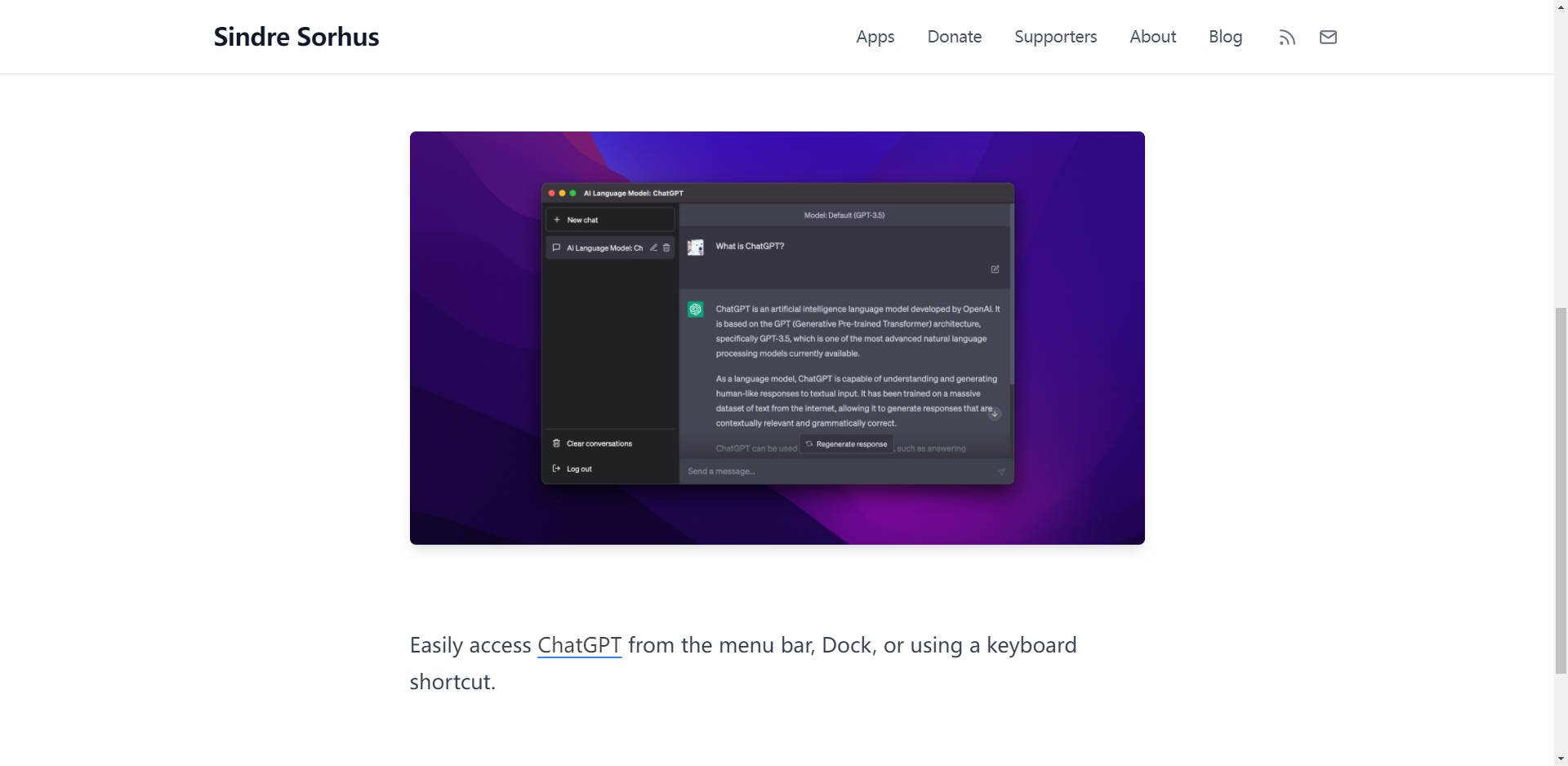
QuickGPT offers seamless access to ChatGPT directly from the menu bar, Dock, or via a keyboard shortcut, enhancing user convenience and productivity.
Key Features:
🚀 Easy Access:Instantly reach ChatGPT from the menu bar, Dock, or keyboard shortcut, simplifying workflow integration.
🖥️ Native App Integration:Seamlessly integrates as a native app with added functionality to the ChatGPT web UI, enhancing user experience.
🔍 Enhanced Web UI:Expands the capabilities of the ChatGPT web interface, providing additional features and functionalities.
Use Cases:
Efficient Workflow:Quickly access ChatGPT without navigating through browser tabs, boosting productivity for professionals.
Streamlined Interaction:Simplify interaction with ChatGPT through the menu bar or Dock, ideal for multitaskers and those seeking instant responses.
Enhanced User Experience:Enjoy a seamless ChatGPT experience with added features and native app integration, catering to diverse user preferences.
Conclusion:
QuickGPT revolutionizes ChatGPT accessibility, offering a streamlined solution for effortless interaction. Enhance your workflow efficiency and user experience today by integrating QuickGPT into your daily routine.
FAQs:
How can I provide feedback or request features?Send your feedback, feature requests, or bug reports directly through the app.
Is QuickGPT a native app?Yes, QuickGPT is a native app with additional functionalities integrated into the ChatGPT web UI.
Why does pressing Return add a newline instead of submitting the prompt?This behavior is a known issue with ChatGPT, particularly when the window is narrow. Please report this bug to the ChatGPT team for resolution.
More information on QuickGPT
Launched
2010-10
Pricing Model
Free
Starting Price
Global Rank
291189
Follow
Month Visit
125K
Tech used
Cloudflare CDN,Fastly,Astro,GitHub Pages,HTTP/3,OpenGraph,RSS,Varnish,HSTS
Top 5 Countries
26.52%
8.39%
7.05%
5.64%
3.82%
United States
Vietnam
Germany
India
United Kingdom
Traffic Sources
9%
0.66%
0.08%
9.99%
42.35%
37.9%
social
paidReferrals
mail
referrals
search
direct
Source: Similarweb (Sep 24, 2025)
QuickGPT was manually vetted by our editorial team and was first featured on 2023-08-07.
Related Searches
QuickGPT Alternatives
Load more Alternatives-
-

-
-

You can use the launcher to instantly ask ChatGPT anything, upload files, take a screenshot, or take a photo.
-

Extending the functionality of OpenAI's GPT models, EnhancedGPT integrates with your system and can perform tasks that ChatGPT can't