

What is QuizCanvas AI?
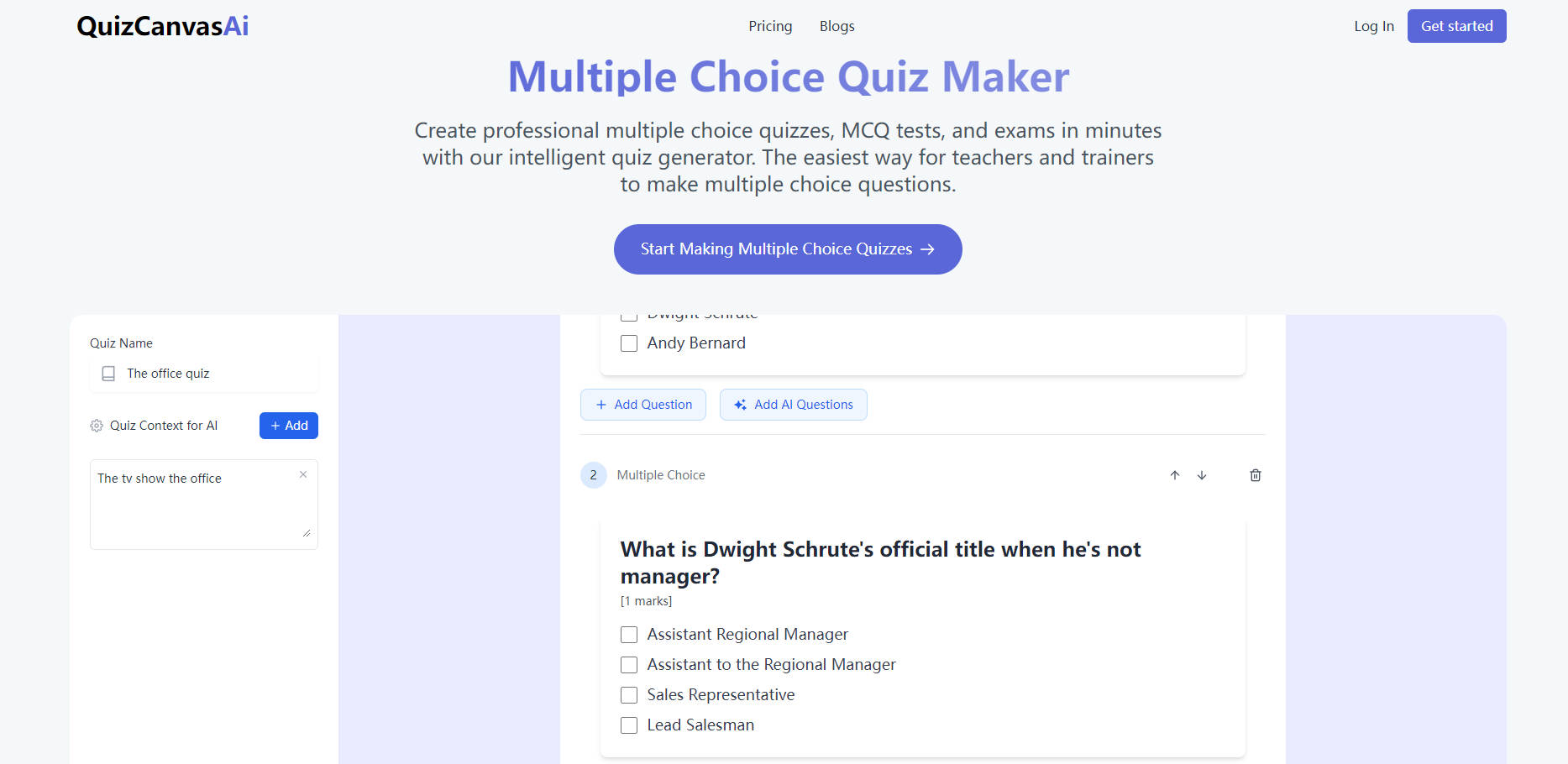
QuizCanvas AI is a tool that allows users to create multiple-choice quizzes, tests, and exams. This platform uses advanced artificial intelligence to generate relevant questions tailored to a specific subject matter. QuizCanvas AI offers automatic grading, customization options, and the ability to export quizzes in PDF format. QuizCanvas AI streamlines the quiz creation process for educators, corporate trainers, and educational institutions.
Key Features:
🧠 AI-Powered Question Generation:
QuizCanvas AI automatically generates multiple-choice questions based on the user's input, saving significant time and effort in test creation. Questions are tailored to the specific subject matter.
✍️ Customizable Question Creation:
Users can easily create and customize their multiple-choice questions. QuizCanvas AI provides flexibility to modify AI-generated questions or create entirely new ones from scratch.
💯 Automatic Grading System:
QuizCanvas AI grades multiple-choice questions automatically, providing instant results. Users can set custom scoring rules to align with their specific assessment needs.
🖨️ PDF Export Functionality:
Users can download quizzes as professional PDF documents. PDF export makes it easy to print, share, and archive multiple-choice tests.
🖥️ Easy to Use Interface:
QuizCanvas AI features an intuitive interface that simplifies quiz creation. Users can quickly design and build multiple-choice tests without needing advanced technical skills.
Use Cases:
Classroom Assessments:
A high school teacher needs to create a mid-term exam for their biology class. They input the relevant topics into QuizCanvas AI, and the platform generates a set of multiple-choice questions aligned with the curriculum. The teacher reviews and customizes a few questions, sets the grading criteria, and administers the test. After students complete the exam, QuizCanvas AI automatically grades the responses, saving the teacher hours of manual grading. The teacher then exports the results for record-keeping.
Employee Training Evaluation:
A corporate trainer in a tech company is tasked with creating a certification exam for a new software tool. The trainer uses QuizCanvas AI to generate multiple-choice questions that test employees' understanding of the software's features and usage. The trainer adds a few scenario-based questions to assess practical knowledge. After the employees take the exam, QuizCanvas AI provides instant grading and performance analytics. The trainer uses this data to identify areas where employees need further training.
Standardized Testing:
A university department needs to create a standardized multiple-choice test for all students taking an introductory course. The department head uses QuizCanvas AI to develop a comprehensive test bank. The platform ensures that the questions are consistent in quality and difficulty. Faculty members contribute additional questions, and QuizCanvas AI automatically grades the tests after students complete them. The department then exports the tests as PDF files for archiving and distribution to students and staff.
Conclusion:
QuizCanvas AI is a powerful tool for creating multiple-choice quizzes, tests, and exams. QuizCanvas AI offers automated question generation, automatic grading, customization options, and PDF export, simplifying assessment for educators, trainers, and institutions. Using advanced AI technology, QuizCanvas AI saves time, ensures consistency, and provides flexibility in test creation. QuizCanvas AI meets the demands of modern assessment needs.
More information on QuizCanvas AI
Launched
2024-11
Pricing Model
Freemium
Starting Price
$40 /Month
Global Rank
Follow
Month Visit
<5k
Tech used
Next.js,Vercel,Gzip,JSON Schema,OpenGraph,Webpack,HSTS
QuizCanvas AI was manually vetted by our editorial team and was first featured on 2024-12-24.
QuizCanvas AI Alternatives
Load more Alternatives-
-
-

Create engaging quizzes quickly and easily with AI Quiz Maker. Customize questions, design, and collect responses for educational, content, or training purposes.
-

Jotform's AI Quiz Generator makes creating quizzes easier. Save time by cutting out manual tasks. Convert various content into quizzes in minutes. Enter a prompt or upload a file to start.
-
