

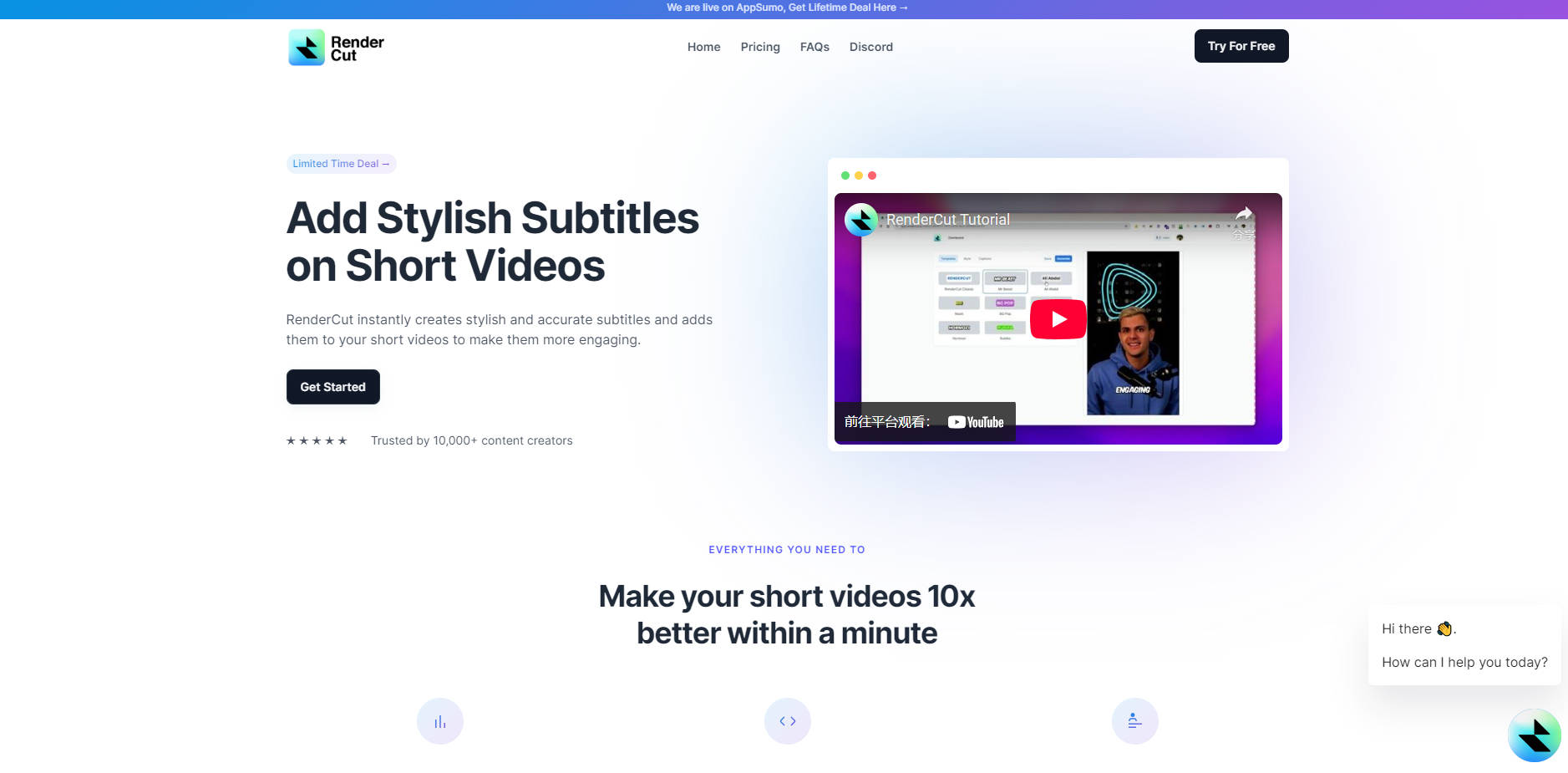
What is RenderCut?
Are you struggling to keep viewers engaged with your short videos, especially on platforms where sound is often muted? Spending hours manually adding subtitles is time-consuming and pulls you away from creating more content.
RenderCut is your solution. Instantly create and add stylish, accurate subtitles to your videos, making them more captivating and accessible to a wider audience. Trusted by over 10,000 content creators, RenderCut empowers you to enhance your video content in minutes, not hours.
Key Features for Effortless Subtitling:
🎯 Spot-On Accuracy: Leverage AI-powered technology for highly accurate subtitles, precisely synced to your video. RenderCut understands various languages and accents, minimizing manual corrections and ensuring your message is clear. (Based on user feedback, our AI achieves over 95% accuracy in typical audio conditions.)
🎨 Complete Style Control: Unleash your creativity and brand identity! Customize every aspect of your subtitles - choose from diverse fonts, adjust sizes and colors, and add background styles to perfectly match your video's aesthetic and enhance visual appeal.
🌐 Multilingual Reach: Break language barriers and connect with a global audience. RenderCut effortlessly supports multiple languages, enabling you to add subtitles in various languages and expand your video's reach and impact worldwide.
Real-World Impact: See RenderCut in Action
Imagine these scenarios – and how RenderCut simplifies each:
Social Media Blitz: You're a social media manager needing to quickly post a client's video across platforms. Instead of tedious manual subtitling, upload to RenderCut and within minutes, you have stylish, accurate subtitles ready. This ensures maximum engagement even when viewers watch with the sound off, boosting your client's reach and impact.
Educational Accessibility: As an online educator, you aim for inclusive learning. RenderCut allows you to swiftly add subtitles to your tutorials, making your content accessible to students with hearing impairments or those learning in noisy environments. Enhance comprehension and broaden your student base effortlessly, promoting inclusive education.
Business Promotion Power: You're a small business owner creating promotional videos to grab attention in a fast-paced digital world. With RenderCut, instantly add eye-catching subtitles that hold viewer attention and convey your message effectively, even without sound. Maximize the impact of your marketing videos and connect with potential customers on the go.
Ready to Elevate Your Videos?
RenderCut is designed to save you time and enhance your video content, making it more engaging and accessible. Focus on creating amazing videos, and let RenderCut handle the subtitles.
More information on RenderCut
Launched
2024-08
Pricing Model
Paid
Starting Price
$15 /month
Global Rank
1245318
Follow
Month Visit
22.7K
Tech used
Google Analytics,Google Tag Manager,Microsoft Clarity,Cloudflare CDN,Gzip,HTTP/3,JSON Schema,LiteSpeed Cache,OpenGraph,PHP,RSS,YouTube
Top 5 Countries
26.54%
11.39%
9.9%
6.73%
6.24%
United Kingdom
India
United States
Vietnam
Brazil
Traffic Sources
4.24%
1.08%
0.16%
9.9%
27.42%
56.78%
social
paidReferrals
mail
referrals
search
direct
Source: Similarweb (Sep 25, 2025)
RenderCut was manually vetted by our editorial team and was first featured on 2025-02-16.
Related Searches
RenderCut Alternatives
Load more Alternatives-

-

AI-powered video translation, subtitles & dubbing in 100+ languages. Reach a global audience effortlessly. Translate, subtitle, & dub online now!
-
no watermarks, no signup. Get fast, accurate, and professional captions for any video with full style control.
-

Lightning-fast, private AI subtitles for video. FlyCut Caption generates 95%+ accurate captions instantly with local processing & precision visual editing. Free.
-

SubtitleMe's AI instantly generates 99%+ accurate, perfectly synced subtitles & searchable transcripts for any video or audio. Maximize reach & SEO.