

What is FlyCut Caption?
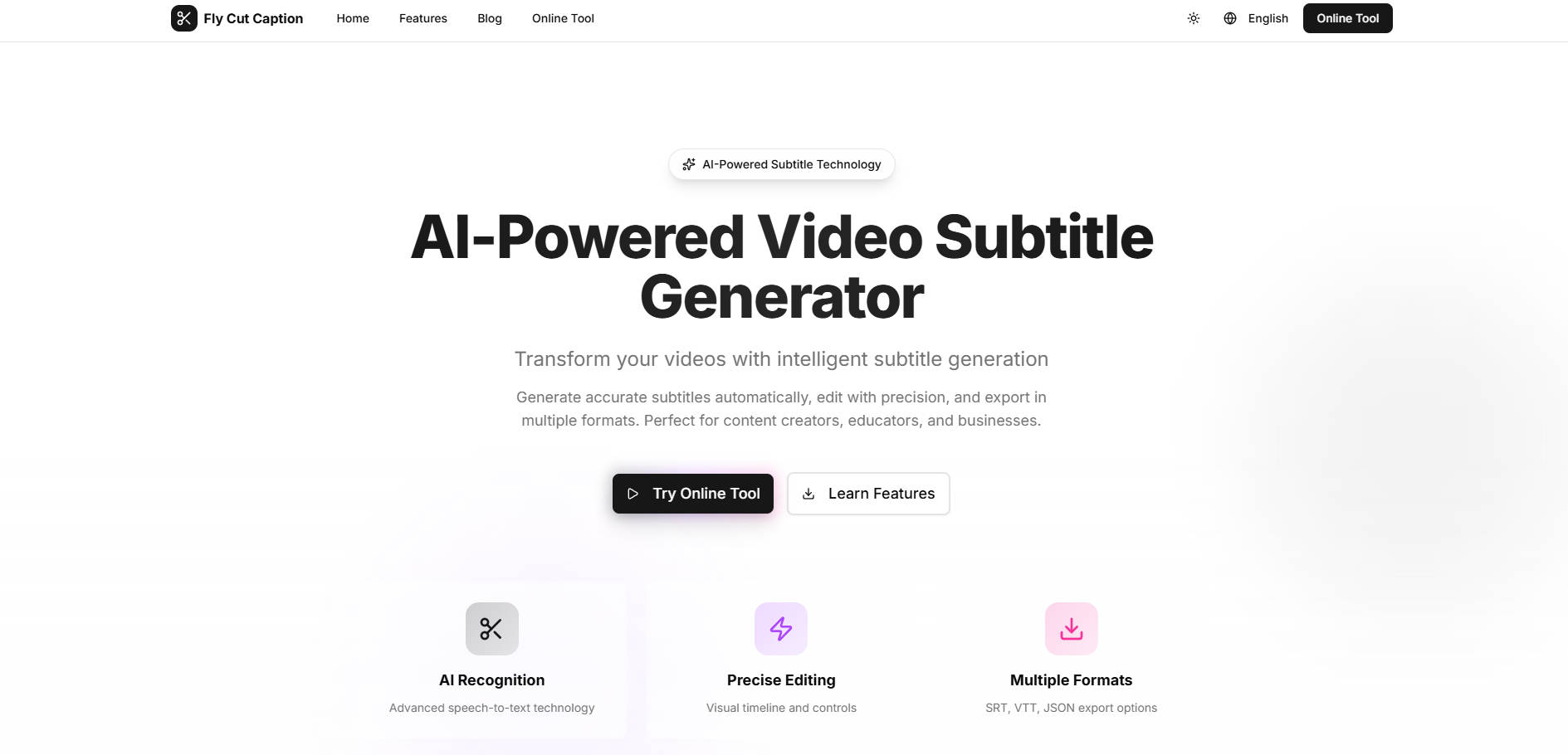
FlyCut Caption is a complete, high-performance video subtitle editing component built for the modern web. It eliminates the friction of traditional subtitling by combining state-of-the-art, local AI speech recognition with powerful visual timeline editing tools. Designed for content creators, educators, and businesses, FlyCut Caption helps you generate highly accurate subtitles automatically, edit them with precision, and integrate them seamlessly into your video workflow.
Key Features
FlyCut Caption delivers speed, accuracy, and control, allowing you to transform raw video into accessible, engaging content efficiently.
🚀 Local, High-Performance AI Recognition
Leveraging advanced models like Whisper, FlyCut Caption generates highly accurate subtitles (95%+ average accuracy) across 50+ languages. Crucially, this advanced speech-to-text processing is executed locally via WebAssembly, resulting in lightning-fast speeds—5 to 25 times faster than real-time playback—while ensuring your video data never leaves your device, maximizing privacy.
✂️ Precision Visual Timeline Editing
Go beyond basic text correction. The intuitive visual timeline provides word-level timestamps, allowing you to fine-tune timing, select segments, and delete errors with pixel-perfect accuracy. With real-time previews, you see changes instantly, ensuring every subtitle break and synchronization point is exactly right.
🎨 Full Style Customization and Video Integration
Take complete control over the final look of your captions. Easily customize the font, size, color, and positioning of subtitles directly within the editor. When finished, you have the flexibility to export to industry-standard formats (SRT, VTT, JSON) or directly burn the subtitles into your video file with high quality.
🌍 Comprehensive Multi-Language Support
To help you reach a global audience, FlyCut Caption supports dozens of languages, including complex dialects and regional variations (e.g., English, Chinese, Spanish, Japanese, Korean, Arabic, and 40+ others). This broad support ensures high-accuracy recognition regardless of your target market.
Use Cases
FlyCut Caption streamlines complex production tasks, transforming how you manage video accessibility and engagement.
1. Optimizing Long-Form Educational Content
Educators and trainers often record lengthy lectures, webinars, or tutorials containing pauses, filler words, or minor errors. Use the visual timeline and word-level timestamps to quickly identify and remove unwanted segments, tightening the pacing and improving the clarity of online courses without manually listening to the entire recording.
2. Accelerating High-Volume Content Creation
For daily content creators (e.g., YouTube or podcast editors), speed is paramount. Utilize the batch processing function to transcribe multiple videos simultaneously. Because the processing is 5-25x faster than real-time, you can dramatically reduce transcription turnaround, allowing you to focus on creative editing rather than waiting for cloud services.
3. Creating Engaging Short-Form Social Media Clips
Videos on platforms like TikTok and Instagram thrive on dynamic, highly stylized captions. Use FlyCut Caption’s advanced styling controls and precision timing tools to create visually impactful, perfectly synchronized subtitles that capture attention and maintain engagement, even when the sound is off.
Unique Advantages
FlyCut Caption stands apart by prioritizing user privacy, performance, and accessibility.
| Advantage | Benefit to You | Comparative Insight |
|---|---|---|
| Data Privacy First (Local Processing) | Your files and sensitive audio data never leave your browser or device. | Unlike standard cloud-based ASR services, FlyCut processes audio locally, ensuring complete data privacy and security. |
| Exceptional Speed & Performance | Transcribe hours of video in minutes, not hours. | Powered by WebAssembly, processing is 5–25x faster than real-time playback, significantly accelerating your workflow. |
| High Accuracy and Reliability | Reduce manual correction time with reliable transcripts across diverse content. | Achieves 95%+ recognition accuracy, supported by cutting-edge AI models like Whisper, even adapting to varying audio quality and reducing background noise. |
| Zero Cost Barrier | Access professional-grade subtitling tools without subscription fees. | The core FlyCut Caption service is available for free, making high-performance subtitling accessible to creators and businesses of all sizes. |
Conclusion
FlyCut Caption provides a powerful and indispensable tool for anyone serious about video content. By merging industry-leading AI recognition with lightning-fast, privacy-focused local processing and granular editing controls, we give you the speed and precision needed to publish polished, accessible video content quickly.
More information on FlyCut Caption
Launched
Pricing Model
Free
Starting Price
Global Rank
Follow
Month Visit
<5k
Tech used
FlyCut Caption was manually vetted by our editorial team and was first featured on 2025-10-23.
FlyCut Caption Alternatives
Load more Alternatives-

-
AI Transcription Software for Mac & Windows. Reach your audience with clear and accurate captions, transcripts, and subtitles.
-
no watermarks, no signup. Get fast, accurate, and professional captions for any video with full style control.
-

-
