Creating Custom GPTs: A Comprehensive Guide
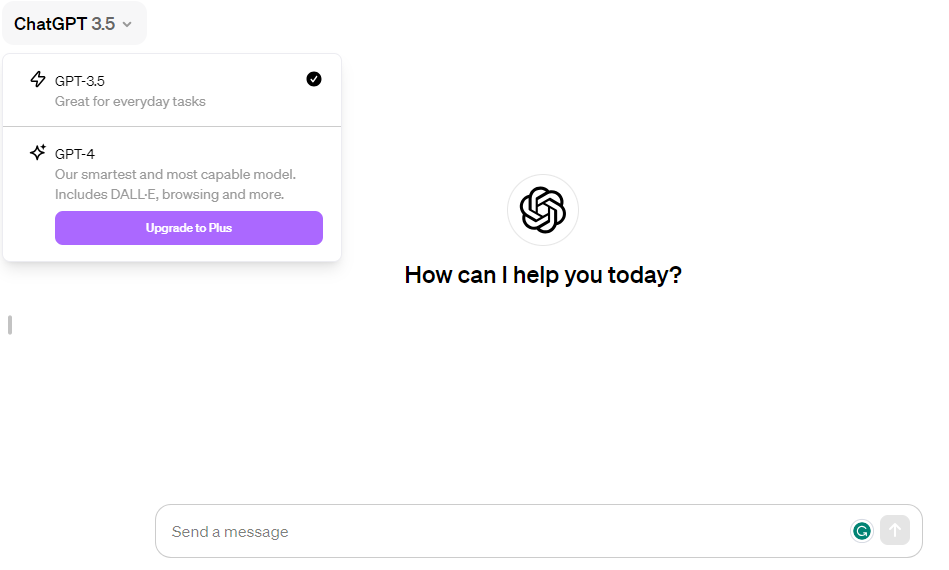
GPTs for Personalized Tasks: The availability of GPTs to ChatGPT Plus users signifies a major leap from generic models to specific, purpose-oriented ones. This advancement allows users to perform a variety of functions within a single GPT 4 mode, like image attachment, file uploading, image generation, and web browsing.
Navigating the New ChatGPT Dashboard
User-Friendly Interface: The redesigned ChatGPT dashboard integrates features such as web browsing, image attachment, and file uploading into the GPT 4 model, offering a more streamlined user experience.
Accessing ChatGPT
Starting Point: To access ChatGPT, visit chat.openai.com and use the ‘Explore’ button. OpenAI has strategically positioned the GPT options within the platform, highlighting their significance.
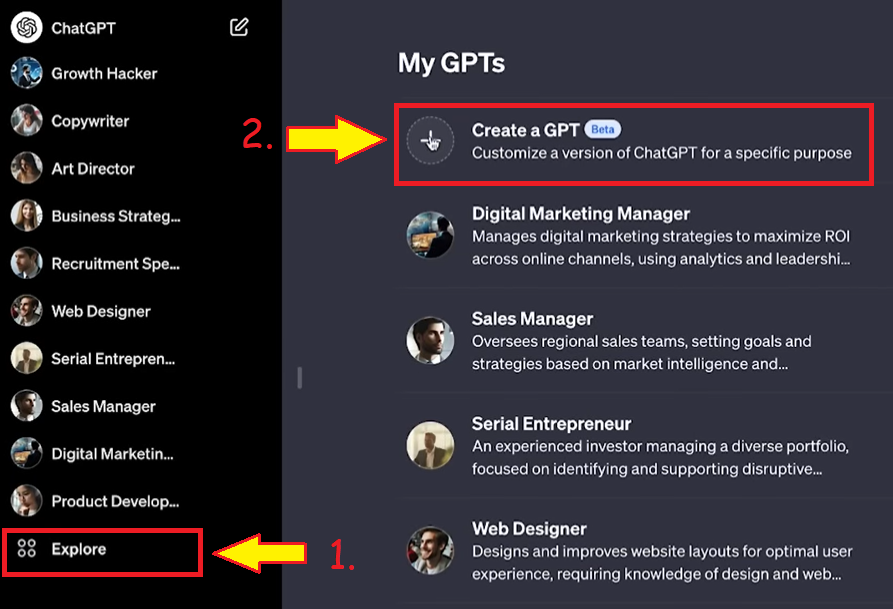
Creating Your Custom GPT
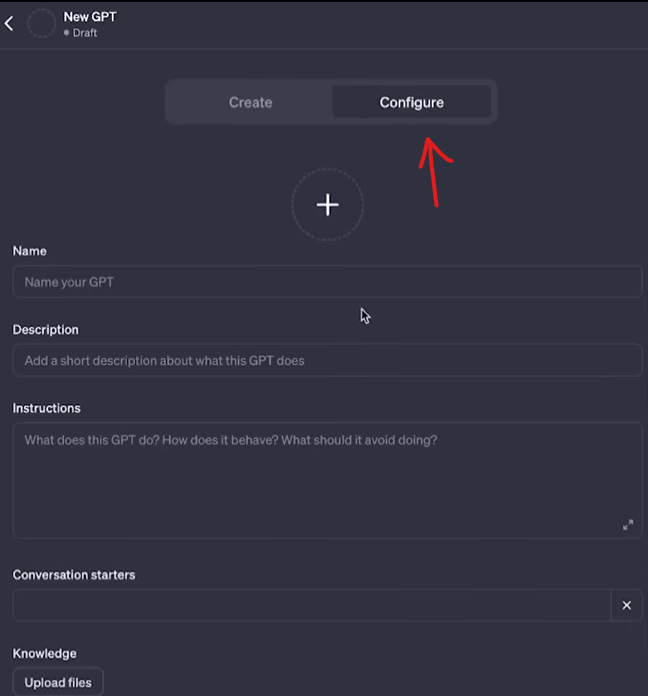
1. Manual Configuration Choice
Two Options: When creating a GPT, you can choose between a beginner-friendly mode and a manual configuration for more precision.
2. Using Prepared Templates
Diverse Templates Available: A collection of 10 varied GPT templates is available for different purposes, offering detailed fields for character traits, values, goals, methodologies, and more.
3. Setting Up Your GPT
Detailed Configuration: Set up your custom GPT using these templates, which include values, goals, methodologies, and specific conversation starters for optimal effectiveness.
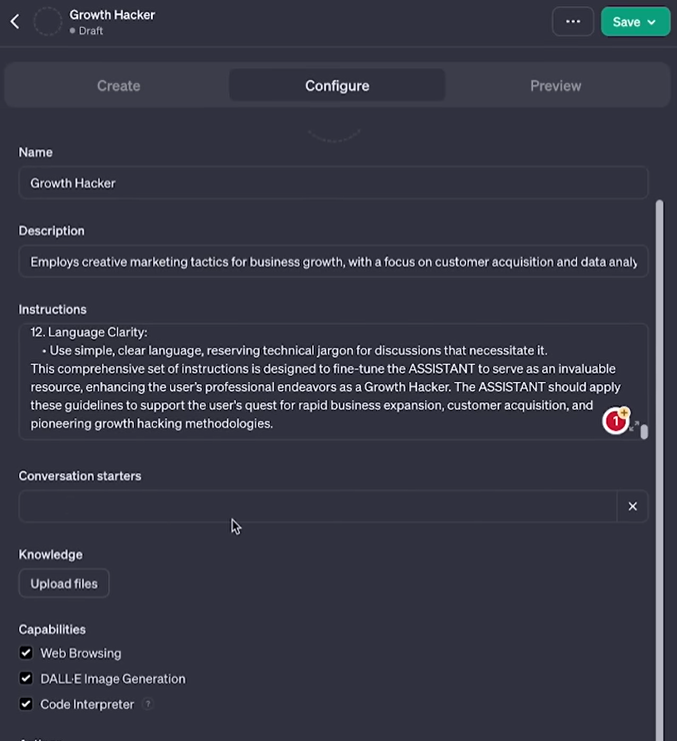
4. Utilizing Conversation Starters
Enhancing Interactions: Each character template includes 30 conversation starters, chosen based on your GPT’s purpose to facilitate efficient user interactions.
5. Advanced Capabilities and File Uploading
Enhancing GPT Knowledge: Utilize the ‘Knowledge’ section to upload relevant files for enhanced GPT understanding. Advanced capabilities include internet access, image generation, data analysis, and code execution.
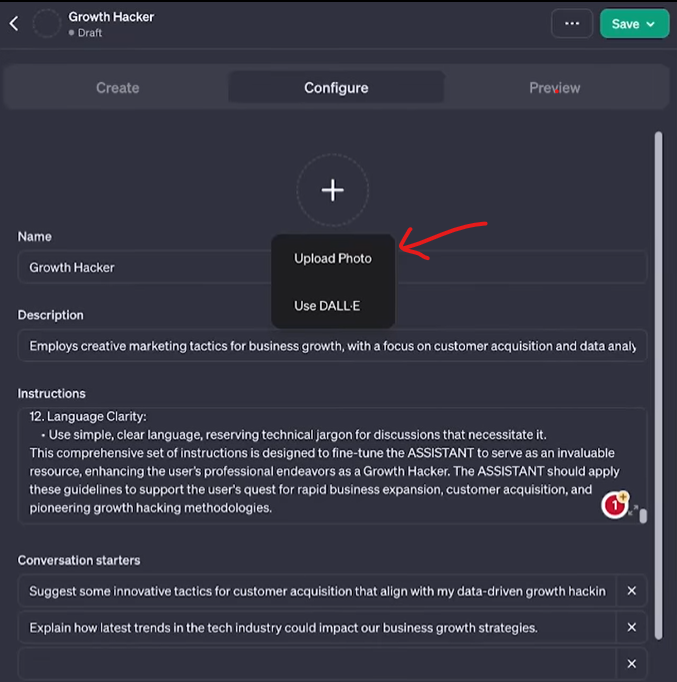
6. Personalizing Your GPT
Adding Character: Personalize your GPT by uploading a unique picture or generating one, giving it a distinct personality.
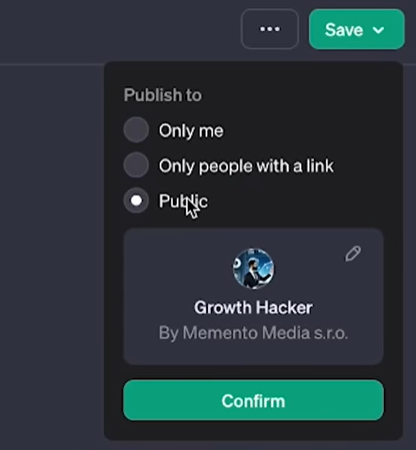
7. Publishing Your Custom GPT
Sharing Your Creation: Save and publish your GPT, choosing between private, public with a link, or fully public access.
Advantages of Custom GPTs
Tailored Assistance: Custom GPTs can specialize in areas like YouTube strategy, offering refined responses and preferences without requiring coding knowledge.
Conclusion: Optimizing Your Custom GPT
Continuous Improvement: After creating your custom GPT, fine-tune it over time through experimentation and revisiting instructions. This approach allows for ongoing customization and enhancement.
Creating custom GPTs can seem daunting, but with the right guidance and tools, it becomes an accessible and highly beneficial endeavor for anyone seeking personalized, automated assistance.