Creating Realistic Avatars with Azure AI Speech: A Comprehensive Guide
Creating lifelike and interactive avatars is an exciting frontier in digital technology, blending creativity with advanced AI capabilities. Azure AI Speech, a Microsoft service, is at the forefront of this innovation, providing tools to add realistic speech to avatars. This comprehensive guide will delve deeper into Azure AI Speech, exploring its functions, advantages, and how to leverage it for creating custom avatars that surpass the standard avatar-making process.
Understanding Azure AI Speech
Azure AI Speech is a cloud-based service utilizing state-of-the-art neural networks and deep learning techniques. This service excels in creating natural, human-like speech from text or audio inputs. The customization options are vast, allowing for adjustments in voice, accent, tone, and emotion, tailoring your avatar's speech to specific needs and preferences.
Why Azure AI Speech for Avatars?
The challenge in avatar creation lies in achieving realism and expressiveness. Traditional methods involve complex processes of design, animation, and voice synchronization. Azure AI Speech simplifies this by providing high-quality speech synthesis and recognition, enabling creators to develop multilingual and culturally diverse avatars without extensive technical know-how.
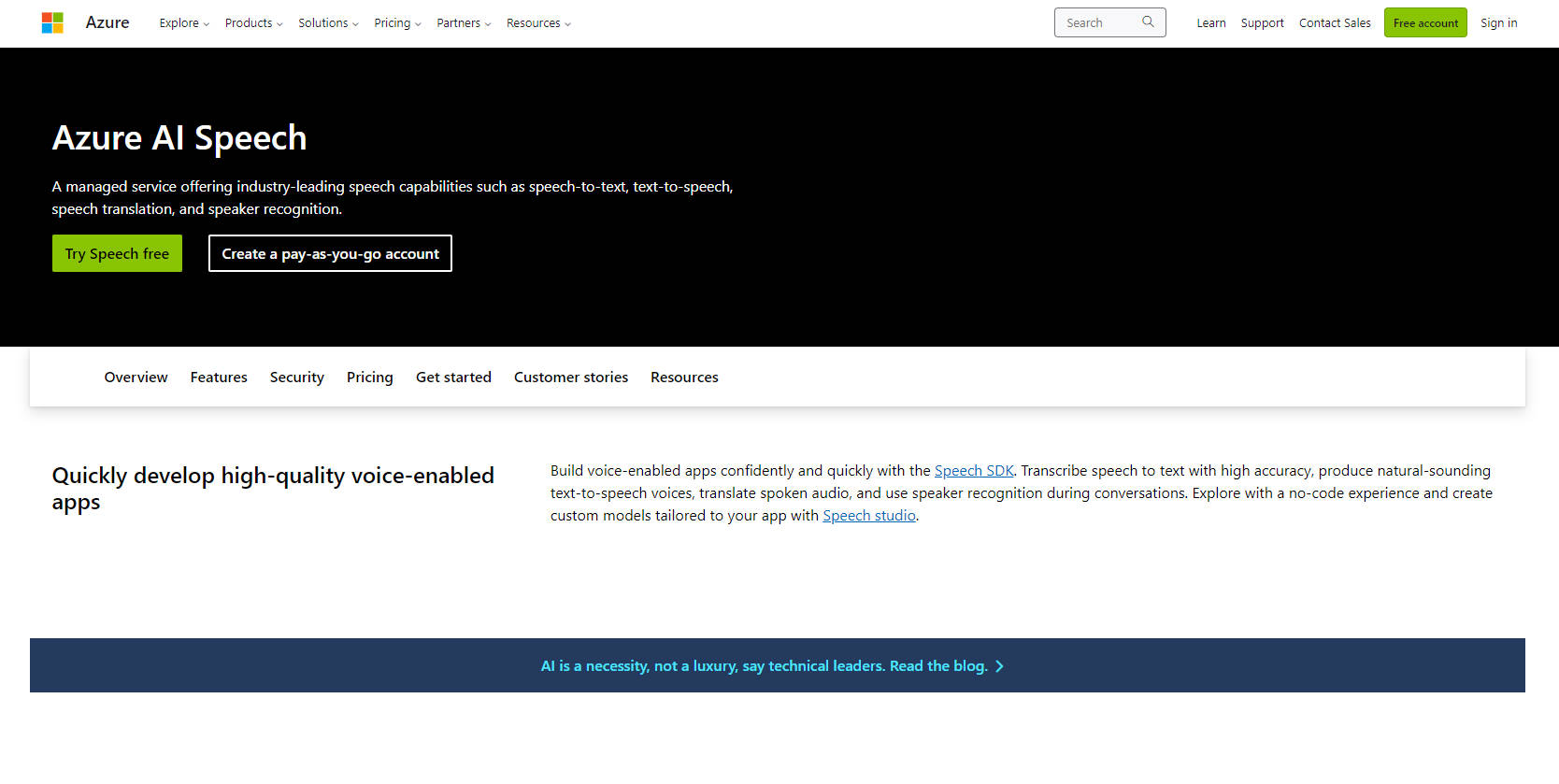
Step-by-Step Usage of Azure AI Speech
- Set Up: Start by creating an Azure account and a Speech Resource in the Azure Portal. This resource is essential for managing your speech-related assets.
- Programming and Service Selection: Choose between Azure SDKs for various programming languages or the REST API. Azure AI Speech offers services like Speech Recognition, Text to Speech, Speech Translation, and Speaker Recognition.
- Integration in Applications: Incorporate the speech service into your code. This involves sending input (text or audio) and handling the output, which includes synthesized speech or text translations.
- Customization and Optimization: Azure AI Speech allows for extensive customization. Utilize Speech Studio for designing speech applications and manage custom models and voices.
- Monitoring and Scaling: Leverage Azure’s monitoring tools like Azure Monitor and Azure Application Insights for tracking performance and scaling your application to handle different workloads.
Creating Custom Avatars with Text-to-Speech
- Consent and Preparation: Begin with a consent video from the avatar talent. Ensure high-quality video recording, considering factors like lighting, positioning, and expressions.
- Training the Avatar Model: After consent verification, Microsoft handles the initial training. You’ll be notified upon completion.
- Deployment: Integrate the trained avatar model into your applications, bringing your digital creation to life.
Frequently Asked Questions
- What capabilities does Azure AI Speech offer?Azure AI Speech provides speech recognition, text-to-speech, speech translation, and speaker recognition functionalities.
- How does it enhance avatar realism?The service allows for synchronization of lip movements and facial expressions with speech, enabling the creation of realistic and engaging avatars.
Conclusion: The Future of Avatar Creation
Azure AI Speech represents a significant leap in avatar technology. Its ability to create realistic, expressive avatars that can communicate naturally and human-like is transformative. As the technology evolves, it opens up possibilities for more diverse and inclusive avatars, representing various cultures, backgrounds, and identities. Whether for gaming, virtual meetings, or digital storytelling, Azure AI Speech is a powerful tool in the avatar creator's toolkit.
In essence, Azure AI Speech democratizes avatar creation, making it accessible and feasible for a broader range of users and applications. By harnessing the power of advanced AI, creators can bring their digital personas to life, enhancing the interactivity and realism of virtual worlds.