How to Create Click-Worthy YouTube Video Titles with AI-Powered Tools
YouTube has become the go-to platform for video content, with over 2 billion monthly logged-in users. As a content creator, it is crucial to create attractive YouTube video titles that not only grab attention but also drive views and engagement. However, with the vast amount of content available, standing out can be a challenge. This is where AI-powered title generators like Headline Studio come into play. In this article, we will explore how Headline Studio, an AI-powered tool by CoSchedule, can help you create optimized and click-worthy YouTube video titles tailored to your niche and audience.
Overview of Headline Studio
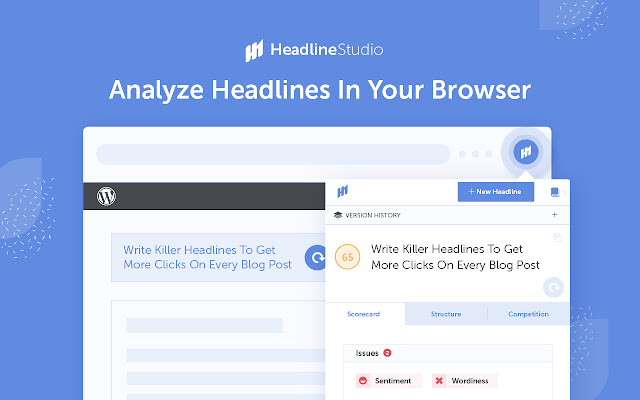
Headline Studio is an AI assistant designed to help you ideate, optimize, and A/B test content headlines and titles across various platforms, including YouTube. It uses data, machine learning, and natural language processing to generate title suggestions based on inputs such as keywords, style, purpose, and title length. Each title is then scored using a proprietary algorithm that predicts its clickability and viewership. You can filter and rank titles based on metrics like Unique Clicks and Attention Score to drive more views.
How to Use Headline Studio for YouTube
Using Headline Studio to enhance your YouTube title game is a simple process that involves five steps:
Step 1: Access YouTube Title Generator
To get started, visit the Headline Studio website and click on the "YouTube Video" option under Headline Type. This will launch the dedicated YouTube title generator.
Step 2: Enter Relevant Inputs
To generate tailored title suggestions, provide relevant inputs such as your headline keyword, video style, video purpose, and preferred title length. The headline keyword is the primary focus keyword or topic of your video, while the video style refers to the format of your video (e.g., listicle, how-to, comparison). The video purpose determines the optimal title construction and emotional triggers, and the title length defines your preferred character count.
Step 3: Generate Title Suggestions
Once you have entered your inputs, click on the "Get Headlines" button. Headline Studio will use its AI engine to instantly generate a variety of title suggestions based on your specifications. Review these suggestions and identify titles that align with your topic and showcase creativity, intrigue, and viral potential. You can refine your inputs or generate additional titles for more variety if needed.
Step 4: Analyze & Optimize Titles
Analyzing and optimizing your title suggestions is a critical step in the process. Headline Studio provides built-in analytics that quantify the predicted performance of each title. Two key metrics to consider are Unique Clicks, which represents the probability of attracting clicks, and Attention Score, which measures readability and the ability to hold attention.
Sort and filter the title suggestions based on these metrics and identify titles with higher scores for both attention and clickability. You can also click into any title to access further diagnostics, such as performance stats, power words, length analysis, and other data that can help you determine high-scoring winners.
Step 5: Finalize & Implement Winning Title
With the help of analytics-backed inputs, identify your finalized title that has the optimal blend of click appeal, attention-grabbing power, and search visibility. Insert this title into your uploaded YouTube video and combine it with an attractive custom thumbnail for maximum views.
Conclusion
Creating blockbuster YouTube titles that drive views and engagement can be a challenging task. However, with AI-powered tools like Headline Studio, the process becomes streamlined and efficient. These tools leverage advanced linguistic AI to generate titles precisely tailored to your audience and goals. The built-in scoring system makes it easy to pick winners that will attract more impressions, increase click-through rates, and boost watch time.
If you have been struggling with creating clickable titles, integrating Headline Studio and similar tools into your YouTube workflow can make a significant difference. Spend less time struggling with titles and more time recording great content!