

What is Subframe?
Building user interfaces often involves navigating the gap between design concepts and functional code. It requires time, careful handoffs, and meticulous translation of visuals into production-ready components. Subframe is built to bridge this gap, providing a visual editor where you design directly with real, code-based components, significantly accelerating your UI development workflow, especially when working with React and TailwindCSS.
Key Features
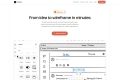
🖱️ Drag-and-Drop Visual Editor: Arrange and configure UI elements intuitively on a canvas, seeing your design take shape instantly without writing manual layout code. This mirrors familiar design tool workflows while working directly with code components.
🧱 Design with Real Components: Build your UI using pre-built, beautifully crafted components or import your own. You're designing with the same building blocks that will ship to production, eliminating discrepancies between mockups and reality.
⚡ Generate Production-Ready Code: Export your designs directly into clean, production-ready React code with TailwindCSS styling. This output is fully yours, ready to integrate into your existing Next.js or Vite projects.
🤖 AI-Powered Design Assistance: Go from a simple text prompt to a functional UI concept in seconds. Subframe's AI learns from your design patterns, helping you generate variations and accelerate initial ideation.
🤝 Real-Time Collaboration: Work alongside your team members directly within the Subframe editor. See changes as they happen, fostering a more collaborative design and development process.
🔄 Seamless Code Integration: Designed with open-source principles, Subframe allows you to incrementally adopt its workflow. Export components and pages directly to tools like Bolt, Replit, or Cursor, fitting into your existing development environment.
Use Cases
Rapid Prototyping and Concept Generation: A product designer needs to quickly explore several layout options for a new feature. They can use Subframe's AI to generate initial concepts from a prompt, then refine them visually using the drag-and-drop editor and real components, creating shareable, interactive prototypes in minutes.
Accelerating Feature Development for Developers: A developer on a backend-heavy team needs to build a new user dashboard page. Instead of waiting for detailed design specs or manually coding every element, they can pull in pre-built Subframe components or use the visual editor to assemble the layout, export the clean React/Tailwind code, and focus their energy on integrating the backend logic.
Streamlining Design-to-Development Handoff: A team struggles with delays and misinterpretations during the design handoff phase. By using Subframe, designers build directly with components that map to the codebase. The exported code is the source of truth, allowing developers to pick up and integrate UI seamlessly, eliminating guesswork and reducing iteration cycles.
Conclusion
Subframe empowers you to build high-quality user interfaces faster by unifying the design and development process. By providing a visual editor that works directly with production-ready React and TailwindCSS code and integrating AI assistance, it helps teams move from idea to polished UI with unprecedented speed and collaboration.

More information on Subframe
Launched
2003-09
Pricing Model
Freemium
Starting Price
$29 per editor/month
Global Rank
194059
Follow
Month Visit
200.9K
Tech used
Google Analytics,Plausible Analytics,Cloudflare CDN,Cloudinary,Google Fonts,Next.js,Vercel,Gzip,JSON Schema,OpenGraph,Webpack,HSTS
Top 5 Countries
16.71%
15.95%
4.08%
3.76%
3.55%
United States
India
Vietnam
Italy
Nigeria
Traffic Sources
3.33%
0.76%
0.09%
13.09%
43.3%
39.38%
social
paidReferrals
mail
referrals
search
direct
Source: Similarweb (Sep 25, 2025)
Subframe was manually vetted by our editorial team and was first featured on 2025-05-22.
Subframe Alternatives
Load more Alternatives-

-
-

-

-

Site.Studio is a modern website editor. Build with Tailwind and collaborate with in-built CMS. Craft responsive, stunning websites effortlessly — one block at a time.