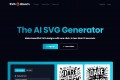

What is SVGMaker ?
SVGMaker is the all-in-one platform that leverages advanced AI to transform natural language descriptions and uploaded images into scalable, pixel-perfect vector graphics (SVGs). Designed for speed and precision, it eliminates the need for complex software, allowing designers, developers, digital sellers, and creators to generate high-quality icons, logos, and illustrations instantly. You gain full control over your assets, ensuring they remain sharp and professional across all web, print, and crafting applications.
Key Features
SVGMaker combines powerful AI generation with professional editing tools, streamlining your graphic workflow from concept to final export.
💡 AI SVG Generator: Text-to-Vector in Seconds
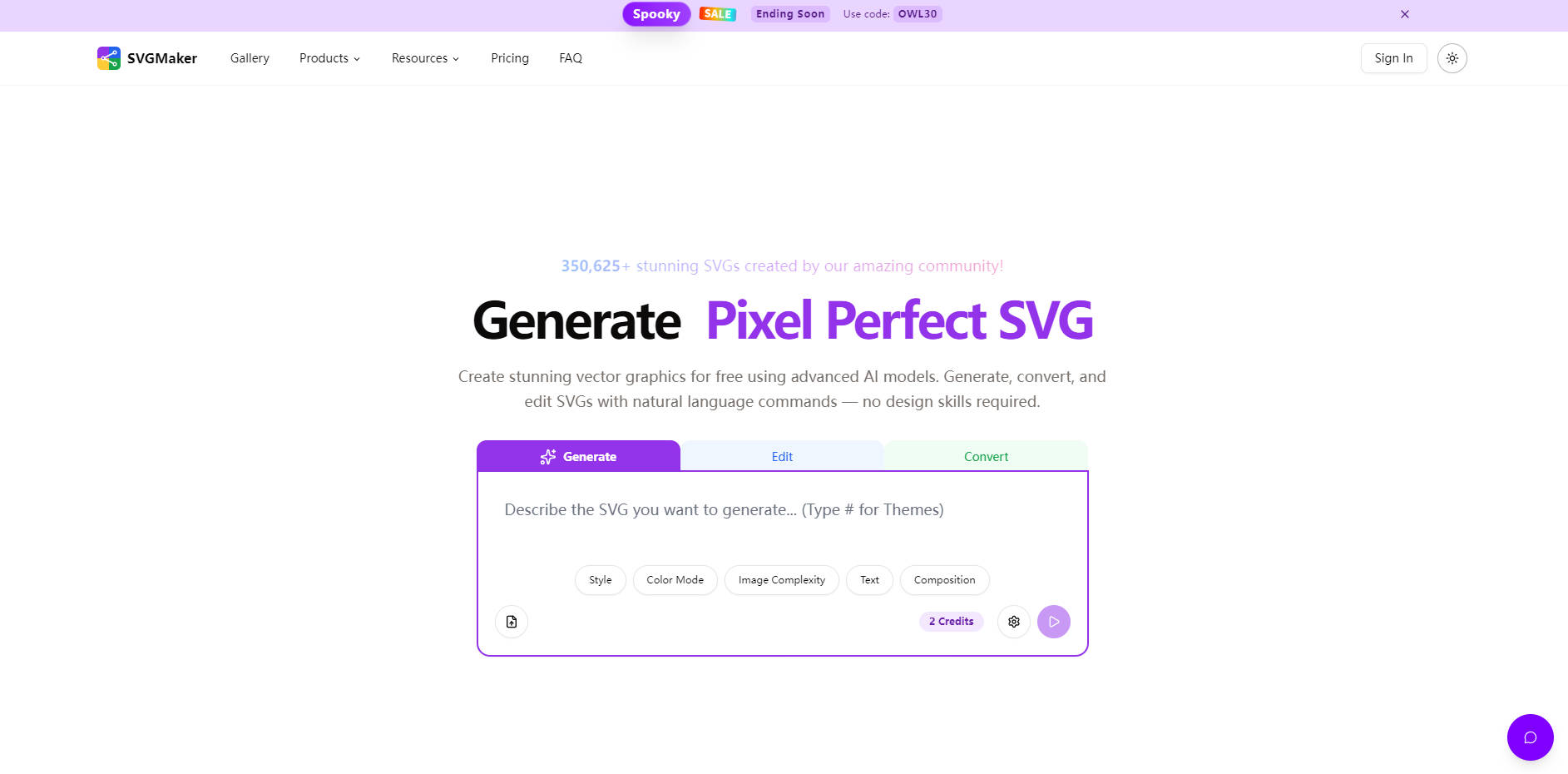
Describe the image you need—from a simple icon to a detailed illustration—and the AI instantly produces a lightweight, high-quality SVG file. This capability ensures your assets are natively scalable without any loss of quality, perfect for responsive web design or large-format printing, all without requiring any traditional vector design skills.
✂️ AI Prompt-Based SVG Editor
Refine existing vector graphics or newly generated assets using simple text commands. The AI-powered editor allows you to make precise adjustments—such as background removal, text removal, or style modifications—by simply describing the desired change, significantly accelerating the iteration process for complex designs.
🔄 Comprehensive Vector Converter (Photo to SVG)
Easily convert raster images (like JPG, PNG, or screenshots) into fully scalable vector art. This feature is crucial for digitizing existing logos or artwork, preserving colors, transparency, and detail during the conversion process, making legacy assets instantly ready for modern web and print use.
🎨 Advanced Built-in SVG Editor
For professional precision, SVGMaker includes a powerful online editor equipped with free drawing tools, path editing, layer management, and advanced color controls. You can manually modify, optimize, and fine-tune every aspect of the generated vector path directly in your browser, ensuring professional-grade results without relying on external desktop software.
🖼️ Design Ready Presets
Instantly apply professional artistic styles to your SVGs using pre-defined themes. Choose from styles like Flat, Minimalist, Outline, Isometric, Linocut, or Gibli to maintain visual consistency across your projects and quickly explore different aesthetic directions for your vector assets.
Use Cases
SVGMaker provides production-ready assets across diverse industries, ensuring your graphics are always scalable and adaptable.
| Scenario | Practical Outcome and Benefit |
|---|---|
| Digital Sellers & Print-on-Demand (POD) | Generate print-ready vector art for T-shirts, mugs, and merchandise. Since the files are fully scalable (SVG, EPS, AI, PDF), you eliminate pixelation issues, reduce costly redraws, and rapidly expand your product catalog on platforms like Etsy, Shopify, and Amazon. |
| Web Development & UI/UX Design | Quickly create responsive web graphics and UI elements (icons, charts, banners) that load fast and remain sharp on any screen size or resolution. Integration options like the SVGMaker API and MCP support allow for seamless asset generation directly within your development workflow. |
| Crafting & Manufacturing | Produce production-ready SVG cut files optimized for precision machines like Cricut, Silhouette, and laser cutters. The clean vector paths ensure designs cut cleanly and scale perfectly, ideal for vinyl decals, paper crafts, custom stencils, and laser-engraved products. |
Unique Advantages
SVGMaker is built for professional workflows, offering crucial features that go beyond simple image generation to support commercial scale and developer integration.
Unmatched Export Versatility: Unlike tools limited to SVG and PNG, SVGMaker supports downloading your generated and edited assets in professional vector formats including SVG, PDF, EPS, and Adobe Illustrator (AI), alongside raster formats like PNG, JPG, and WebP, ensuring compatibility with virtually any professional design environment or print vendor.
Developer-Focused Integration: Leverage the SVGMaker API to integrate generation and conversion capabilities directly into your custom applications or automation tools. Furthermore, MCP Support allows developers to generate and edit SVGs directly within code editors like VS Code, streamlining icon updates and asset management.
Clear Commercial Licensing: Commercial use rights are clearly granted upon the purchase of any credit pack, providing peace of mind for digital sellers and businesses who rely on the generated graphics for monetization.
Conclusion
SVGMaker empowers you to create high-quality, scalable vector graphics rapidly, regardless of your design experience. By combining the speed of AI generation with the precision of professional editing and robust format support, it provides a trustworthy solution for maintaining asset quality and streamlining your creative production.
More information on SVGMaker
Launched
2025-04
Pricing Model
Free Trial
Starting Price
Global Rank
1010313
Follow
Month Visit
22.5K
Tech used
Top 5 Countries
56.25%
14.72%
5.54%
4.24%
3.41%
India
United States
Russia
Germany
United Kingdom
Traffic Sources
2.21%
1.06%
0.07%
5.87%
27.01%
63.66%
social
paidReferrals
mail
referrals
search
direct
Source: Similarweb (Oct 25, 2025)
SVGMaker was manually vetted by our editorial team and was first featured on 2025-10-25.
SVGMaker Alternatives
Load more Alternatives-

-

AI SVG Generator: Turn text into stunning vector graphics instantly. Create custom logos, icons & illustrations without design skills.
-
-

Get perfect, scalable SVGs fast! SVGVerseAI uses AI to turn your text or images into crisp vector graphics, no drawing needed.
-