

What is VoiceWave?
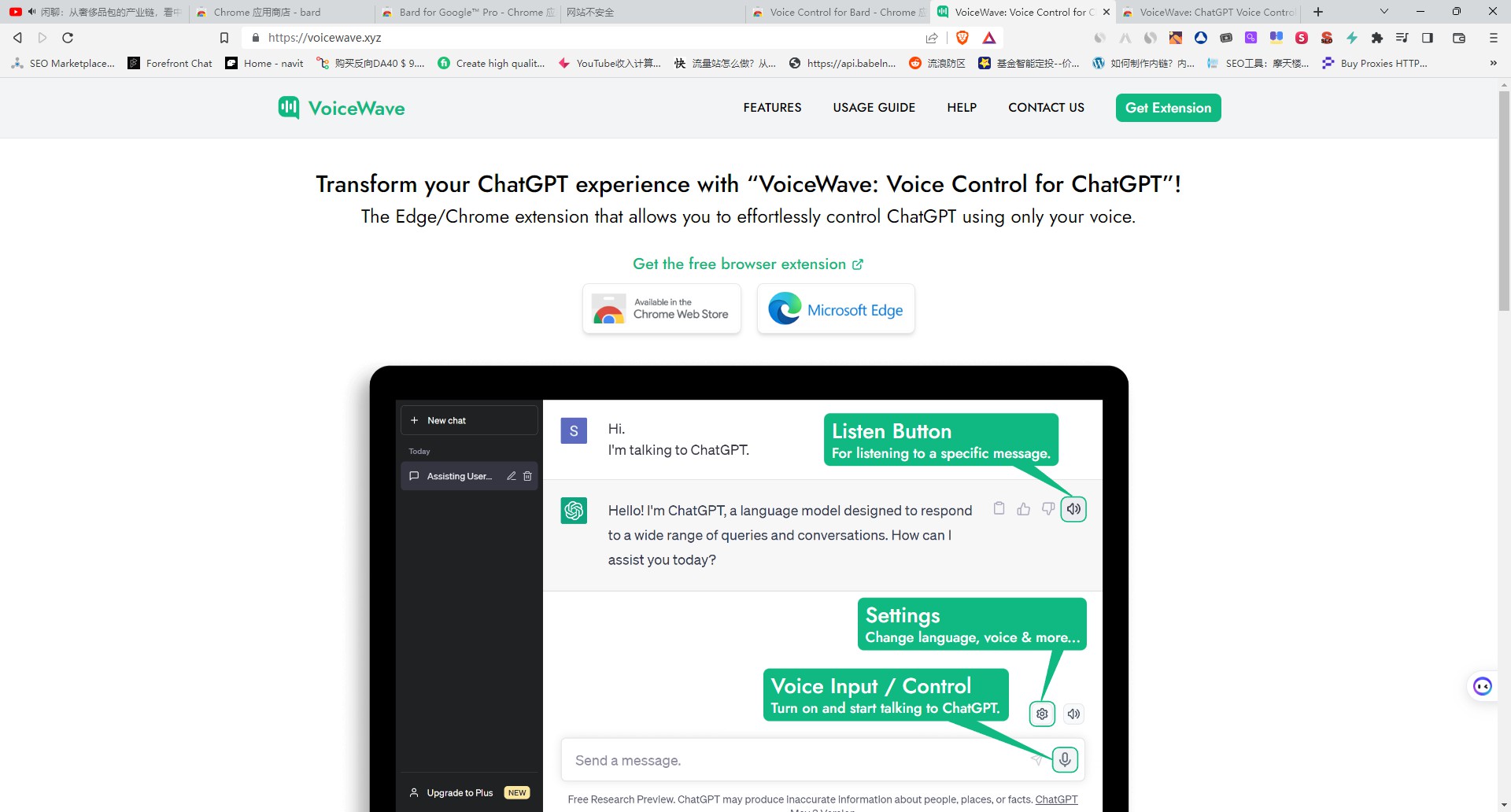
Tired of the constant cycle of typing queries and reading long text blocks from your AI? VoiceWave is a powerful browser extension that adds seamless voice control and natural-sounding text-to-speech capabilities to ChatGPT, DeepSeek, and other leading AI chatbots. It transforms your static chat sessions into dynamic, hands-free conversations, allowing you to interact with AI more naturally and efficiently.
Key Features
🗣️ Seamless AI Voice Chat Speak directly to your favorite AI chatbots and receive instant, audible responses. VoiceWave integrates a simple microphone control into the chat interface, handling both real-time speech recognition and high-quality text-to-speech, so you can maintain a continuous, natural dialogue without touching your keyboard.
✨ Advanced Read-Aloud with Highlighting Go beyond basic text-to-speech. When you listen to an AI response or any text on a webpage, VoiceWave automatically highlights the corresponding sentence or phrase as it's spoken. This visual cue significantly improves comprehension and makes it effortless to follow along with complex information.
✍️ Universal Voice Typing with Auto-Punctuation Take voice control beyond the chatbot. VoiceWave enables you to dictate text into any input field on any website—from composing emails to filling out forms. Your speech is transcribed in real-time and automatically formatted with correct punctuation, ensuring your voice inputs are clear and well-structured.
🌍 Extensive Language Support & Customization Communicate in the way that works best for you. The extension supports voice recognition and text-to-speech in over 145 languages. Dive into the settings to personalize your experience by choosing from various TTS voices, setting custom keyboard shortcuts, and even creating unique voice commands to streamline your workflow.
How VoiceWave Solves Your Problems:
For the Multitasking Professional: Keep your hands free to take notes, code, or manage other tasks while you verbally brainstorm with your AI assistant. VoiceWave allows your AI companion to remain an active participant in your workflow, not just a window on your screen.
For the Avid Learner: Absorb information more effectively by listening to articles, research papers, or detailed AI explanations. Use the voice replay and highlighting features to review complex topics, or listen to AI responses in another language to aid your studies.
For Anyone Tired of Typing: Give your fingers a rest. Whether you're drafting long-form content, asking quick questions, or navigating the web, VoiceWave provides a faster, more ergonomic way to interact with your computer, reducing physical strain and boosting productivity.
Unique Advantages
VoiceWave is designed to be a comprehensive voice toolkit for the modern web, not just a single-purpose add-on.
All-in-One Functionality: While many tools offer either chatbot voice control or general voice typing, VoiceWave integrates both into one seamless extension. You get a specialized AI chat experience and a universal web utility in a single package.
Smarter Than Standard TTS: Unlike basic read-aloud features, VoiceWave’s dynamic text highlighting provides essential visual context, preventing you from losing your place in long passages of text.
Broad AI Compatibility: This extension isn't locked to a single platform. It’s built to work across a growing list of popular AI chatbots, including ChatGPT, DeepSeek, Grok AI, and Poe, giving you a consistent voice experience wherever you work.
Conclusion:
VoiceWave fundamentally improves how you interact with AI and the web by replacing tedious typing with the power and simplicity of your voice. It offers a more natural, efficient, and accessible way to work with your favorite digital tools.
Ready to change the way you chat with AI? Install the VoiceWave extension today!
More information on VoiceWave
Launched
2023-04
Pricing Model
Freemium
Starting Price
Global Rank
535234
Follow
Month Visit
63.8K
Tech used
Next.js,Vercel,Webpack,HSTS
Top 5 Countries
9.41%
7.51%
5.82%
5.06%
4.26%
United States
Russia
Korea, Republic of
Vietnam
United Kingdom
Traffic Sources
3.61%
0.77%
0.1%
10.69%
46.57%
38.18%
social
paidReferrals
mail
referrals
search
direct
Source: Similarweb (Sep 24, 2025)
VoiceWave was manually vetted by our editorial team and was first featured on 2023-07-29.
Related Searches
VoiceWave Alternatives
Load more Alternatives-

-

Voice Control for ChatGPT allows you to have voice conversations with ChatGPT.
-

-

-

Build real-time AI voice apps! RealtimeVoiceChat is open-source, low-latency, & customizable. Use your choice of LLMs, STT, & TTS engines. Docker deploy!