

What is Conductor?
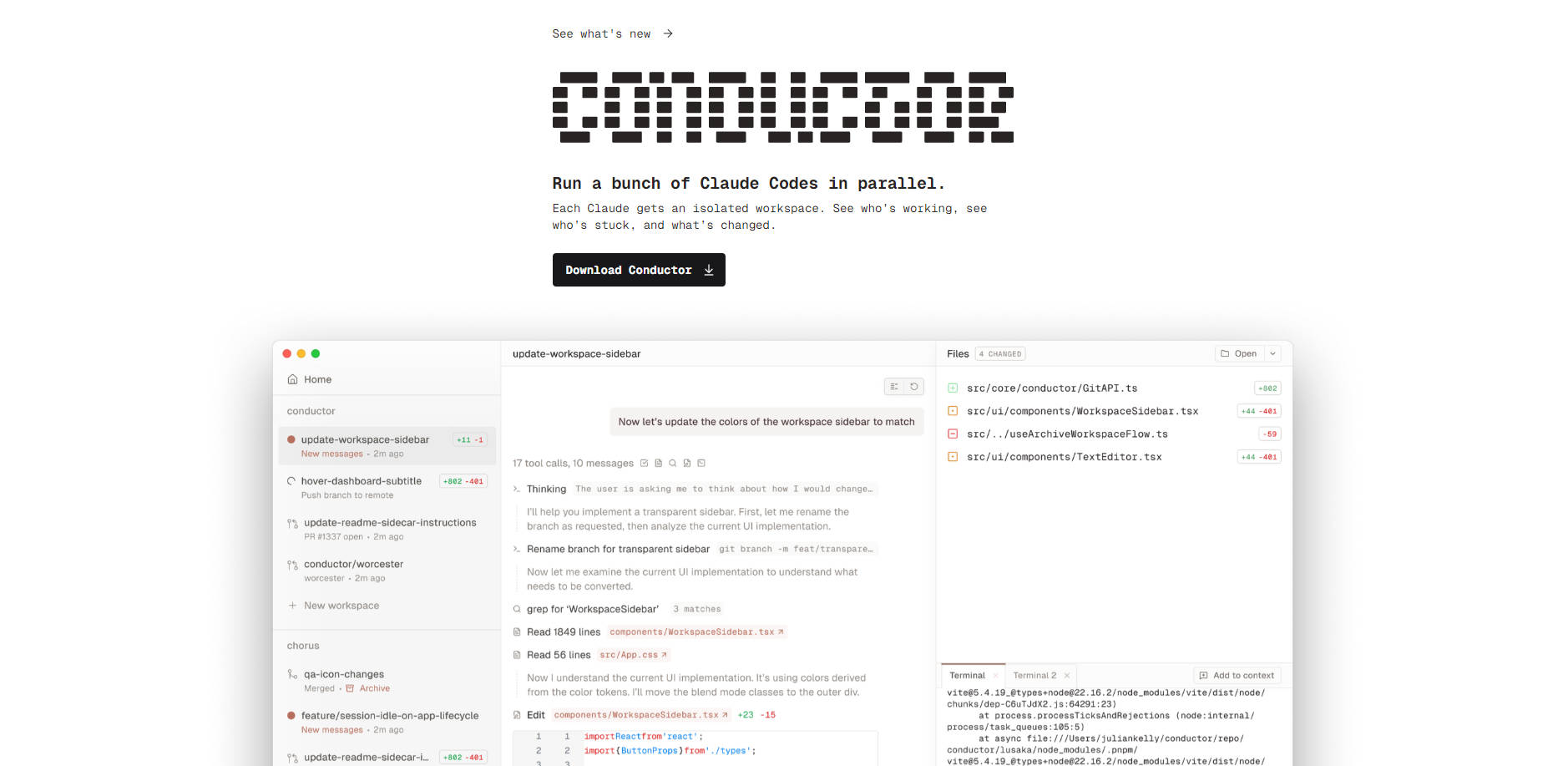
Conductor by Melty Labs empowers developers to efficiently run and manage multiple Claude Code agents in parallel. It addresses the critical challenge of orchestrating complex AI coding tasks by providing an isolated, visual workspace for each agent, significantly streamlining your development workflow on macOS.
Key Features
Parallel Agent Execution: 🚀 Run numerous Claude Code agents simultaneously, accelerating your development cycles by tackling multiple coding tasks concurrently. Each agent operates independently, allowing for efficient, parallel processing.
Isolated Workspaces: 🌳 Provide each Claude Code agent with its own secure, isolated environment. This prevents conflicts, ensures clean code generation, and simplifies version control, leveraging
git worktreesfor robust isolation.Intuitive Visual Orchestration: 📊 Monitor agent activity, progress, and code changes in real-time through a "beautiful UI." Gain immediate insights into your AI agents' progress, identify bottlenecks, and review code efficiently, transforming agent management into a truly conducted experience.
Integrated Git Workflow: ⚙️ Seamlessly handle Git repository management without manual overhead. Conductor automatically clones your repository and manages worktrees for each agent directly on your Mac, allowing you to focus purely on development.
Use Cases
Conductor offers tangible benefits across various development scenarios:
Accelerated Feature Development: Simultaneously develop and test multiple features or explore different architectural approaches using dedicated Claude Code agents, significantly speeding up your project timelines.
Efficient Bug Fixing & Refactoring: Assign distinct agents to identify and resolve bugs in separate modules, or refactor different parts of your codebase concurrently, ensuring focused and conflict-free changes.
Large-Scale Code Generation: Orchestrate agents to generate code for various components of a large project, from backend services to UI elements, dramatically reducing the time required for initial development or complex migrations.
Conclusion
Conductor by Melty Labs redefines AI-assisted development by enabling efficient, parallel orchestration of Claude Code agents. It’s an essential tool for developers aiming to maximize their productivity, accelerate projects, and manage complex coding tasks with clarity and control. Download Conductor to experience a new level of productivity in AI software creation.
More information on Conductor
Top 5 Countries
23.4%
15.46%
13.23%
7.82%
6.55%
United States
India
Nigeria
Vietnam
United Kingdom
Traffic Sources
6.21%
1.19%
0.19%
9.84%
39.81%
42.3%
social
paidReferrals
mail
referrals
search
direct
Source: Similarweb (Sep 24, 2025)
Conductor was manually vetted by our editorial team and was first featured on 2023-07-31.
Related Searches
Conductor Alternatives
Load more Alternatives-

-

Tired of juggling AI coding agents? Claude Squad unifies parallel tasks & isolates code with Git worktrees for seamless, conflict-free development.
-

-

-

Claude Code is an agentic coding tool that lives in your terminal, understands your codebase, and helps you code faster by executing routine tasks, explaining complex code, and handling git workflows - all through natural language commands.