

What is Diffusion Studio?
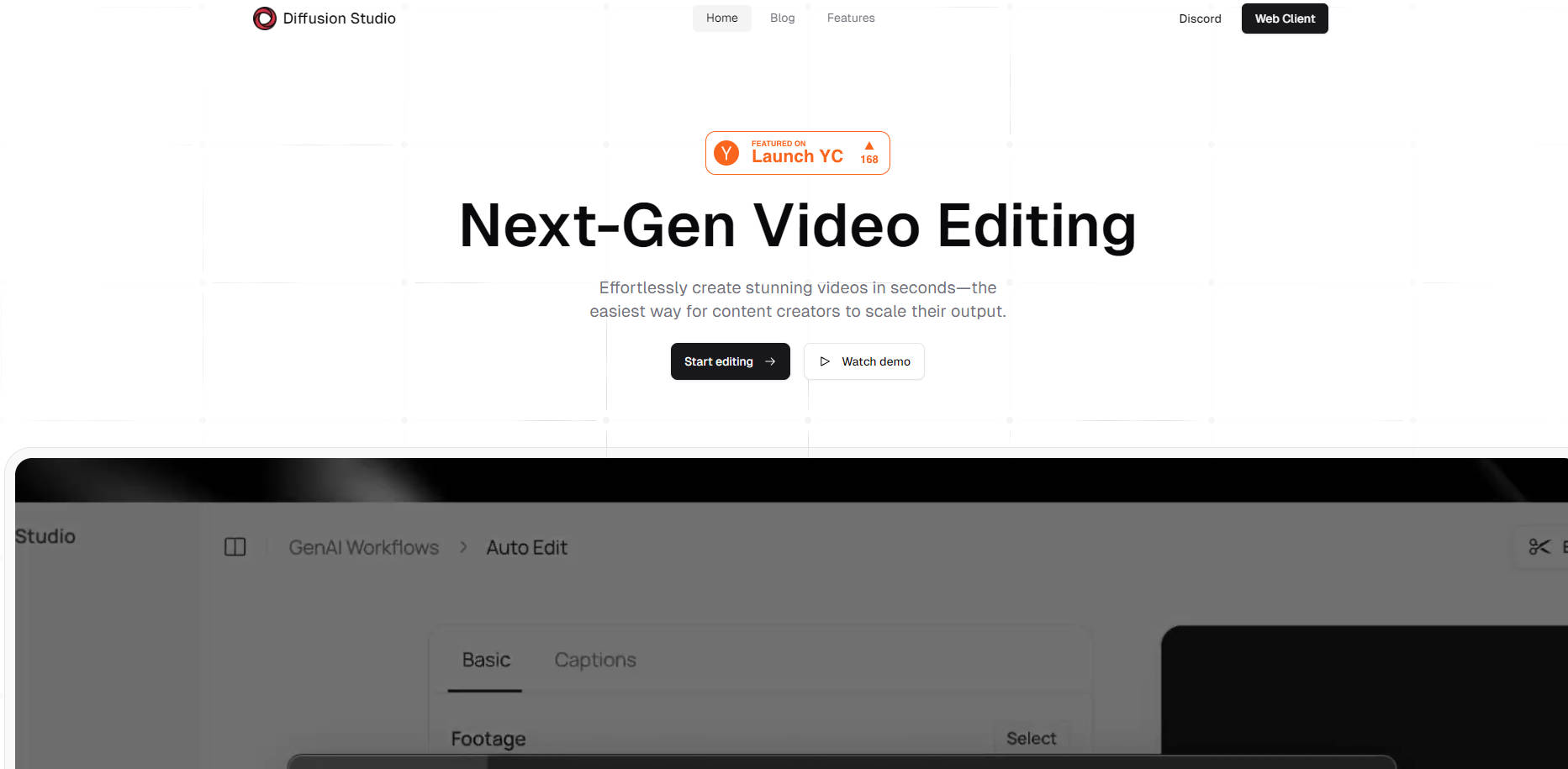
Diffusion Studio is a revolutionary AI-powered video editing tool designed to streamline the content creation process. With cutting-edge Webcodecs and WebGPU technology, this browser-based application automates tedious editing tasks such as trimming, captioning, and text-based editing. It’s built for content creators who want to focus on creativity without getting bogged down by technical details. Enjoy lightning-fast exports and seamless integration with professional video editing software like Final Cut Pro and DaVinci Resolve.
Key Features:
🎬 Magic Video Trimmer: Automatically removes mistakes, filler words, and slow parts to give you a smooth, engaging video.
💬 Auto Captioning: Instantly generate professional captions to boost viewer engagement with just a few clicks.
📝 Text-Based Editing: Edit your video by simply deleting or adding words in your transcript, and the video adjusts instantly—no timelines needed.
🚀 Rapid Exports: Export your finished video in MP4 or XML formats in seconds, ready for further editing in tools like Final Cut Pro or DaVinci Resolve.
Use Cases:
YouTube Content Creator:
Juggling multiple video projects? Diffusion Studio’s Magic Video Trimmer and Auto Captioning features allow you to quickly clean up raw footage and make it viewer-ready without spending hours on manual edits. The Text-Based Editing feature makes revisions a breeze, letting you focus more on creating content and less on technical editing.Corporate Video Producer:
Need to produce polished training videos or client presentations? Diffusion Studio’s AI automatically trims awkward pauses and filler words, delivering a professional end product. Export the project in XML format and seamlessly transition to professional editing software for final touches.Educational Content Creator:
Creating instructional videos often requires precise editing to maintain student engagement. With Diffusion Studio, auto-captioning ensures your content is accessible, while Magic Video Trimmer helps remove any misspoken words or unnecessary pauses, keeping your lessons concise and to the point.
Conclusion:
Diffusion Studio is the next-generation video editing tool that takes the hassle out of content creation. With powerful AI automation, intuitive text-based editing, and rapid export capabilities, it’s designed to help creators focus on what they do best—creating. Whether you’re a YouTuber, educator, or corporate video producer, Diffusion Studio simplifies the editing process while delivering high-quality results.
More information on Diffusion Studio
Launched
2023-04
Pricing Model
Starting Price
Global Rank
357418
Follow
Month Visit
109.4K
Tech used
Next.js,Vercel,Gzip,OpenGraph,Webpack,HSTS
Top 5 Countries
39.73%
12.06%
9.35%
6.95%
5.62%
India
United States
Indonesia
Nigeria
United Kingdom
Traffic Sources
4.37%
1.06%
0.12%
7.28%
53.84%
33.17%
social
paidReferrals
mail
referrals
search
direct
Source: Similarweb (Sep 25, 2025)
Diffusion Studio was manually vetted by our editorial team and was first featured on 2024-12-17.
Related Searches
Diffusion Studio Alternatives
Load more Alternatives-

-
DiffSynth Studio is a Diffusion engine. We have restructured architectures including Text Encoder, UNet, VAE, among others, maintaining compatibility with models from the open-source community while enhancing computational performance.
-
Transform static images into high-quality videos with Stable Video Diffusion. Customizable frame rates, multi-view synthesis, and easy integration. Unleash your creativity now!
-
-