

What is Dreamflow?
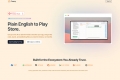
Dreamflow is an AI-first development environment designed to streamline the creation and deployment of cross-platform Flutter applications. It addresses the challenges of complex local setups and fragmented workflows by offering a comprehensive, browser-based solution, making professional app development accessible and efficient for developers and teams.
Key Features
🚀 AI-Powered Development Agent: Leverage an intelligent AI agent to accelerate your workflow, capable of generating code, suggesting edits, refactoring large sections, and scaffolding entire screens, flows, and tests on demand. This significantly boosts productivity and reduces manual coding efforts.
👁️🗨️ Intuitive Visual UI Builder: Instantly restructure your application's interface with the Visual Widget Tree, allowing you to add, move, wrap, and modify UI components directly. Complement this with the Properties Editor for type-safe controls over every widget property, supporting expressions or AI-assisted adjustments.
💻 Full File System & Code Access: Gain complete control over your project with full file system access, enabling you to browse, edit, and organize real project files without any hidden abstractions. This ensures you maintain full ownership and flexibility over your codebase.
⚡ Realtime Preview & Debugging: See your changes come to life instantly with a live run session that provides immediate visual feedback. You can also inspect logs and application state in real-time, streamlining your debugging process and accelerating iteration cycles.
🌐 Integrated Cross-Platform Deployment: Effortlessly deploy your Flutter applications to a wide array of targets, including Web, iOS, Android, macOS, Windows, and Linux, directly from the environment. Dreamflow simplifies the path from development to production across all major platforms.
Use Cases
Accelerate MVP Development: Quickly build and iterate on Minimum Viable Products (MVPs) by leveraging the AI agent to scaffold core features and the visual builder for rapid UI assembly. This allows you to bring ideas to market faster and gather early user feedback.
Streamline Cross-Platform Updates: For existing Flutter projects, import your codebase and use Dreamflow's integrated environment to push updates across all target platforms simultaneously. The real-time preview and full file system access ensure consistent quality and efficient maintenance.
Enhance Team Productivity: Teams can collaborate within a unified, browser-based environment, eliminating local setup complexities and ensuring everyone works with the same tools. The AI agent can assist junior developers, while senior engineers maintain full code control and oversight.
Why Choose Dreamflow?
Dreamflow offers distinct advantages that streamline your development process:
Browser-Based & Install-Free: Get started immediately without any local installations or complex environment setups. Dreamflow operates entirely in your browser, providing instant access to a powerful, production-ready development toolkit.
AI-First for Enhanced Productivity: Unlike traditional IDEs, Dreamflow integrates an advanced AI agent directly into your workflow, offering intelligent assistance for coding, refactoring, and scaffolding. This significantly accelerates development cycles and reduces manual effort.
True Code Ownership, No Lock-in: Maintain full control over your project files with direct file system access and the ability to import or export your codebase. Dreamflow ensures you're never locked into a proprietary system, fostering true flexibility and portability.
Comprehensive Cross-Platform Reach: Build once and deploy your applications across Web, iOS, Android, macOS, Windows, and Linux from a single environment. This broad deployment capability simplifies your release process and expands your application's reach with minimal effort.
Conclusion
Dreamflow redefines cross-platform Flutter app development by merging AI-driven assistance with a comprehensive, browser-based environment. It empowers developers to build, iterate, and deploy high-quality applications efficiently, without the usual setup hurdles.

More information on Dreamflow
Launched
Pricing Model
Freemium
Starting Price
$20 /month
Global Rank
626346
Follow
Month Visit
58.6K
Tech used
Top 5 Countries
33.21%
32.13%
8.98%
8.54%
5.88%
India
United States
Brazil
France
Spain
Traffic Sources
11.35%
0.37%
0.04%
5.25%
15.19%
67.81%
social
paidReferrals
mail
referrals
search
direct
Source: Similarweb (Sep 25, 2025)
Dreamflow was manually vetted by our editorial team and was first featured on 2025-09-06.
Related Searches
Dreamflow Alternatives
Load more Alternatives-

FlutterFlow: Visually build & deploy high-quality cross-platform apps faster. Leverage AI, integrate APIs, and own your full Flutter code.
-
-
-

-
