

What is M9 Developer For Mac?
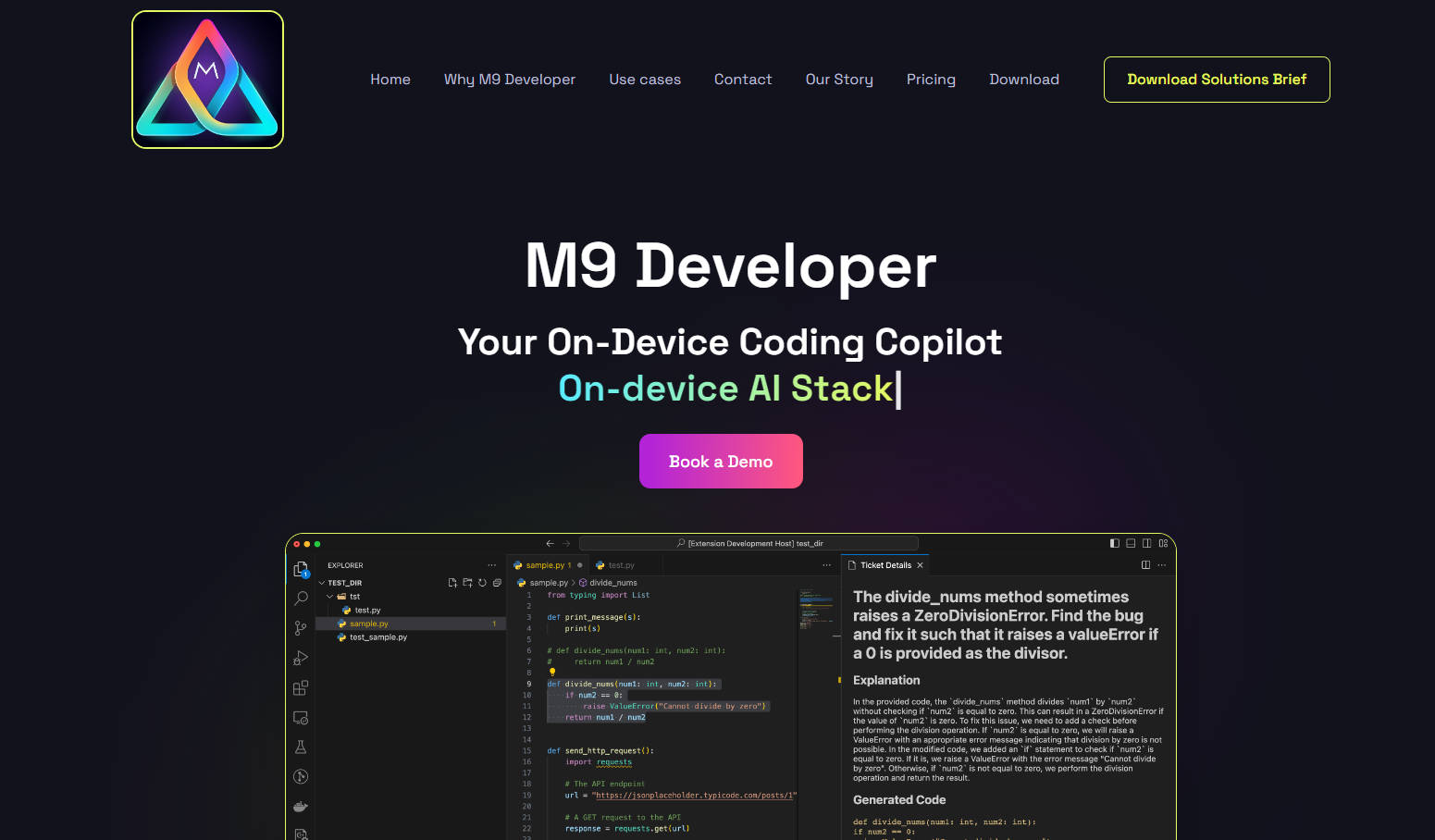
M9 Developer revolutionizes software development with an AI-powered coding assistant that operates directly on your device. This ensures data privacy and allows developers to leverage the power of AI without sending sensitive code over the internet. M9 Developer automates numerous coding tasks, improves code quality, and offers unparalleled contextual understanding, leading to significant boosts in productivity and efficiency.
Key Features:
Contextual Code Generation🧠: Understands your project's context and generates relevant code snippets, reducing manual effort and accelerating development.
Automated Testing🧪: Automatically creates unit and integration tests, ensuring code reliability and minimizing the need for manual testing.
Security Scanning & Remediation🛡️: Identifies and helps fix security vulnerabilities in your code, enhancing application security.
Bug Detection & Resolution🐞: Automatically detects and suggests fixes for bugs, improving code quality and reducing debugging time.
Knowledge Work Automation🤖: Automates tasks like code explanation and documentation, freeing up developers for more complex tasks.
Use Cases:
A developer can use M9 Developer to automatically generate unit tests for a new feature, saving hours of manual work.
A security team can leverage M9 Developer to identify and fix potential vulnerabilities in their codebase, proactively addressing security risks.
A development team can utilize M9 Developer to automatically document their code, ensuring maintainability and facilitating knowledge sharing.
Conclusion:
M9 Developer empowers developers to code faster, smarter, and more securely. Its on-device operation ensures data privacy, while its powerful AI capabilities automate tedious tasks and improve code quality. Embrace the future of software development with M9 Developer and unlock a new level of efficiency and productivity.
FAQs
1. Can M9 Developer handle complex architecture and design problems?
No, M9 Developer is a tool to augment developer productivity. While it can automate many tasks, it still requires human intervention for complex architecture and design decisions.
2. How does M9 Developer ensure code and data security?
M9 Developer can be installed on your own virtual private cloud (VPC) or on-premises hardware. This means your code and data never leave your secure environment, addressing security and IP concerns.
3. What if M9 Developer introduces errors in the code?
M9 Developer is not meant to replace developers. Developers should review and validate the code generated by M9 Developer before deploying it to production, following standard coding practices.
More information on M9 Developer For Mac
Launched
2023-08
Pricing Model
Freemium
Starting Price
$15 / user / month
Global Rank
12826753
Follow
Month Visit
<5k
Tech used
Amazon AWS CloudFront,Amazon AWS S3
Top 5 Countries
72.41%
20.91%
6.68%
United States
Thailand
Mexico
Traffic Sources
9.31%
0.91%
0.1%
7.2%
22.18%
59.94%
social
paidReferrals
mail
referrals
search
direct
Source: Similarweb (Sep 24, 2025)
M9 Developer For Mac was manually vetted by our editorial team and was first featured on 2024-10-28.
Related Searches
M9 Developer For Mac Alternatives
Load more Alternatives-

-
-

Revolutionize your programming experience with Devassistant.ai. Access a real dev workstation, get AI assistance, collaborate effortlessly, and more. Boost productivity now!
-

AI Magicx Coder is an AI-powered coding assistant that enhances your coding experience with intelligent code analysis, real-time previews, and automated documentation. Boost your productivity and code quality effortlessly. Try it for free today!
-

Productive Engineering Teams use Anycode to put their stability, security and scale on Autopilot