

Click outside to close
What is N8nChat?
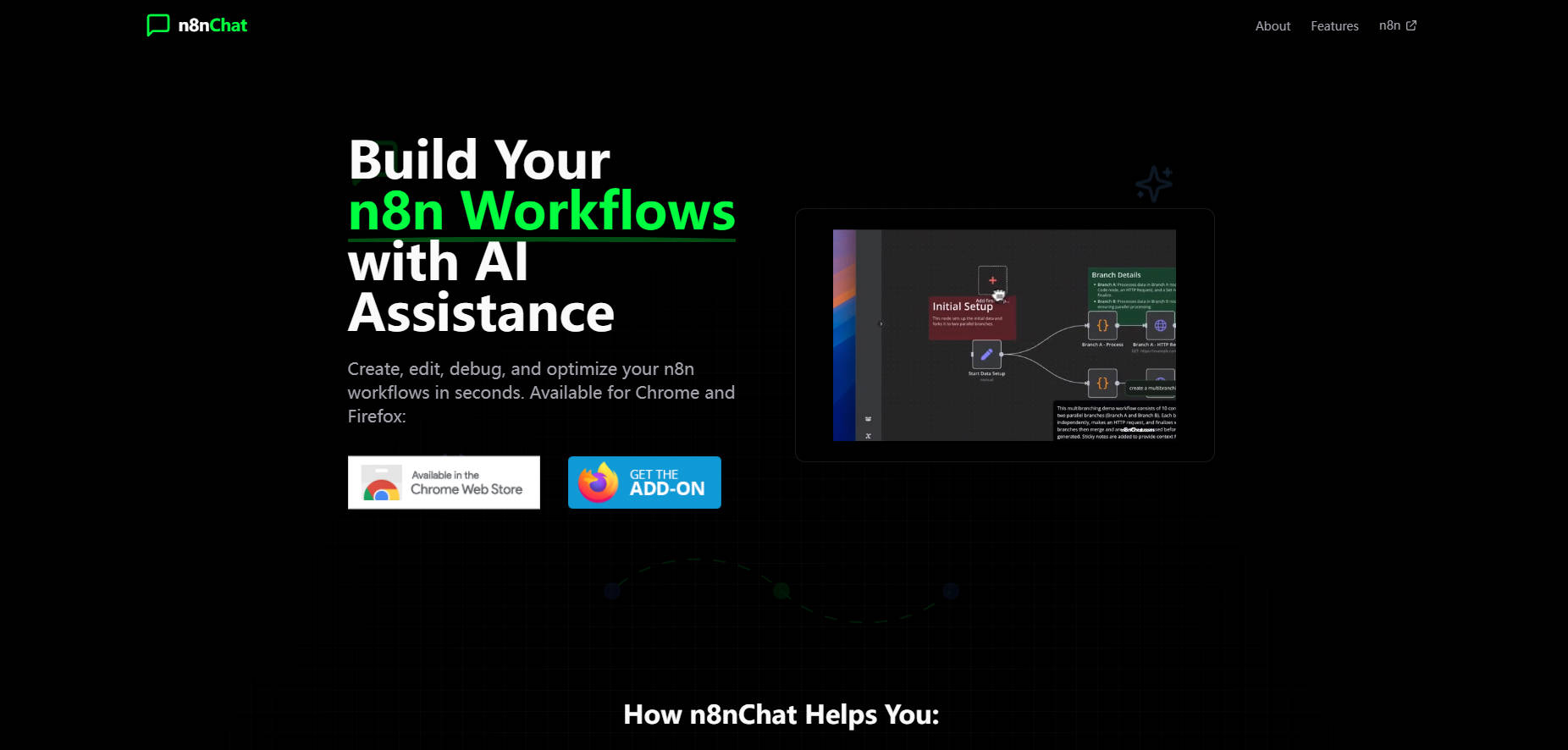
Building powerful automations in n8n just became much faster and more intuitive. Introducing n8nChat, an intelligent browser extension that acts as your AI assistant directly within the n8n workflow editor. If you use n8n, whether you're just starting or are an experienced builder, n8nChat helps you create, modify, and debug workflows using simple natural language. Spend less time searching for nodes or writing code, and more time bringing your automation ideas to life.
How n8nChat Streamlines Your Workflow Building
n8nChat integrates seamlessly into your existing n8n environment (cloud or self-hosted), providing AI assistance without disrupting your flow. Describe what you need, and watch it happen directly on your canvas.
🧠 Generate Nodes and Workflows with AI: Describe the task you want to automate in plain English. n8nChat interprets your request and builds the corresponding nodes or even entire multi-step workflows, placing them directly onto your n8n canvas with the necessary connections.
🛠️ Edit and Debug Existing Workflows: Stuck on an error or need to modify a flow? Ask n8nChat for help. It can analyze your existing setup, identify potential issues, and suggest improvements or modifications.
💻 Create Custom Code Effortlessly: Need specific functionality requiring the n8n Code node? Describe the logic you need, and n8nChat generates the custom Javascript code for you – even if you have little or no Javascript experience.
🤖 Choose Your Preferred AI: Connect n8nChat to your preferred large language model. It supports connections via your own API keys for OpenAI, Anthropic Claude, and Google Gemini, giving you flexibility and control.
🧩 Integrate Instantly: Generated nodes and workflows appear directly in your editor. There’s no need for copy-pasting; components are added and connected based on your instructions.
🔒 Maintain Privacy and Security: Your workflow data and conversations remain private. n8nChat uses your provided API keys to communicate with AI services, and processing happens locally or via your chosen AI provider, not through n8nChat's servers.
See n8nChat in Action: Practical Use Cases
Setting up API Integrations: You need to automatically update a Slack channel whenever a new contact is added in HubSpot. Instead of manually finding and configuring the HubSpot Trigger node and Slack node, you simply tell n8nChat: "Build a workflow that fetches new contacts from HubSpot and sends their name and email to the #new-leads channel in Slack." n8nChat generates the connected nodes for you.
Transforming Data: You have CSV files arriving with inconsistent formatting and need to standardize them into JSON for processing. Describe the required structure to n8nChat: "Create a workflow step that reads a CSV, converts specific columns to uppercase, renames a header, and outputs the result as JSON." The necessary data transformation nodes appear.
Building Conditional Paths: You want to route incoming support emails based on keywords. Explain the logic: "I need a workflow that checks the email subject. If it contains 'Urgent', send it to the Tier 2 support webhook; otherwise, send it to the Tier 1 webhook." n8nChat sets up the necessary conditional logic (IF node) and webhook connections.
Get Started with AI-Assisted Automation
n8nChat is designed to make the power of n8n more accessible and efficient for everyone. Beginners can flatten the learning curve and build complex workflows faster, while experienced users and developers can accelerate prototyping and automate the more repetitive aspects of workflow creation. By bringing AI assistance directly into your n8n canvas, n8nChat helps you build better automations, faster.
More information on N8nChat
Launched
2025-03
Pricing Model
Free
Starting Price
Global Rank
294789
Follow
Month Visit
157.2K
Tech used
Top 5 Countries
9.2%
6.56%
5.24%
3.35%
India (9.2%)
United States (6.56%)
Vietnam (5.24%)
Brazil (3.35%)
Pakistan (2.93%)
Traffic Sources
9.86%
11.5%
36.7%
39.97%
social (9.86%)
paidReferrals (1.24%)
mail (0.58%)
referrals (11.5%)
search (36.7%)
direct (39.97%)
Source: Similarweb (Sep 25, 2025)
N8nChat was manually vetted by our editorial team and was first featured on 2025-04-16.
N8nChat Alternatives
N8nChat Alternatives-

Your AI assistant for n8n. Build & manage workflows faster via chat. Simplify automation, get node help, & optimize easily. Supports cloud & self-hosted.
-
Optimize LLM model interactions, create advanced chatbots, personalized assistants, and more with LangChain, a versatile AI software for enhanced performance.
-

n8n: Flexible AI workflow automation for technical teams. Build complex AI agents & integrate apps using visual design + full code access.
-
AgentCraft: Your AI copilot for n8n. Build & debug workflows 10x faster with natural language, automated config, and AI error fixing.
-
Unlock AI's full potential in n8n. n8n MCP gives AI models precise context to build, validate, & manage complex workflows accurately, saving 80-90% tokens.