
What is OmniParser?
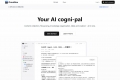
OmniParser is a cutting-edge browser extension designed to streamline UI automation tasks. Powered by advanced AI models from Microsoft, it enables users to capture, analyze, and extract structured data from any webpage or image. With features like one-click screenshot analysis, advanced OCR capabilities, and precise element detection, OmniParser is a must-have tool for developers, designers, and automation experts. Trusted by over 50,000 professionals worldwide, this extension enhances productivity and accuracy in UI analysis.
Key Features:
🖱️ One-Click Screenshot Analysis
Effortlessly capture and analyze screenshots from any webpage for instant UI insights.📜 Advanced OCR Technology
Extract text from images with high precision, ideal for automating content analysis and data collection.🔍 Element Position Detection
Automatically identify and map UI elements, providing precise coordinates for seamless automation tasks.🏗️ Visual Block Analysis
Intelligently analyze and segment different regions of your screenshots to understand layout structures and element relationships.
Use Cases:
QA Engineerscan use OmniParser to automate UI testing, reducing manual effort and human error in identifying interactive elements and their functionalities.
Content Creatorscan extract and analyze text from images, enhancing productivity in managing and repurposing visual content.
Developerscan integrate OmniParser's API for building robust UI automation workflows, ensuring consistent accuracy across various platforms.
Conclusion:
OmniParser is a game-changer in the realm of UI automation. By offering powerful features like one-click analysis, advanced OCR, and precise element detection, it significantly boosts productivity and accuracy. Trusted by professionals globally, OmniParser is an indispensable tool for anyone looking to revolutionize their UI analysis tasks.
FAQs:
What makes OmniParser's AI technology unique?
OmniParser combines technologies like YOLOv8 and BLIP-2 with Microsoft's advanced models to offer superior UI parsing accuracy and semantic understanding of elements.
How can OmniParser improve my UI automation workflow?
It automates UI analysis, detects clickable areas, understands icon functionality, and provides structured data output, leading to efficient testing and reduced human error.
Does OmniParser support different platforms and interfaces?
Yes, OmniParser supports both PC and mobile device screenshots, ensuring consistent accuracy across various platforms.

More information on OmniParser
Launched
2024-10
Pricing Model
Paid
Starting Price
$14.99 /month
Global Rank
12859826
Follow
Month Visit
<5k
Tech used
Google Analytics,Next.js,Vercel,Gzip,Webpack,HSTS
Top 5 Countries
76.69%
23.31%
India
Germany
Traffic Sources
3.75%
1.66%
0.2%
13.78%
41.07%
38.81%
social
paidReferrals
mail
referrals
search
direct
Source: Similarweb (Sep 24, 2025)
OmniParser was manually vetted by our editorial team and was first featured on 2024-11-11.
Related Searches
OmniParser Alternatives
Load more Alternatives-

OmniParser V2 solves GUI automation issues for LLMs. It tokenizes UI screenshots, has enhanced small element detection, 60% faster inference, and OmniTool integration. Ideal for software testing, web tasks, and customer support.
-

-

-
-