

Click outside to close
What is ON1 Portrait AI?
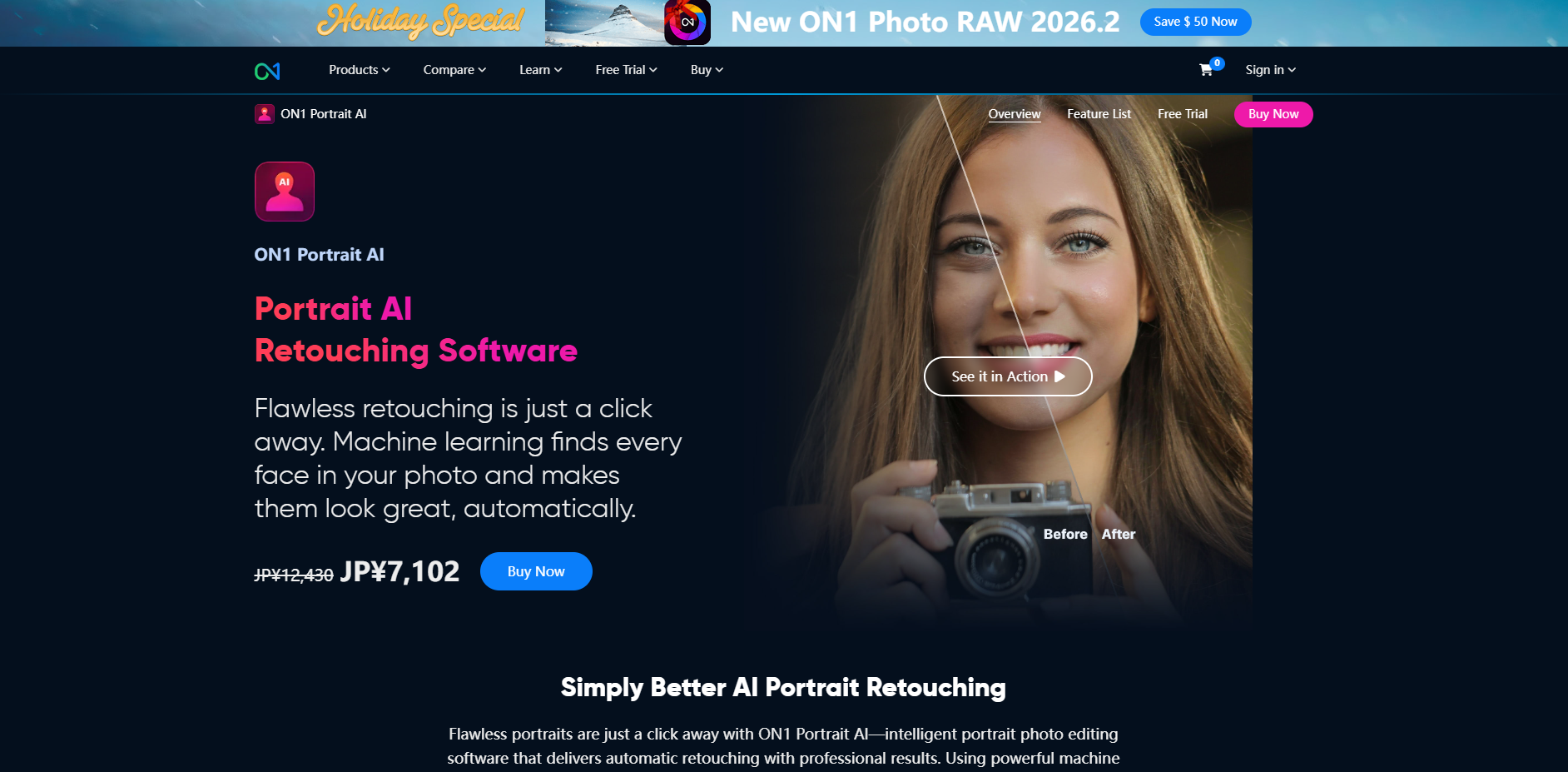
Retouching portraits is traditionally one of the most time-consuming tasks in post-production. ON1 Portrait AI changes this dynamic by using machine learning to automate the tedious parts of the process—like masking and blemish removal—while giving you the precision to maintain a natural, professional look. Whether you are processing a single headshot or a thousand wedding photos, this software ensures every subject looks their best with minimal manual effort.
ON1 Portrait AI functions as a high-speed assistant that instantly detects every face in your frame. It analyzes features to apply specific enhancements for skin, eyes, and mouths, allowing you to bypass the hours typically spent with a healing brush. Designed for photographers who value both speed and authenticity, it integrates seamlessly into your existing workflow as a standalone app or a plugin for industry-standard tools like Adobe Photoshop and Lightroom.
Key Features
- 🤖 Intelligent Face Detection & Analysis: The software automatically identifies every person in your photo, applying customized retouching based on their unique features. It eliminates the need for manual masking, instantly adjusting skin smoothing and eye brightness to suit each individual.
- ✨ Natural Skin Retouching via Frequency Separation: Unlike basic filters that can make skin look "plastic," ON1 uses frequency separation to smooth skin tones while preserving the underlying texture. This ensures your subjects look flawless but entirely realistic.
- 👁️ Advanced Eye and Mouth Enhancement: Eyes are automatically brightened and sharpened, while teeth and lips are detected for instant whitening and color adjustment. These targeted edits draw attention to the subject’s expression without requiring complex selections.
- 👤 Individual Subject Controls: In group photos, you aren't stuck with a "one size fits all" edit. You can adjust the settings for each person independently, ensuring the bride and groom, for example, each receive the specific level of enhancement they need.
- 🛠️ Mask AI & Content-Aware Tools: Beyond facial features, Mask AI can segment your entire photo—identifying people, animals, or the sky—to apply local adjustments instantly. The improved Content-Aware Perfect Eraser and Crop tools help you remove distractions or expand your canvas with realistic detail.
Use Cases
- High-Volume Event Proofing: For wedding or event photographers, you can batch-process an entire folder of images. The AI will find every face and apply your preferred retouching style automatically, allowing you to deliver professional proofs to clients in a fraction of the usual time.
- Refining Studio Portraits: When a single image requires perfection, you can use the face sculpting tools to balance eye size or thin a jawline, correcting for lens distortions or unflattering lighting while maintaining a non-destructive workflow.
- Rescuing Tight Compositions: If a portrait was cropped too tightly in-camera, use the Content-Aware Crop to expand the canvas. The AI fills in the new edges with realistic detail, giving the subject more "breathing room" in the frame.
Why Choose ON1 Portrait AI?
The primary advantage of ON1 Portrait AI is its balance between automation and control. While many AI tools offer a "black box" approach where you have little say in the final result, ON1 provides a fully non-destructive environment. You can let the machine learning do 90% of the work, then step in with manual brushes to refine skin masks or remove specific stubborn blemishes.
Furthermore, the inclusion of Frequency Separation is a significant differentiator. Most entry-level retouching software simply blurs the skin to hide imperfections, which destroys detail. By separating color and texture, ON1 Portrait AI maintains the professional standard expected in high-end editorial work while delivering the speed of an automated tool.
Professional Results in Any Workflow
ON1 Portrait AI is designed to meet you wherever you work. It functions as a powerful standalone editor, but it also serves as a robust plugin for:
- Adobe Photoshop & Lightroom Classic
- Affinity Photo
- Capture One
- Apple Photos
- Corel Paintshop Pro
By automating the technical hurdles of portrait editing, you can spend less time behind the monitor and more time behind the lens. The result is a faster turnaround for your clients and a more consistent, professional aesthetic across your entire portfolio.
More information on ON1 Portrait AI
Top 5 Countries
34.81%
12.44%
7.25%
4.52%
3.97%
United States (34.81%)
Germany (12.44%)
United Kingdom (7.25%)
Canada (4.52%)
France (3.97%)
Traffic Sources
5.22%
35.19%
56.08%
social (2.59%)
paidReferrals (0.78%)
mail (0.14%)
referrals (5.22%)
search (35.19%)
direct (56.08%)
Source: Similarweb (Jan 3, 2026)
ON1 Portrait AI was manually vetted by our editorial team and was first featured on 2023-09-06.
ON1 Portrait AI Alternatives
ON1 Portrait AI Alternatives-
Aperty: AI portrait editor for pros. Automate retouching, achieve natural, studio-quality photos in minutes. Seamless Photoshop & Lightroom integration.
-
Topaz Photo is a desktop-based AI-powered application that is used to enhance image and photo quality through noise reduction, image sharpening, enhancing faces, and image upscaling.
-

Aperty is the go-to tool for portrait photographers who want stunning results without marathon editing. Packed with powerful, precise tools, Aperty streamlines post-processing to deliver client-ready photos — fast.
-

Automate photo retouching with Retouch4me AI. Get professional, natural results fast, preserving texture. Save hours on skin, background, & detail cleanup.
-

Capture One - professional photo editing software. AI-powered masking, intelligent adjustments, advanced color editing. Streamline workflow & unlock creative potential. For pros & enthusiasts.