

Click outside to close
What is Retouch4Me?
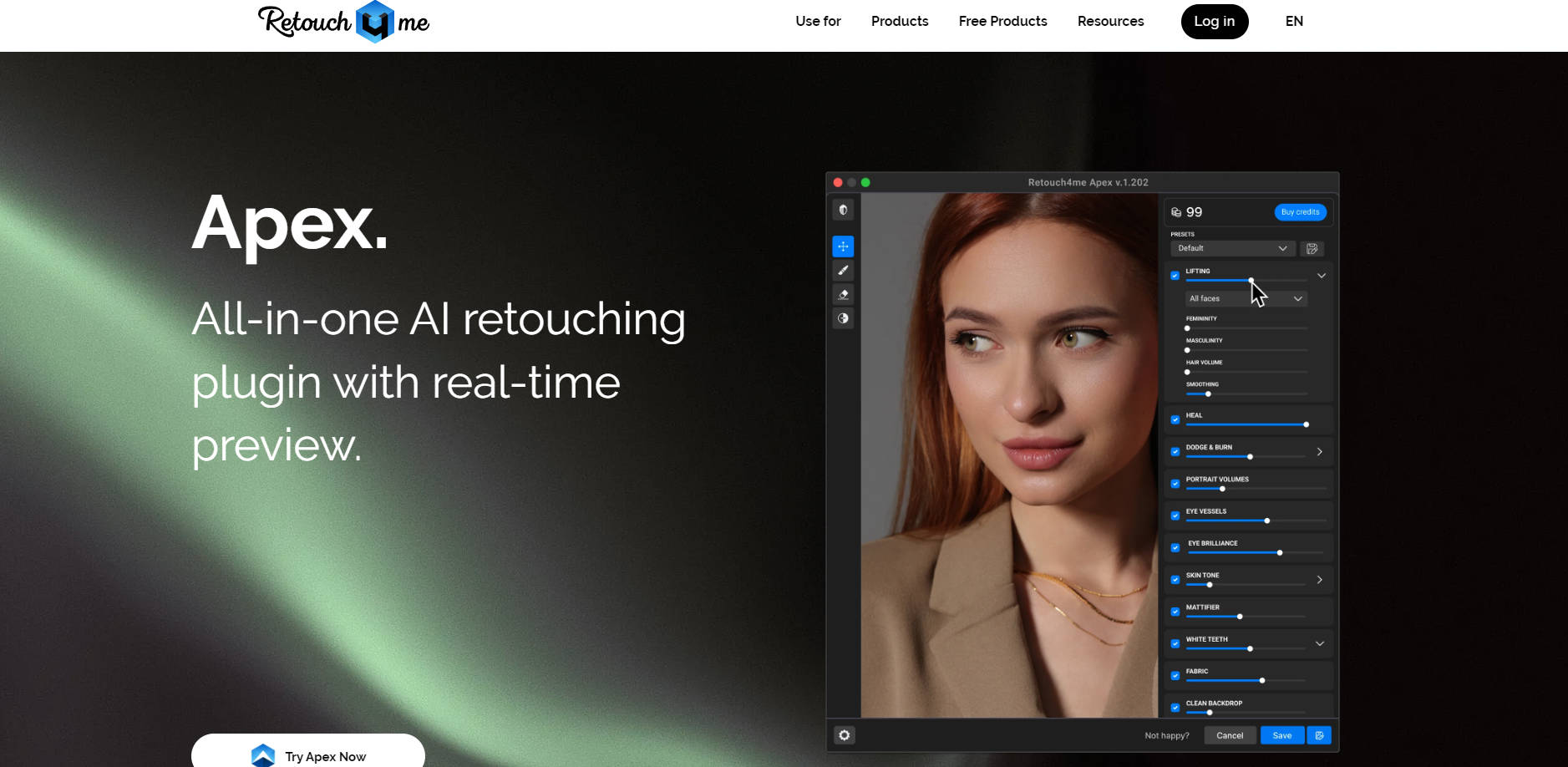
Retouch4me provides a suite of powerful AI-powered tools designed to automate time-consuming photo retouching tasks. Mimicking the techniques of professional retouchers, these tools help you achieve high-quality, natural-looking results quickly and easily, freeing up significant time in your workflow.
Key Features
✨ Preserve Natural Texture: Unlike tools that can create an artificial look, Retouch4me's AI is specifically designed to preserve original skin texture and details while fixing imperfections, ensuring your photos maintain a natural appearance.
🔍 Automated Detail Cleanup: Address common retouching challenges with dedicated AI tools that automatically handle tasks like fixing skin defects, smoothing shiny areas, removing eye vessels, whitening teeth, smoothing fabric wrinkles, and cleaning up studio backdrops.
⚡ One-Click Efficiency: Simply upload your photos, select the desired plugin or tool, and let the AI do the work. Get professional retouching results in seconds with minimal manual effort.
🔄 Flexible Workflow Integration: Access Retouch4me's capabilities through various options including standalone plugins for Photoshop, a dedicated Photoshop Panel for streamlined access, the Arams batch processor for high-volume work, or the new Apex interface with cloud processing options.
Use Cases
High-Volume Photoshoots: Process large quantities of photos from weddings, events, or portrait sessions quickly and consistently, applying automated skin retouching and cleanup to save hours of editing time.
Studio & E-commerce: Ensure product shots or headshots have clean backgrounds and wrinkle-free clothing effortlessly, maintaining a polished and professional look essential for catalogs and online stores.
Portrait & Beauty Enhancement: Enhance portraits with natural-looking skin corrections, brighter eyes, and whiter teeth, delivering refined results that highlight your subjects without looking over-edited.
Why Choose Retouch4me?
Achieve Professional, Natural Results Faster: Retouch4me's core strength lies in its AI that replicates professional retouching quality, specifically preserving natural skin textures, combined with an incredibly fast and easy one-click workflow.
Conclusion
Retouch4me offers a powerful, efficient, and professional solution for automating key photo retouching tasks. By leveraging AI to deliver natural results quickly, it allows photographers and enthusiasts to significantly reduce editing time and focus on their creative vision. Explore how Retouch4me can streamline your workflow and enhance your images.
More information on Retouch4Me
Top 5 Countries
39.23%
13.15%
5.77%
5.03%
3.25%
Russia (39.23%)
United States (13.15%)
Germany (5.77%)
Cambodia (5.03%)
Brazil (3.25%)
Traffic Sources
50.29%
38.53%
5.1%
5.5%
mail (0.13%)
direct (50.29%)
search (38.53%)
social (5.1%)
referrals (5.5%)
paidReferrals (0.45%)
Source: Similarweb (Jan 3, 2026)
Retouch4Me was manually vetted by our editorial team and was first featured on 2023-04-22.
Retouch4Me Alternatives
Retouch4Me Alternatives-

Transform your photos with RetouchMe, the powerful mobile app for professional photo editing. Get high-quality results in minutes. Try it now!
-

Get professional portrait retouching in seconds. ON1 AI automates skin smoothing, eye enhancement, and masking while preserving natural texture.
-

Retouch Pro is an advanced AI photo generation tool that empowers users to effortlessly create unique AI models, characters, and avatars from their uploaded pictures and selfies.
-
Enhance and retouch images quickly and efficiently with autoRetouch. Its AI-powered platform offers automated ghost mannequins, batch editing, and marketplace adjustments. Boost sales, improve brand exposure, and streamline image editing processes.
-

Experience the power of Magic Touch Panel. Revolutionize your photo editing with an intuitive interface, AI capabilities, and customizable features. Unleash your artistic vision and transform your photos into captivating works of art.