

What is runCLAUDErun?
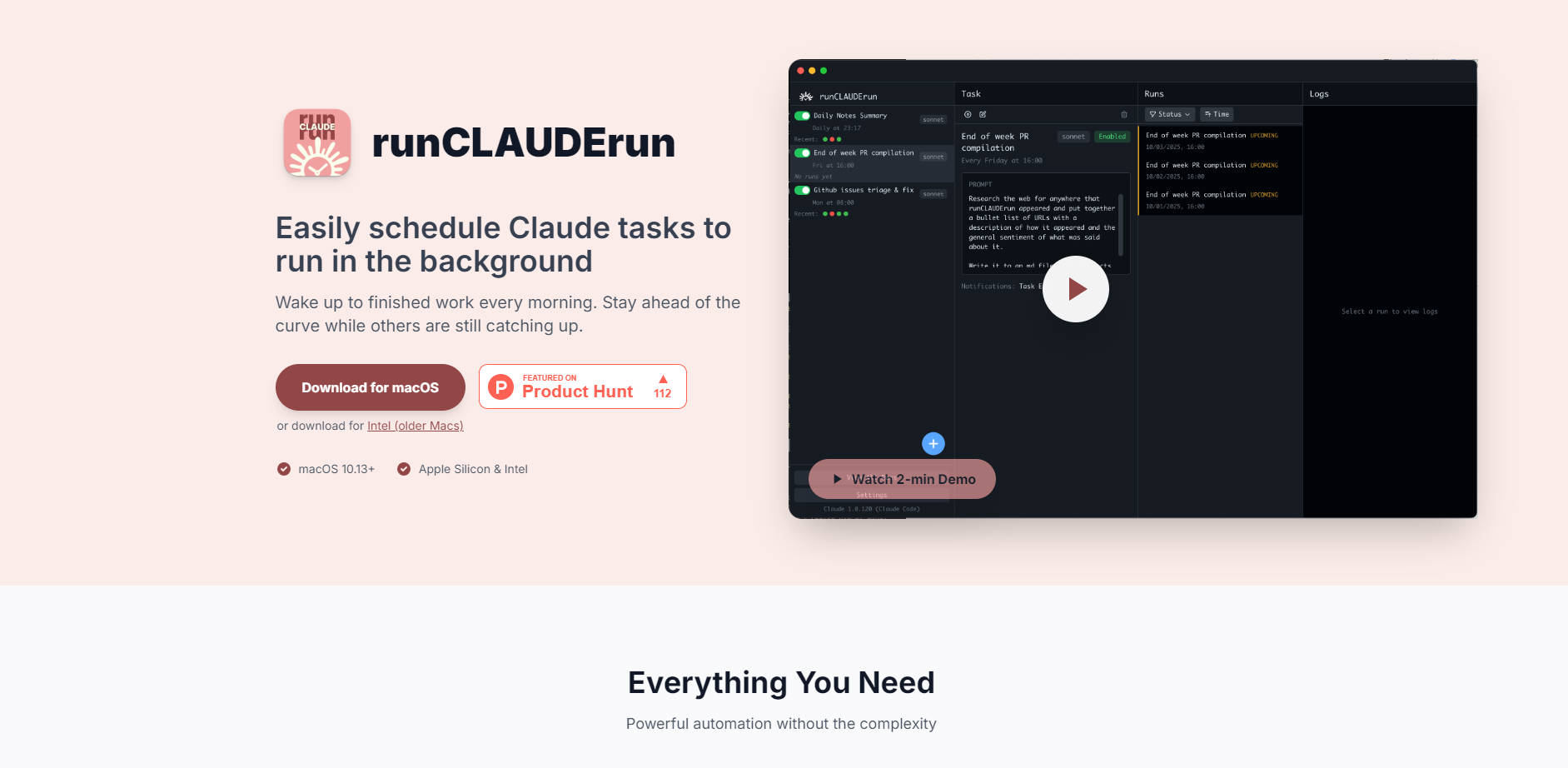
runCLAUDErun is the essential native macOS application designed to simplify and automate your Claude Code workflows. It solves the efficiency problem faced by professionals who rely on frequent AI-driven tasks, enabling you to easily schedule complex prompts, analysis, and generation jobs to run automatically in the background. Stop manually managing repetitive tasks or wrestling with complex command-line tools; with runCLAUDErun, you can consistently wake up to finished work.
Key Features
We focus on delivering powerful automation without introducing unnecessary complexity, ensuring your workflows are efficient and secure.
✅ Guaranteed Local Execution & Data Privacy Everything runs entirely on your Mac. Your proprietary prompts, data, and generated outputs remain local, ensuring maximum data security and confidentiality without relying on external cloud dependencies for scheduling or execution.
⏱️ Seamless Background Scheduling Easily schedule any Claude Code task to run at specific times, even when you are away from your machine. This eliminates the need for manual execution or writing complex scripts, allowing long-running tasks to execute overnight or during off-peak hours, preserving your daytime focus.
🖥️ Native macOS Interface (GUI) Unlike command-line schedulers or cross-platform tools, runCLAUDErun offers a clean, intuitive interface that integrates naturally into the macOS environment. This graphic user interface (GUI) makes setting up, modifying, and monitoring automated tasks straightforward, requiring no prior knowledge of cron jobs or scripting.
🔄 Flexible Recurring Intervals Tailor execution frequency precisely to your needs. Set tasks to run once, daily, weekly, or define custom intervals. This flexibility supports everything from daily report generation to quarterly data analysis runs, maximizing the utility of your Claude subscription.
🔎 Comprehensive Task History and Logging Maintain full transparency over your automation. The application automatically logs output and status for past runs, providing a complete history so you can quickly review results, verify execution times, and troubleshoot any issues without leaving the application.
Use Cases
runCLAUDErun transforms how you interact with Claude Code, moving from reactive execution to proactive automation.
Nightly Code Review and Testing: As a developer, you can schedule Claude to perform comprehensive code reviews, security scans, or integration tests on your latest commits every night. By the time you start your workday, detailed reports and suggested refactoring are already generated, maximizing development efficiency.
Automated Daily Reporting: Data analysts and business users can schedule daily tasks to pull data, summarize trends, and generate executive summaries or status reports using Claude. This ensures critical business intelligence is ready at a fixed time each morning, eliminating manual data processing delays.
Recurring Content Generation: For marketing or content teams, set runCLAUDErun to generate weekly blog outlines, social media copy drafts, or training materials based on specific input parameters. The consistent, automated output stream ensures your content pipeline remains full without constant manual input.
Why Choose runCLAUDErun?
Choosing runCLAUDErun is about prioritizing efficiency, security, and simplicity in your AI workflow.
Simplicity Over Complexity: We replace the steep learning curve and inherent difficulties of managing system-level schedulers (like cron jobs) with a straightforward, drag-and-drop macOS interface. You spend time defining the task, not managing the infrastructure.
Built for macOS Users: As a native application, it utilizes the efficient resource management and clean aesthetics of macOS, providing a stable, fast, and familiar experience that integrates smoothly with existing Mac workflows.
Uncompromised Privacy: By running all scheduling and execution locally, you maintain complete control over sensitive data and intellectual property, a critical advantage over cloud-based automation platforms.
Conclusion
runCLAUDErun empowers you to leverage the full power of Claude Code consistently and effortlessly. By automating your tasks, you reclaim valuable time, ensure timely output, and keep sensitive data secure, all within a clean, native macOS environment.
More information on runCLAUDErun
Launched
2025-09
Pricing Model
Free
Starting Price
Global Rank
Follow
Month Visit
<5k
Tech used
runCLAUDErun was manually vetted by our editorial team and was first featured on 2025-11-03.
runCLAUDErun Alternatives
Load more Alternatives-

-

Desktop Commander MCP is an open-source tool that enables terminal command execution and file editing directly through Claude Desktop app. Enhance your AI workflow with Claude.
-

Tired of juggling AI coding agents? Claude Squad unifies parallel tasks & isolates code with Git worktrees for seamless, conflict-free development.
-

Claude Code is an agentic coding tool that lives in your terminal, understands your codebase, and helps you code faster by executing routine tasks, explaining complex code, and handling git workflows - all through natural language commands.
-