

What is AgentQL?
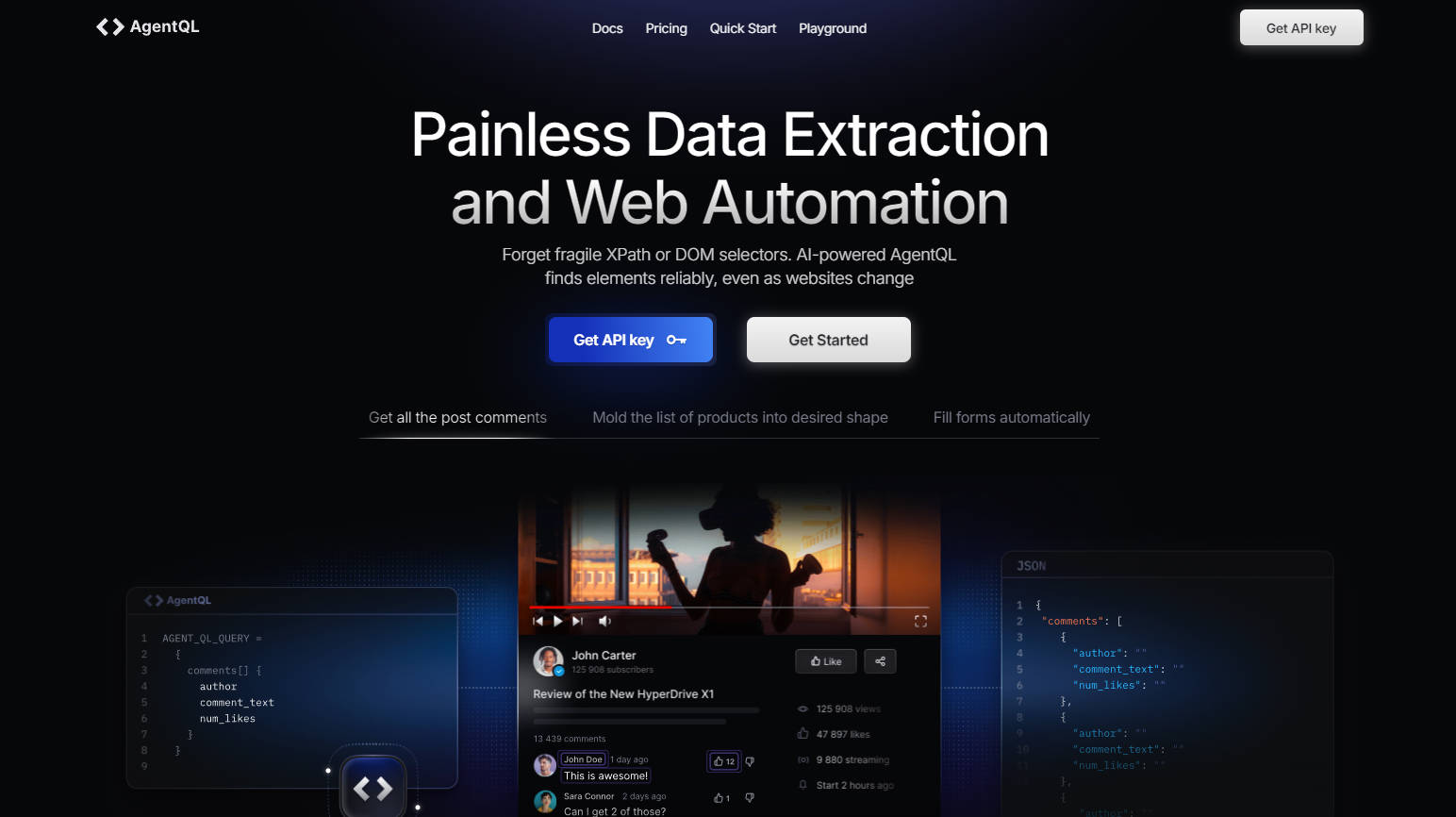
Elevating web scraping and automation to unparalleled heights, AgentQL harnesses a revolutionary query language that transforms the way developers interact with web elements. Combining a natural language-like syntax with versatile, precise element location capabilities, AgentQL ensures simplicity, efficiency, and full response format control for streamlined web tasks.
Key Features:
Simplified Web Element Location: AgentQL's intuitive query language simplifies finding specific web elements without delving into complex DOM structures or crafting fragile XPath expressions.
Versatile and Precise Interactions: From automating form submissions to web application testing, AgentQL's flexible and accurate queries adapt to a wide range of tasks.
Deterministic Response Format: Users gain total control over response data shape, easing integration into automation and data processing pipelines.
AgentQL Query Language: A vital component for defining what needs to be found and the structure of responses for easy data extraction and use.
Chrome Extension and SDK Tools: These complementary tools facilitate real-time query testing and seamless integration into programmatic scripts, respectively.
Use Cases:
Streamlining data scraping projects with precise data extraction capabilities.
Accelerating web application testing cycles by automating complex form submissions and interaction flows.
Enhancing browser automation workflows, such as manipulating search fields and triggering actions precisely.
Conclusion:
AgentQL redefines web automation, making complex tasks straightforward and accessible. Whether you're a developer looking to boost your web scraping efficiency or an automation enthusiast needing reliable tools, AgentQL is your indispensable companion. Dive into its capabilities today and unlock a new era of web interaction.
FAQs:
What is the best way to debug scripts when using AgentQL?AgentQL SDK's integrated debug mode logs actions, errors, screenshots, and metadata, enabling detailed troubleshooting.
How can I ensure my script waits for web pages and elements to fully load?Implement sleep() functions in your script to set custom timeouts for page elements, ensuring they are fully loaded before proceeding.
What resources are available to help me learn and use AgentQL more effectively?Refer to AgentQL's extensive documentation, including SDK API guides, and explore examples in the Github repository for in-depth tutorials.


More information on AgentQL
Launched
2023-07
Pricing Model
Freemium
Starting Price
$99 /monthly
Global Rank
677988
Follow
Month Visit
47K
Tech used
Next.js,Vercel,Gzip,OpenGraph,Progressive Web App,Webpack,HSTS
Top 5 Countries
22.69%
20.05%
8.39%
7.68%
4.97%
United States
India
United Kingdom
Tunisia
Vietnam
Traffic Sources
7.45%
0.99%
0.1%
9.27%
40.62%
41.44%
social
paidReferrals
mail
referrals
search
direct
Source: Similarweb (Sep 24, 2025)
AgentQL was manually vetted by our editorial team and was first featured on 2024-08-12.
Related Searches
AgentQL Alternatives
Load more Alternatives-

-

Build action-oriented AI agents code-free. QuickAgent deploys instantly, connects services, and automates tasks without servers. Powerful & easy.
-

-
-
