
Best Perfectly Clear Video Alternatives in 2025
-
Transform your visual media with Perfectly Clear's AI image correction and video enhancement technology. Increase customer satisfaction and save time.
-

AI video enhancer refers to the use of artificial intelligence to automatically improve video quality, including resolution, color depth, and frame rate.
-

Tired of grainy, low - res videos? Unblurimage AI Video Quality Enhancer is your free, no - sign - up solution. With AI - powered upscaling to 4K, automatic blur correction, intelligent noise reduction, and frame - by - frame precision, transform 240p - 2K videos. Revitalize family memories, social media content, and business materials in minutes.
-
Supercharge your footage with the AI editing platform trusted by major film studios and creative pros everywhere
-

Transform your photos with PixelPerfect's AI-powered editing tools. Colorize, upscale, and enhance for share-worthy content! Try now!
-

Boost video quality, upscale resolution, colorize black-and-white footage, & more. AVCLabs Video Enhancer AI brings new life to your videos with AI-powered algorithms.
-

UpscaleMy.Video: AI-enhanced video quality. Convert low-res to 1080p, rapid cloud processing. Ideal for old memories, marketing, AI-gen videos. No install, broad format support.
-

The best AI upscaling video enhancer to improve video quality automatically. 3 Steps to convert low resolution to high resolution up to 4K via color correction, noise reduction, deinterlacing, and shake stabilization.
-

Cutout.pro's AI Video Enhancer. Automatically improve video quality up to 2K. Upscale, sharpen, reduce noise, stabilize. User-friendly for all. Enhance memories or create pro content.
-

Vivid-VR: AI diffusion transformers restore low-quality video to stunning, photorealistic clarity. Enhance detail, text & long footage with advanced AI.
-

ClipVideo AI - Transform images & text into HD videos in minutes. Image-to-Video, Text-to-Video, rapid processing. Ideal for marketers, creators, educators. Easy, efficient, professional-quality video creation.
-

VanceAI Video AI is an all-in-one video enhancement tool that includes features like AI upscaling, smoothing, deshake, deinterlacing, and SDR to HDR conversion, designed to improve video quality effortlessly.
-

Transform low-res videos into stunning 4K/8K HD with Next Enhancer. Our AI-powered online tool enhances clarity, sharpness & quality – no software needed!
-

VidHex: AI-powered all-in-one video tool. Enhance, upscale to 4K, colorize, unblur, brighten & denoise videos. Trusted by 30M+ users. Free download for Windows/Mac!
-

AnyEnhancer is an AI-powered video enhancement software. Upscale to 4K, colorize, denoise & more. Revitalize old videos, enhance social media content.
-

Aiseesoft Video Enhancer is the first and best AI video enhancement software. It boasts the latest Artificial Intelligence technology and enables you to enhance video quality, upscale video resolution, remove video noise.
-

Aiarty Video Enhancer: AI-powered 4K upscaling, denoise, deblur, & smooth motion. Restore old videos, perfect new content, fast & private.
-
Clarity AI: Highest-resolution AI upscaler. Transform low-quality images into stunning, crystal-clear visuals up to 176MP, intelligently enhancing details.
-

UniConverter's AI Video Enhancer, a powerful tool with advanced AI models. Denoise, boost frame rate, easy 3-step process. Ideal for all users. Revitalize old footage, enhance pro videos.
-

Improve video quality with the video enhancer from Fotor. Adjust settings for brightness, contrast, saturation and more. No skills required, no installation.
-

Transform your videos into stunning HD masterpieces with Remini AI. Enhance quality, restore old footage, and revitalize low-quality videos with AI Magic.
-

Ai4Video.co, AI Based Video Enhancer, Enhance video quality, colorize video, imporve video resolution
-
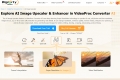
The AI image upscaler feature in VideoProc Converter AI uses deep-learning Super Resolution technology to upscale AI arts, old photos and low-resolution images by 2x, 3x, or 4x to even 10K resolution by generating real details.
-

iFoto AI Video Enhancer is a online tool. Upscale resolution, sharpen footage, enhance clarity. No downloads. Ideal for content creators & more.
-

Enhance image quality, resize for any format, boost print quality & edit product photos effortlessly. Let's Enhance - the AI-powered solution for stunning images.
-

Unleash creativity with Clipfly, the all in one AI video toolkit. Generate videos from text or images, enhance existing footage, remove unwanted elements, and create talking avatars. No complex skills needed to craft stunning video content!
-

Transform and enhance your videos with Video Editor AI. Utilize AI-powered editing, intuitive interface, and a wide range of effects for professional results. Try it now!
-
Enhance and upscale your videos and images online with AI technology. Achieve professional quality for every video or image.
-

Pixble is a photo editing tool that uses artificial intelligence to enhance your photos online. Fix lighting, color & tone, sharpen blurry photos and more instantly. Try now free!
-

AVCLabs Video Blur AI automates video blurring. Blur faces, license plates & custom objects. Streamline workflow. Supports multiple formats.