
What is Celina?
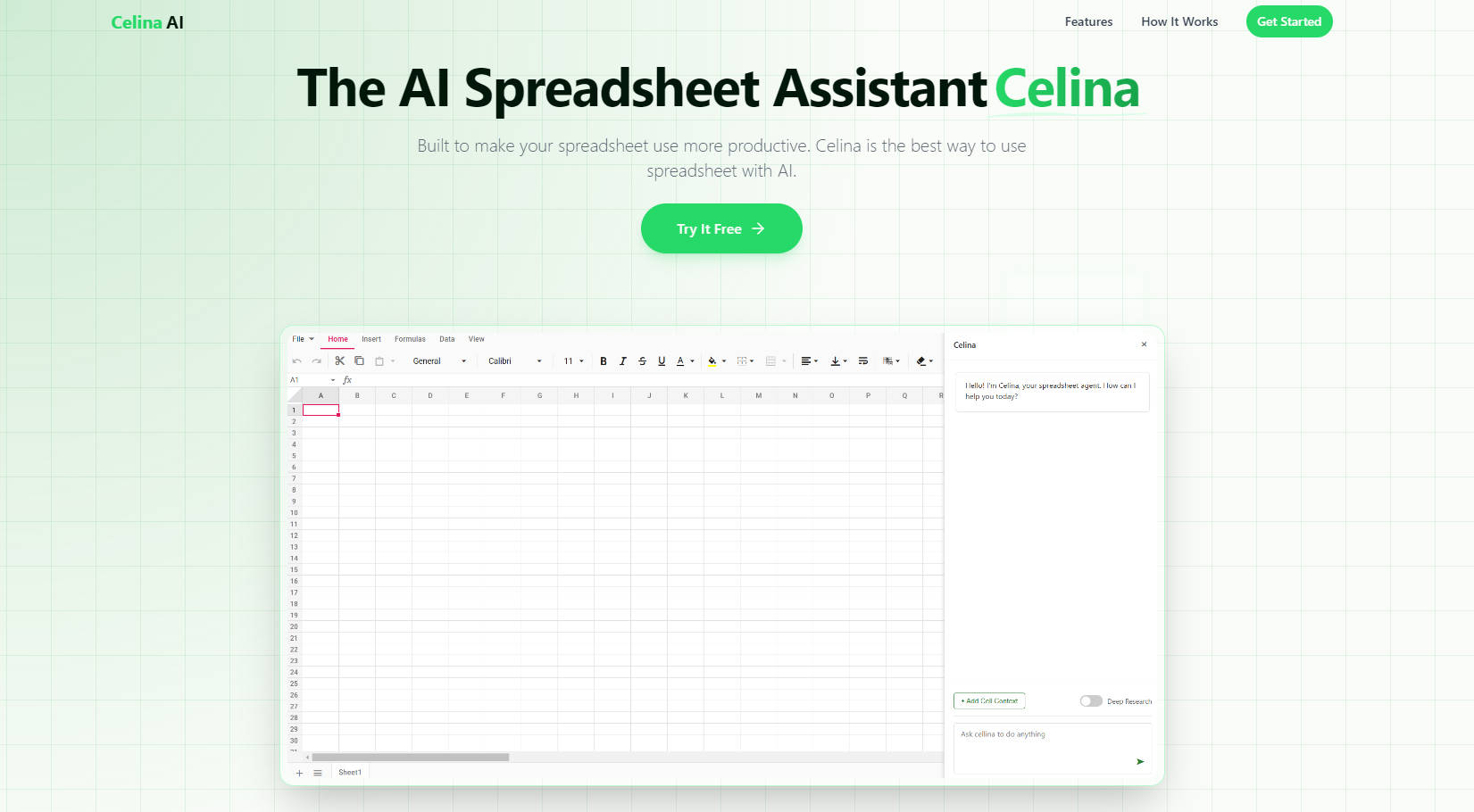
Meet Celina, your new AI-powered assistant for spreadsheets. Designed to simplify data analysis and enhance productivity, Celina allows you to ask questions in plain English and receive instant insights, eliminating the need for complex formulas and manual data manipulation. Whether you're a business analyst, a student, or anyone who works with data, Celina is here to transform your spreadsheet experience.
Key Features
🔍 Natural Language Commands
Ask questions about your data in plain English. For example, "Show me sales trends for the last quarter" or "Calculate the average of the High and Low." No more struggling with complex formulas.📊 Formula Assistant
Let Celina generate complex formulas for you based on your requirements and data structure. This feature ensures that your calculations are accurate and efficient, even if you're not a formula expert.📈 Visualizations
Transform your data into beautiful, insightful charts with a single command. Celina can create visual representations of your data, making it easier to understand and present.🌐 Fetch Data
Enable Deep Search and ask Celina to fetch data from the web and populate it into your spreadsheet. This feature saves you time and effort by automating the data collection process.
Use Cases
Business Analysts:
Scenario: You need to analyze quarterly sales data and identify trends.
Solution: Simply type, "Show me sales trends for the last quarter," and Celina will generate a chart and provide a summary of the trends, helping you make informed decisions quickly.
Students:
Scenario: You are working on a project and need to calculate the average of different data points.
Solution: Type, "Calculate the average of the High and Low," and Celina will instantly compute the result, allowing you to focus on your analysis rather than the calculations.
Small Business Owners:
Scenario: You want to compare your company's performance with industry benchmarks.
Solution: Ask Celina to fetch relevant industry data from the web and populate it into your spreadsheet. This way, you can easily compare and make strategic decisions.
How Celina Works
Import Your Spreadsheet:
Import your .xlsx or .xls file, or copy and paste the data directly into the spreadsheet.
Ask Questions in Plain English:
Simply type your question or the computation you want. For example, "Show me sales trends for the last quarter" or "Calculate the average of the High and Low."
Get Instant Insights & Visualizations:
Celina analyzes your data and provides answers, charts, and recommendations instantly based on your queries.
Conclusion
Celina is designed to make your work with spreadsheets more productive and insightful. By leveraging natural language commands, formula assistance, and powerful data visualization, Celina helps you save time and gain deeper insights. Ready to transform your spreadsheet experience? Try Celina today, no credit card required.
More information on Celina
Launched
2024-05
Pricing Model
Free Trial
Starting Price
Global Rank
Follow
Month Visit
<5k
Tech used
Google Fonts,Gzip,OpenGraph,Nginx,Ubuntu
Celina was manually vetted by our editorial team and was first featured on 2025-03-19.
Celina Alternatives
Load more Alternatives-

-

Excelmatic: AI assistant for Excel. Automate tasks, get insights, & clean data with simple chat commands. Save time!
-

Meet your AI agent for spreadsheets! Ideal for students and analysts. Build models, research, visualize data, attach external sources — all with a single prompt. Take control of your spreadsheet tasks.
-
Use AI to save hours on repetitive tasks, like categorizing, extracting, writing text, data cleaning, and more!
-