What is Director.run?
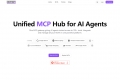
Director is an open-source gateway designed to simplify how you connect your AI applications and agents to tools using the Model Context Protocol (MCP). It solves the significant challenge of managing multiple servers, complex configurations, and disparate toolsets. With Director, you can configure your tools once and use them seamlessly across any MCP-compatible client, streamlining your entire AI workflow.
Key Features
Director provides a robust suite of tools to put you in command of your AI integrations.
🌐 Unified MCP Gateway Director acts as a single, centralized proxy for all your MCP tools. You connect your AI client (like Claude or Cursor) to Director once, and it intelligently routes requests to all your configured servers. This eliminates the need to manage multiple endpoints and complex configurations for each client.
🖥️ Intuitive Web Studio Forget manually editing complex JSON files. Director Studio provides a clean, browser-based interface to visually manage your proxies, add tools from the registry, and configure connections. This makes setup and ongoing management accessible, fast, and far less error-prone.
🔒 Isolated Proxies for Clean Workflows Create distinct, isolated proxies for different teams or projects (e.g., 'Sales Tools,' 'Dev-Ops'). Each proxy gets a unique endpoint and its own tailored set of tools and credentials, ensuring clean separation of concerns, enhanced security, and easier management.
📊 Structured Logging & Observability Every request and response passing through the gateway is securely logged in structured JSON. This provides complete visibility into your tool interactions, making it straightforward to debug issues, monitor usage, and pipe data into your existing observability platforms.
Use Cases
Director transforms how teams use AI by connecting agents to the tools they already use.
For Engineering Teams: Accelerate Bug Fixes An engineer can connect their AI agent to a Director proxy that provides access to Sentry, Linear, and GitHub. When a new bug is reported, they can ask the agent to "analyze this bug, draft a fix based on our codebase, update the Linear ticket, and create a pull request." Director handles the communication with each tool seamlessly, turning a multi-step process into a single command.
For Sales & Marketing Teams: Automate Lead Nurturing A sales team can create a "Sales Proxy" connecting to their CRM (like HubSpot), an enrichment tool, and an email service. They can then use natural language in their AI app to "Find information on this new lead, update their profile in HubSpot, and draft a personalized outreach email." This automates routine tasks and accelerates the sales cycle.
For Support Teams: Enhance Customer Service Connect Director to Stripe, Intercom, and your internal documentation. When a customer asks about a billing issue, a support agent can instruct their AI to "Look up this user's last invoice in Stripe and draft a reply in our brand voice." Director provides the necessary context for a fast and accurate resolution.
Why Choose Director?
Director’s core philosophy is to simplify, not complicate. It installs with a single command without requiring Docker or special infrastructure, allowing you to be productive in minutes. As a fully open-source tool, it offers complete transparency and control over your AI tool stack, avoiding vendor lock-in. It focuses purely on being the best possible MCP middleware, allowing you to use your favorite AI agents and tools without friction.
Conclusion:
Director empowers you to harness the full potential of MCP by removing the operational hurdles. By centralizing configuration and providing clear, isolated workflows, it allows you to focus on building powerful, tool-augmented AI solutions, not on managing infrastructure.
Explore the documentation to get started and see what you can build!

More information on Director.run
Launched
2025-03
Pricing Model
Free
Starting Price
Global Rank
11811267
Follow
Month Visit
<5k
Tech used
Director.run was manually vetted by our editorial team and was first featured on 2025-07-12.
Related Searches