

What is Zo?
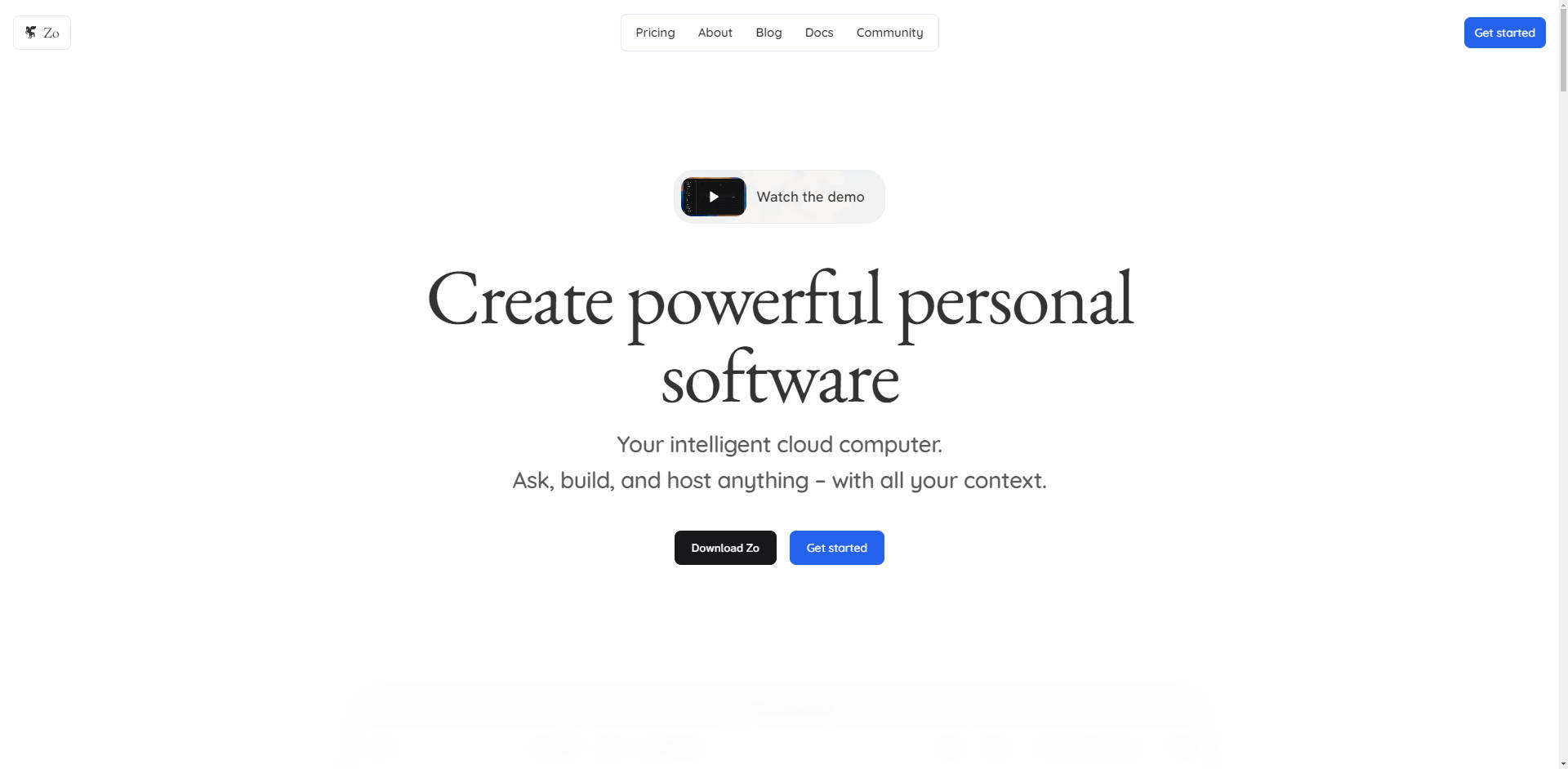
Zo is a new paradigm for personal computing: an intelligent cloud server designed to unify your entire digital workspace. It solves the fundamental problem of context fragmentation by giving cutting-edge AI comprehensive access to all your files, applications, and projects within a single, secure environment. For builders, developers, and power users, Zo provides the definitive platform to automate complex workflows, conduct deep research, and host personalized software with unprecedented ease and control.
Key Features
Zo transforms a collection of fragmented tools into a unified, powerful entity, ensuring that your AI always operates with full context of your work.
🧠 Unified Context and Memory
Zo acts as a central hub, connecting local files, cloud services (like Notion, Gmail, and Linear), and project data into one workspace. This unified context allows the AI to draw insights from across your entire knowledge base—from code repositories to personal notes—enabling sophisticated analysis and more relevant, high-quality outputs.
💬 Natural Language Workflow Automation
Move beyond rigid visual interfaces like traditional no-code tools. Zo allows you to craft powerful, automated workflows and scripts simply by writing prompts in plain English. You can establish triggers or schedules to run these personalized automations, streamlining repetitive tasks and connecting disparate services effortlessly.
⚙️ Build and Host Personal Applications
Zo is a full-fledged server environment where you can build and deploy personal apps, APIs, websites, and self-hosted open-source services (like n8n) directly on top of your files. The deployment process is simplified—often requiring just a natural language command—allowing you to quickly move from idea to live application.
🔧 Custom Integration Builder
Go beyond standard integrations. If Zo doesn't have a built-in connection for a specific app, the AI can research the service's API, write the necessary code, and guide you through setting up developer credentials. This capability enables highly flexible, powerful "AI plugin" functionality that expands Zo's reach across the entire universe of software.
🔄 Multi-Model AI Flexibility
Zo offers access to a diverse selection of leading AI models, including GPT-5, Haiku 4.5, and Gemini 2.5 Flash, along with specialized models for image generation, video creation, and audio transcription. You can switch between providers to choose the best model for the task, while all your valuable data, context, and customization remain securely stored on your personal server.
Use Cases
Zo is designed to handle tasks ranging from advanced development to complex personal organization, delivering tangible results in real-world scenarios.
1. Contextual Research and Analysis
Scenario: You are a PhD candidate needing to cross-reference years of conceptual notes stored in Obsidian with recent data findings in a spreadsheet and external academic papers. Zo Solution: Instead of manually synthesizing this information, you upload or sync all relevant data to your Zo server. You then ask the AI to "Analyze the findings in data.xlsx against the concepts in my Obsidian notes and draft a summary section for my thesis." The AI uses the unified context to generate a cohesive, deeply informed draft, leveraging the specific knowledge in your private files.
2. Rapid Deployment of Utility Tools
Scenario: You want to quickly set up a dynamic, searchable archive of your family's favorite recipes, hosted publicly for easy access. Zo Solution: You store the recipes as markdown files in a dedicated folder. Using a simple command like zo deploy recipe-archive --static, Zo automatically builds the static website, optimizes images, generates a search index, and publishes the site to a live domain. This eliminates the need for managing separate hosting providers or complex database setups.
3. Automated Data Pipeline Management
Scenario: As a student or professional, you need to automatically transfer assignments and deadlines from your university's Canvas learning management system into your personal Notion task list. Zo Solution: Zo's AI researches the necessary APIs, writes the integration code, and sets up a scheduled workflow. You instruct Zo, "Every morning, check Canvas for new assignments and automatically create corresponding entries in my Notion 'Tasks' database." This automation runs reliably on your server, saving significant time and ensuring you never miss a deadline.
Zo fundamentally redefines the relationship between the user, their data, and AI, offering benefits unmatched by traditional cloud services or AI chatbots.
True Data Ownership and Portability
Unlike proprietary cloud services where your files are often locked into inaccessible formats, Zo stores all your data using open file formats on your dedicated personal server. You maintain custody of your entire Zo computer, which can be downloaded, packaged, and restored on any machine. This commitment ensures zero vendor lock-in and complete control over your intellectual property.
A General-Purpose Computing Environment
Zo is far more than a sophisticated chat interface (like ChatGPT or Gemini) or a specialized second-brain app (like Notion). It is a complete, general-purpose server environment where you can run scripts, perform data analysis, and deploy backend services. This broad capability means the ceiling for what you can build and automate is vastly higher.
Context-Rich AI vs. App Silos
Traditional AI coding tools (like Replit or v0) are often project-centric, making it difficult to share context across different projects or incorporate personal files. Zo eliminates these silos; every project, automation, and AI interaction benefits from the full, interconnected context of your entire file system, leading to smarter, more personalized outcomes.
Conclusion
Zo is the intelligent personal server that restores the flexibility and control of early personal computing while incorporating the immense power of modern AI. By unifying your context, empowering natural language automation, and supporting robust hosting, Zo is the best place to build, automate, and manage your digital world.
Explore how Zo can transform your productivity and development capabilities today.
FAQ
What are Zo's data backup and restoration capabilities?
Zo rigorously protects your data through regular "snapshots," storing the entire state of your computer at a specific point in time. This robust backup system allows you to easily restore your Zo computer to any previous state, providing peace of mind against errors or accidental changes made by the AI.
What kinds of files does Zo support?
Zo supports working with virtually all common file formats, including code, notes, spreadsheets, word documents, PDFs, images, audio, and video files. If a file cannot be edited directly in the browser, you can instruct the Zo AI in the chat to edit or convert the file, leveraging its full computer access to install necessary tools and handle specialized formats.
How does Zo compare to visual automation tools like Zapier or n8n?
While Zapier and n8n use visual, node-based programming, Zo focuses on building complex workflows using natural language. This approach lowers the barrier to entry, allowing you to create powerful automations just by writing prompts. Furthermore, because Zo is a general-purpose server, you can even self-host open-source tools like n8n directly on your Zo Computer for maximum flexibility.
More information on Zo
Launched
Pricing Model
Freemium
Starting Price
Global Rank
1408307
Follow
Month Visit
17.7K
Tech used
Top 5 Countries
95.47%
4.53%
United States
France
Traffic Sources
24.96%
1.59%
0.11%
5.51%
20.8%
47.03%
social
paidReferrals
mail
referrals
search
direct
Source: Similarweb (Nov 25, 2025)
Zo was manually vetted by our editorial team and was first featured on 2025-11-25.
Zo Alternativas
Más Alternativas-

-

-

-

-
Clon mejorado de ChatGPT: Integra OpenAI, GPT-4 Vision, Bing, Anthropic, OpenRouter, Google Gemini, cambio entre modelos de IA, búsqueda de mensajes, LangChain, DALL-E-3, plugins de ChatGPT, funciones de OpenAI, sistema multiusuario seguro, preajustes, y es completamente de código abierto para autoalojamiento.